Addition & Subtraction Worksheet Generator
Function Introduction
This is a pure front-end math worksheet generator for addition and subtraction exercises. All operations run locally in your browser, no data will be uploaded to any server.
You can customize document title, number range and result value limit. It supports three addition carry modes and three subtraction borrow modes to match different learning stages.
Multiple formula styles are available, including standard calculation problems and fill-in-the-blank problems. You can set question quantity, document columns and generate multiple copies at one time.
After setting all options, click the generate button to export a complete HTML file. The downloaded file can be opened directly with a browser, printed or saved for daily exercise and teaching use.
File Title: The title name of the generated math worksheets.
Number Range: The value range of numbers used in addition and subtraction operations.
Result Range: The value range of the calculation results. To customize this range, please check the checkbox on the right.
Addition Mode: Supports three options: Carry, No Carry and Mixed. Select Carry for addition operations that require digit carrying. You can choose according to your child's learning progress.
Subtraction Mode: Supports three options: Borrow, No Borrow and Mixed for subtraction operations that require digit borrowing.
Question Type: There are six types in total, which define the position of the blank to fill in:
- A + B = ?
- A - B = ?
- ? + B = C
- A + ? = C
- ? - B = C
- A - ? = C
For example: Type A - B = ? generates questions like 1 + 2 = ____; Type ? - B = C generates questions like ____ - 4 = 6.
Document Columns: Set how many columns to display the generated questions.
Total Questions: Set the total number of math questions.
Sample Preview:
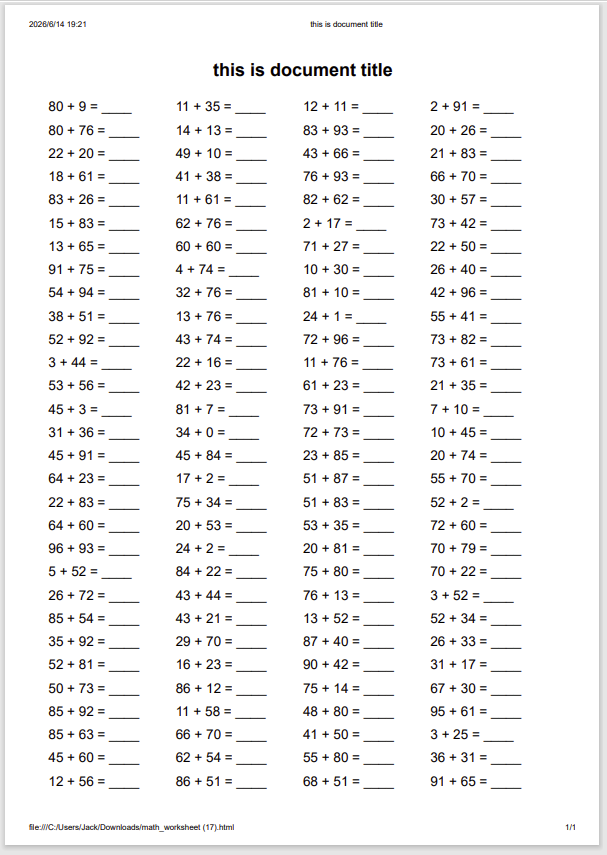
After generating, you will get an HTML file. Open it with a browser, right-click and select Print to print the worksheets directly.