Flutter是谷歌开发的一个框架,也是基于谷歌自家的语言dart。它可以在一套代码中,构建出web ios android linux windows 甚至嵌入式应用。和它类似的框架有微软的maui,php的nativephp。
flutter还是开源的,用于从单一代码库构建漂亮、原生编译的多平台应用。目前很多程序员用它来开发android app。
Flutter可以构建成本机代码,所以它开发的程序,不容易被反编译。F编译为 ARM 或 Intel 机器码以及 JavaScript,以实现在任何设备上的高速性能。
支持,移动端、网页端、桌面端和嵌入式这些应用
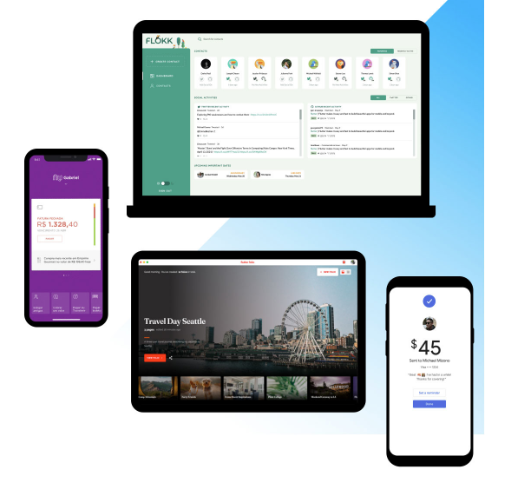
谷歌已经把自家的应用整合到了Flutter中,你可以无缝应用
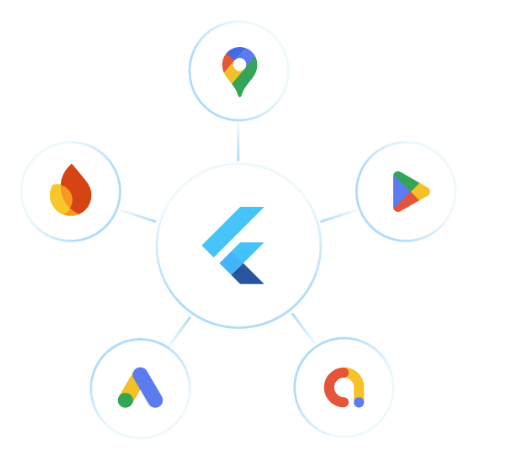
连接谷歌的应用开发生态系统,通过与Firebase、Google Ads、Google Play、Google Pay、Google Wallet、Google 地图等无缝集成,简化开发流程,触达更广泛的受众。
Flutter 用到了Dart语言,这是一种针对任何平台快速应用优化的语言
如下是Flutter的官网,Flutter – 为任何屏幕构建应用
安装
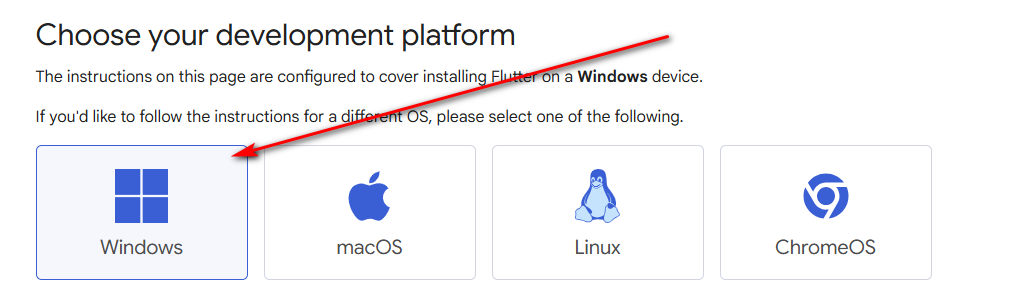
Flutter支持多个平台下运行,如下这些操作系统,都可以使用Flutter进行开发

本课程使用Windows
要安装Flutter开发环境,你需要先安装一些前置的应用
- 安装 Windows 版 Git
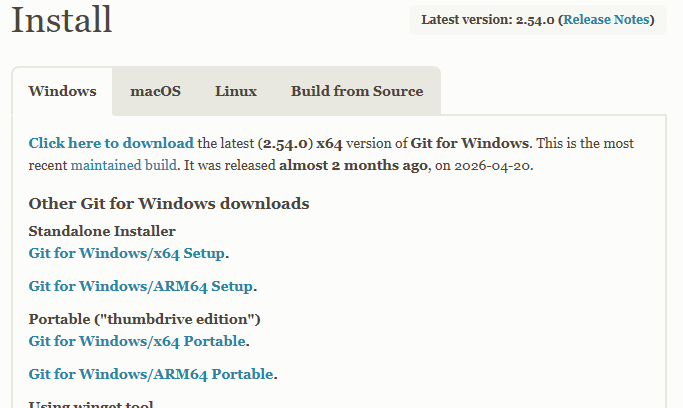
读者可以到如下git的官网下载安装,Git – Install for Windows
作者的电脑intel 64位的,所以安装 https://github.com/git-for-windows/git/releases/download/v2.54.0.windows.1/Git-2.54.0-64-bit.exe 这个版本 Git for Windows/x64 Setup.
Git的安装比较简单,和平常安装程序基本差不多。基本上就一路选择“Next”就可以。
- 下载并安装Visual Studio Code
Flutter支持VS CODE ,也支持Android Studio,读者可以根据自己的习惯选择开发工具,作者本人习惯用Android Stuido,所以本课程就基于Android Stuido 。读者可以到Android Studio官网下载最新版的 https://developer.android.com/studio
Flutter的安装
上面只是安装它的用到的其他前置应用,现在才是安装Flutter本身。Flutter是一个框架,你需要先安装了这个框架,才可以基于它进行开发。你如果使用VS CODE进行开发,可以参考其他课程,VS CODE本身就提供安装Flutter的功能,你可以在VS CODE上面 安装Flutter。
VS CODE 安装Flutter 和dart,基本上就和安装其他VS CODE扩展差不多,在扩展中选择Flutter 和dart
为了在VS Code中添加Dart和Flutter扩展, 请访问Flutter扩展的市场页面, 然后点击安装。 如果浏览器提示,允许它打开 VS Code。可以参考官网文字搭建并试驾Flutter
不过,由于本课程作者,没有使用VS code,所以就需要手动安装
手动安装Flutter
手动安装,是基于这篇官网文章的https://docs.flutter.dev/install/manual
读者打开上面的链接,后 点击你对应的版本,作者使用Windows
然后点击下载按钮,下载
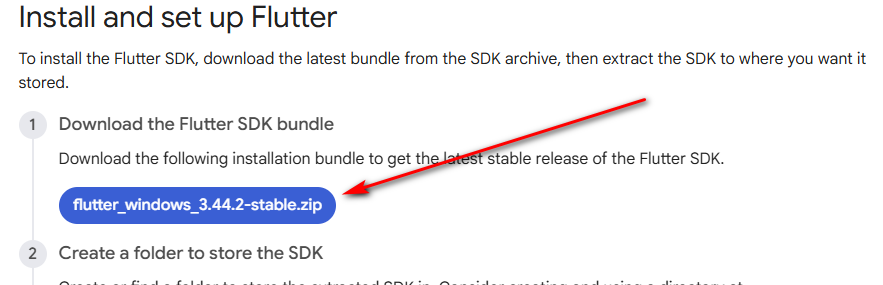
下载后,把它解压到一个目录,这个目录的路径不能有空格或者特殊字符,建议就简单一些,例如C:\flutter
目录内容部分如下:
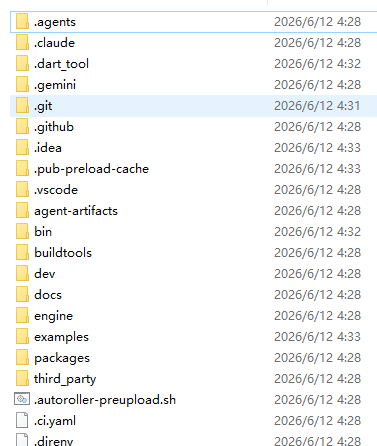
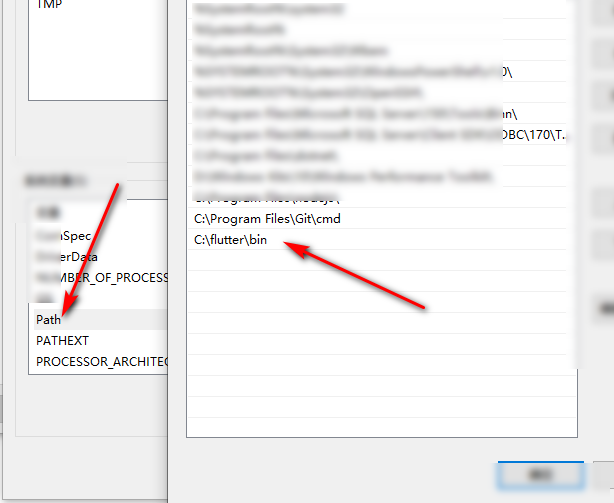
然后复制 bin目录:C:\flutter\bin ,到环境变量path中
在开始菜单中,搜索环境变量
然后把bin目录路径 加到Path中
安装Dart
安装完Flutter后,你还需要安装Dart,打开终端,执行如下命令
flutter doctor执行记录,会自动下载dart sdk
C:\Users\Jack>flutter doctor
Checking Dart SDK version...
Downloading Dart SDK from Flutter engine ...
Expanding downloaded archive with PowerShell...Code language: JavaScript (javascript)
然后验证是否安装成功。打开cmd终端,执行下面命令
注:对于部分国家,可能会安装失败,需要设置代理镜像。打开CMD/powershell 依次执行如下命令
set PUB_HOSTED_URL=https://pub.flutter-io.cn
set FLUTTER_STORAGE_BASE_URL=https://storage.flutter-io.cn
flutter doctorCode language: JavaScript (javascript)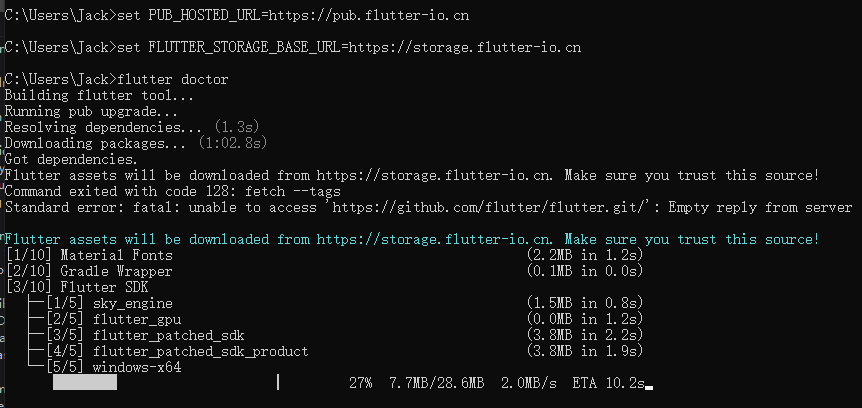
最后一句命令flutter doctor 是检查flutter的环境的。doctor就是医生的意思,相当于检查你的flutter
例如,作者检查后的结果是
Doctor summary (to see all details, run flutter doctor -v):
[√] Flutter (Channel stable, 3.44.2, on Microsoft Windows [ 10.0.19044.7417], locale zh-CN)
[√] Windows Version (10 IoT LTSC 64 位, 21H2, 2009)
[X] Android toolchain - develop for Android devices
    X Unable to locate Android SDK.
      Install Android Studio from: https://developer.android.com/studio/index.html
      On first launch it will assist you in installing the Android SDK components.
      (or visit https://flutter.dev/to/windows-android-setup for detailed instructions).
      If the Android SDK has been installed to a custom location, please use
      `flutter config --android-sdk` to update to that location.

[X] Chrome - develop for the web (Cannot find Chrome executable at .\Google\Chrome\Application\chrome.exe)
    ! Cannot find Chrome. Try setting CHROME_EXECUTABLE to a Chrome executable.
[√] Visual Studio - develop Windows apps (Visual Studio Community 2022 17.9.1)
[√] Connected device (2 available)
[!] Network resources
    X An HTTP error occurred while checking "https://github.com/": 信号灯超时时间已到

! Doctor found issues in 3 categories.Code language: JavaScript (javascript)
x的就是没安装好的,例如,android 没装好 ,就无法编译android版本的应用,chrome没安装,就会无法用chrome调试web版本,读者参考下一步,安装android studio,至于chrome,也可以下载chrome安装就可以,当然,如果你是开发desktop windows应用,你可以不安装这两个也可以的
Missing Android SDK (Cannot compile for Android)
Chrome not detected (Cannot run for web)
chrome 下载地址 Google Chrome – Download the fast, secure browser from Google
安装Android Studio
作者下载的最新的android studio exe是 android-studio-quail1-patch1-windows.exe,双击安装既可以
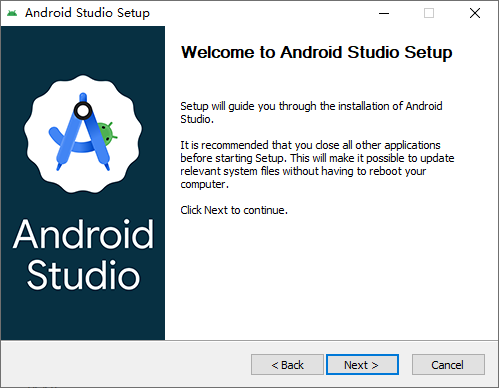
基本上,也是一路的next就可以。
安装后,打开,也基本一路next
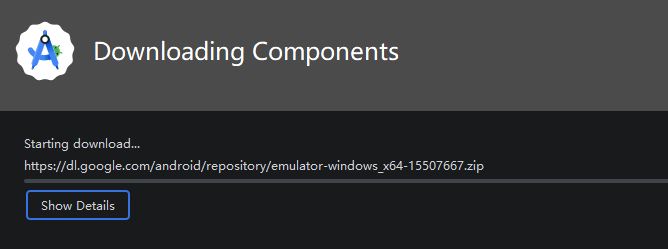
安装完成后,你就可以用android studio 创建项目了。
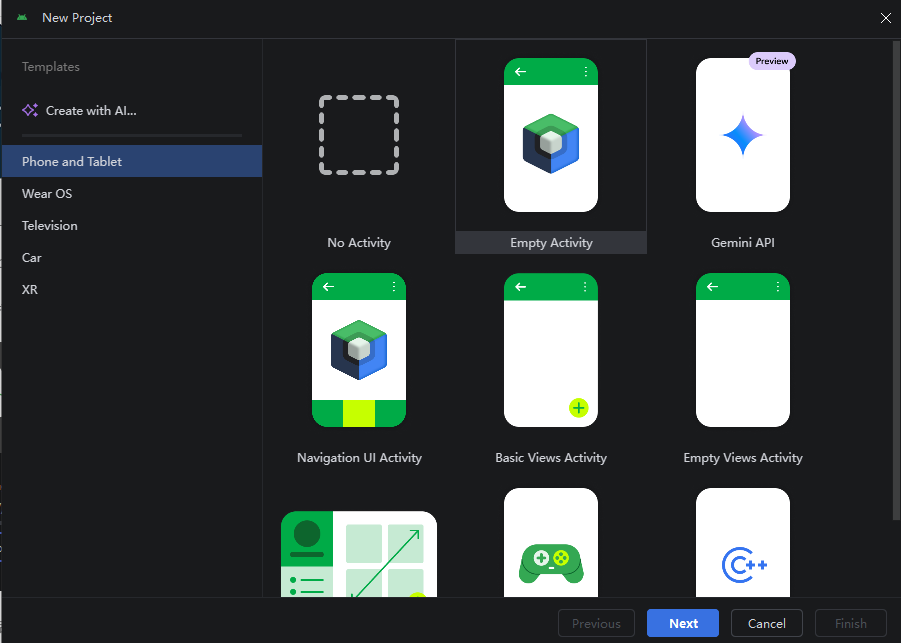
现在再次打开cmd,使用flutter doctor检查一遍
[!] Android toolchain - develop for Android devices (Android SDK version 36.1.0)
    X cmdline-tools component is missing.
      Try installing or updating Android Studio.
      Alternatively, download the tools from https://developer.android.com/studio#command-line-tools-only and make sure
      to set the ANDROID_HOME environment variable.
      See https://developer.android.com/studio/command-line for more details.
    X Android license status unknown.
      Run `flutter doctor --android-licenses` to accept the SDK licenses.
      See https://flutter.dev/to/windows-android-setup for more details.Code language: PHP (php)
打开 Android Studio → File → Settings → Appearance & Behavior → System Settings → Android SDK
切换到 SDK Tools 勾选:
Android SDK Command-line Tools (latest)
切换到 SDK Tools 标签 勾选:
Android SDK Command-line Tools (latest)
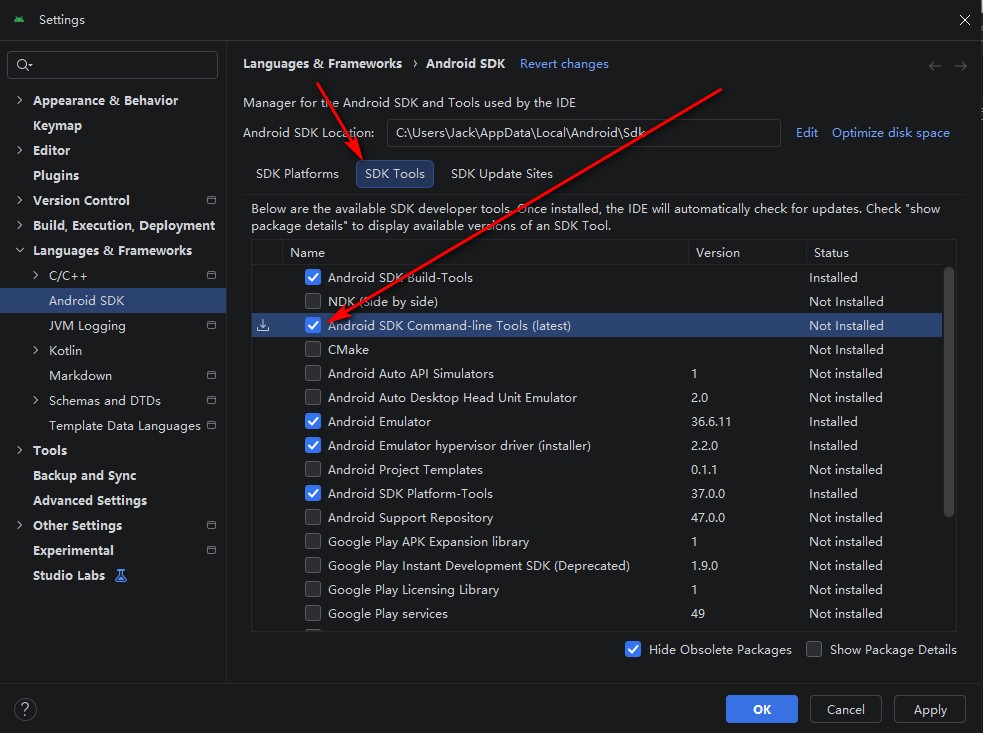
然后 Apply,然后等待下载安装。
继续执行flutter doctor
[!] Android toolchain - develop for Android devices (Android SDK version 36.1.0)
    ! Some Android licenses not accepted. To resolve this, run: flutter doctor --android-licensesCode language: CSS (css)
这个问题是android 需要许可
Android 许可未接受(Some Android licenses not accepted)
cmd中执行下面命令
flutter doctor --android-licenses然后一路选择y 就可以了。
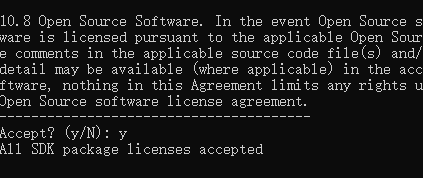
然后再次命令行执行flutter doctor
C:\Users\Jack>flutter doctor
Flutter assets will be downloaded from https://storage.flutter-io.cn. Make sure you trust this source!
Doctor summary (to see all details, run flutter doctor -v):
[√] Flutter (Channel stable, 3.44.2, on Microsoft Windows [版本 10.0.19044.7417], locale zh-CN)
[√] Windows Version (10 IoT 企业版 LTSC 64 位, 21H2, 2009)
[√] Android toolchain - develop for Android devices (Android SDK version 36.1.0)
[√] Chrome - develop for the web
[√] Visual Studio - develop Windows apps (Visual Studio Community 2022 17.9.1)
[√] Connected device (3 available)
[√] Network resources

• No issues found!Code language: JavaScript (javascript)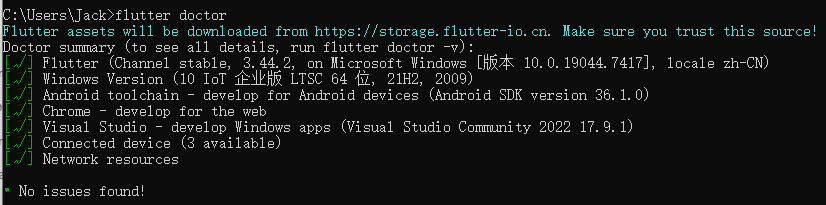
ok 到目前为止,我们的flutter 就基本安装完毕了,下一节课开始我们开始第一个例子项目