添加导航
视图界面添加左侧菜单
创建一个新的Winui C++项目
打开 MainWindow.xaml
改成如图这样的NavigationView(只是替换里面的Grid部分,不要全部替换)
<NavigationView x:Name="NavView" PaneDisplayMode="Left">

   <NavigationView.MenuItems>
       <NavigationViewItem Content="Dashboard" Tag="DashboardPage"
Icon="Account"/>
       <NavigationViewItem Content="Account" Tag="AnalyticsPage"
Icon="Add"/>
   </NavigationView.MenuItems>

   <Frame x:Name="MainFrame"/>

</NavigationView>Code language: HTML, XML (xml)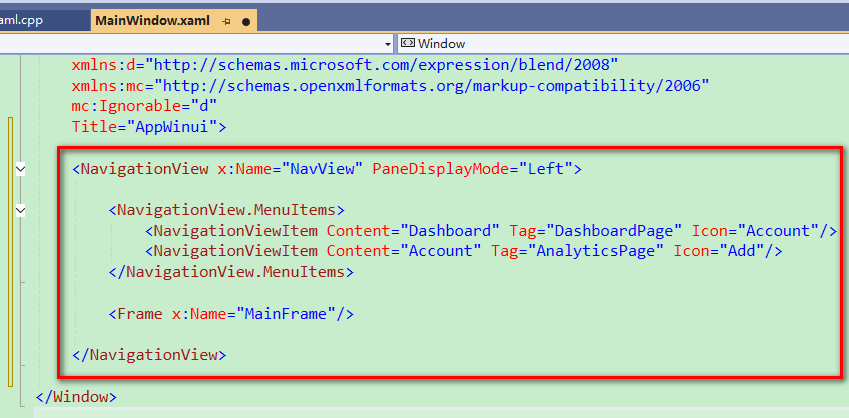
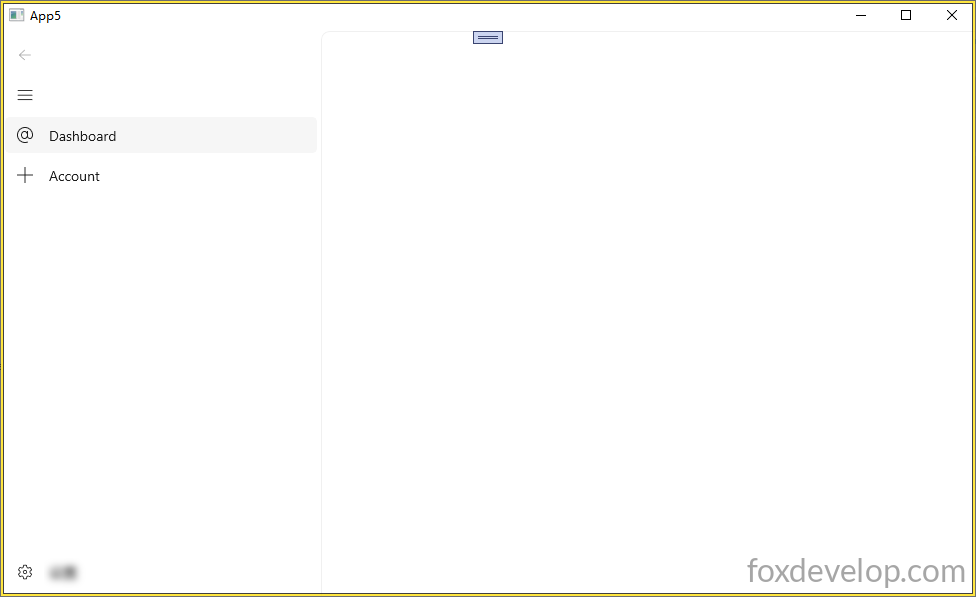
运行后打开如下
添加一个空白页
添加一个空白页
右键项目名称–新建新的项目(Add New Item)
找到Visual C++ — WinUI — BlankPage.xaml 空白页面
修改BlankPage.xaml 如下 (里面的Grid的部分)为了区分不同的页面,所以每个页面有一个TextBlock显示不同的文本
Page和Window是不一样
    <Grid>
        <TextBlock Text="This is a blank page."
HorizontalAlignment="Center"
VerticalAlignment="Center" FontSize="24"/>
    </Grid>Code language: C++ (cpp)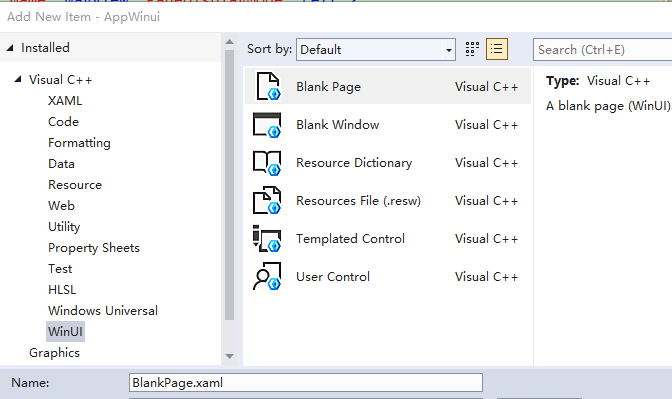
导航栏和加载页面
设置主窗体的默认空白页
设置主窗体的Frame框架默认打开上面的空白页
Frame类似html中的iframe,相当于一个区域,里面是加载另外一个页面的内容。
打开MainWindow.xaml.h
把里面的构造函数,去掉实现部分,只保留定义部分。
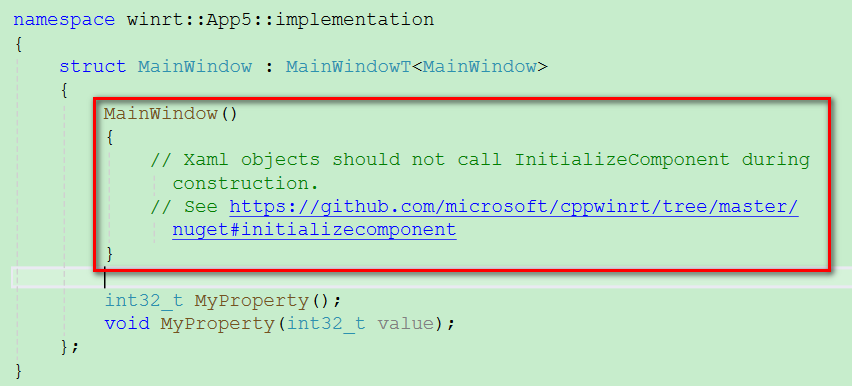
变成 MainWindow();
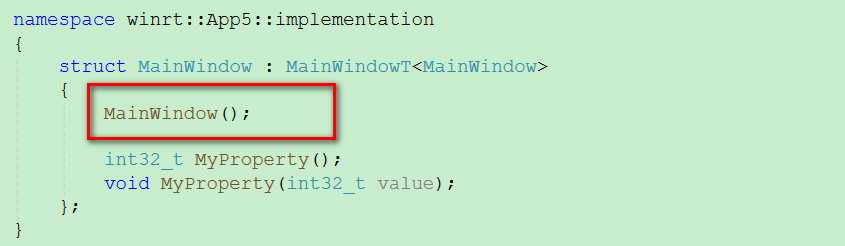
在cpp中实现这个构造函数。
#include "pch.h"
#include "MainWindow.xaml.h"
#if __has_include("MainWindow.g.cpp")
#include "MainWindow.g.cpp"
#endif

using namespace winrt;
using namespace Microsoft::UI::Xaml;

#include "BlankPage.xaml.h"
#include <winrt/Windows.UI.Xaml.Interop.h>

// To learn more about WinUI, the WinUI project structure,
// and more about our project templates, see: http://aka.ms/winui-project-info.

namespace winrt::App5::implementation
{
    // 构造函数实现写在cpp里,这里才能安全初始化界面+跳转页面
    MainWindow::MainWindow()
    {
        InitializeComponent();
        // 让Frame加载并显示BlankPage
        MainFrame().Navigate(xaml_typename<App5::BlankPage>());
    }

    int32_t MainWindow::MyProperty()
    {
        throw hresult_not_implemented();
    }

    void MainWindow::MyProperty(int32_t /* value */)
    {
        throw hresult_not_implemented();
    }


}
Code language: PHP (php)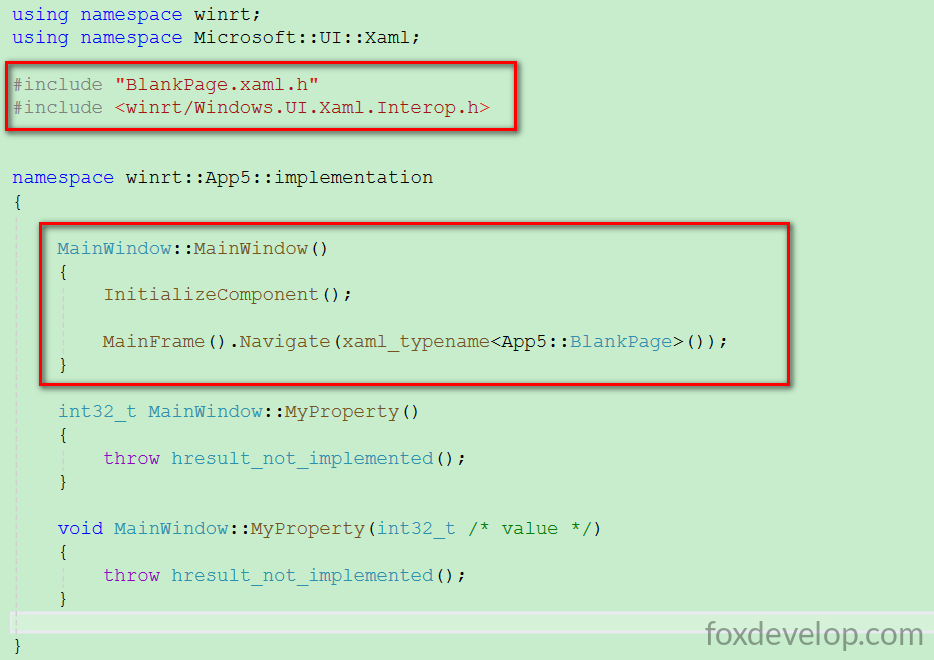
上面xaml_typename 需要引入
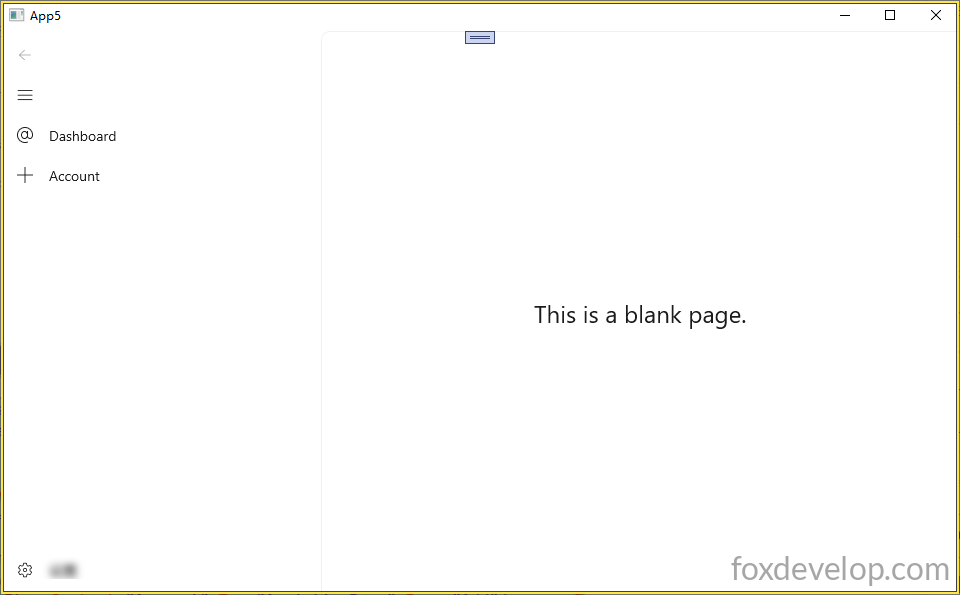
#include <winrt/Windows.UI.Xaml.Interop.h>Code language: HTML, XML (xml)MainFrame().Navigate(xaml_typename());证据代码就是导航到BlankPage 这个空白页面,所以打开主窗体,右侧的MainFrame是显示这个空白页面的。
Previous: 实现按钮点击和属性绑定
Next: 点击左侧导航栏打开不同的页面