新增導覽功能
在檢視介面新增左側選單
建立全新的 WinUI C++ 專案
開啟 MainWindow.xaml
將內層 Grid 區段替換為下方所示的 NavigationView(僅替換 Grid 部分,不要完整覆蓋整份檔案)
<NavigationView x:Name="NavView" PaneDisplayMode="Left">

   <NavigationView.MenuItems>
       <NavigationViewItem Content="Dashboard" Tag="DashboardPage"
Icon="Account"/>
       <NavigationViewItem Content="Account" Tag="AnalyticsPage"
Icon="Add"/>
   </NavigationView.MenuItems>

   <Frame x:Name="MainFrame"/>

</NavigationView>Code language: HTML, XML (xml)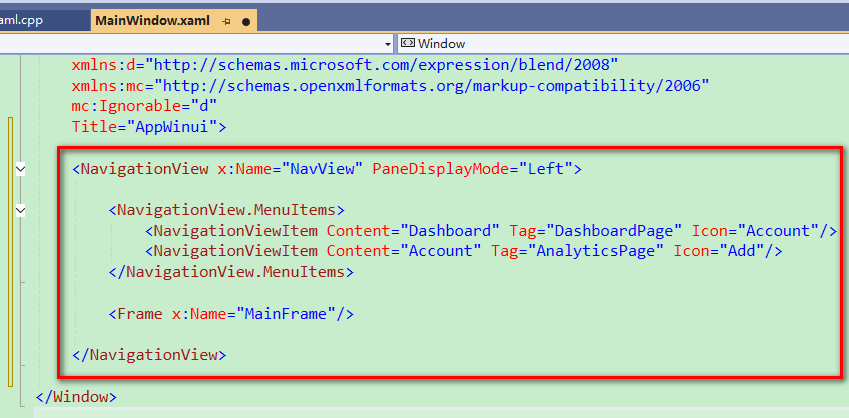
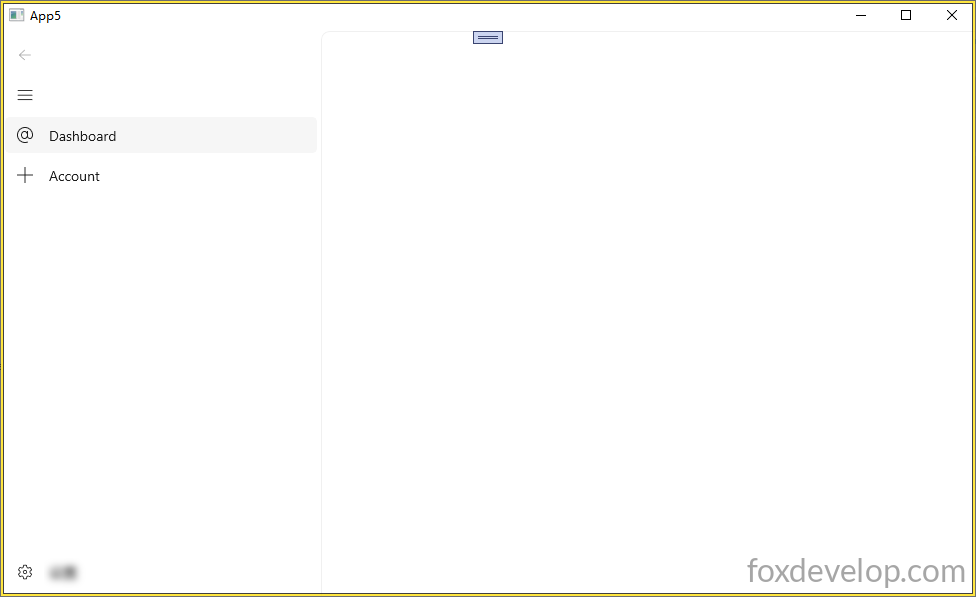
執行後介面畫面如下
新增空白頁面
建立空白頁面
右鍵點擊專案名稱 → 新增項目(Add New Item)
找到 Visual C++ → WinUI → BlankPage.xaml 空白頁面範本
修改 BlankPage.xaml 內的 Grid 內容如下。為了區分各個頁面,我們在每個頁面放置一個 TextBlock 顯示獨特文字。
Page(頁面)與 Window(視窗)是不同的控制項
    <Grid>
        <TextBlock Text="This is a blank page."
HorizontalAlignment="Center"
VerticalAlignment="Center" FontSize="24"/>
    </Grid>Code language: C++ (cpp)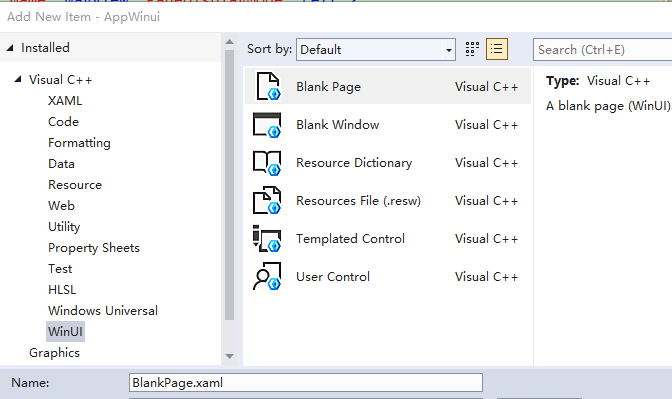
導覽列與頁面載入設定
設定主視窗預設載入空白頁
設定主視窗的 Frame 框架,預設開啟剛剛建立的空白頁
Frame 的概念類似 HTML 裡的 iframe,是一塊獨立區域,用來載入並顯示其他頁面內容。
開啟 MainWindow.xaml.h
把建構函式的實作內容移除,只保留函式宣告。
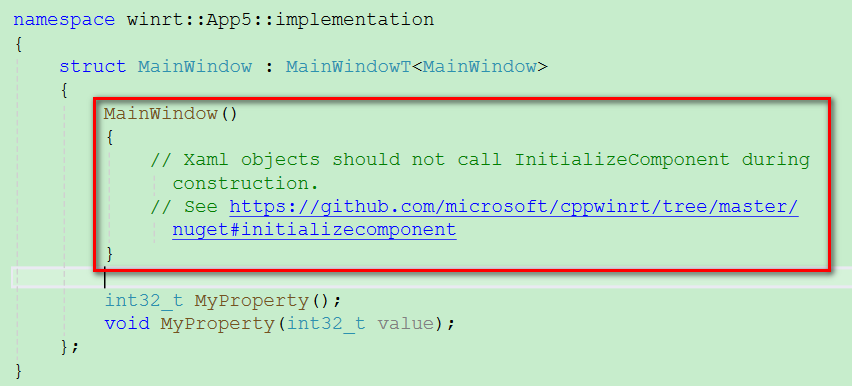
修改成:MainWindow();
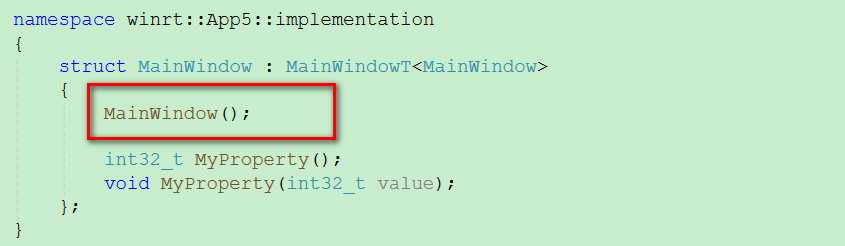
在建檔(.cpp)內實作這個建構函式。
#include "pch.h"
#include "MainWindow.xaml.h"
#if __has_include("MainWindow.g.cpp")
#include "MainWindow.g.cpp"
#endif

using namespace winrt;
using namespace Microsoft::UI::Xaml;

#include "BlankPage.xaml.h"
#include <winrt/Windows.UI.Xaml.Interop.h>

// To learn more about WinUI, the WinUI project structure,
// and more about our project templates, see: http://aka.ms/winui-project-info.

namespace winrt::App5::implementation
{
    // 建構函式實作寫在 cpp 檔,才能安全初始化介面並執行頁面跳轉
    MainWindow::MainWindow()
    {
        InitializeComponent();
        // 讓 Frame 載入並顯示 BlankPage
        MainFrame().Navigate(xaml_typename<App5::BlankPage>());
    }

    int32_t MainWindow::MyProperty()
    {
        throw hresult_not_implemented();
    }

    void MainWindow::MyProperty(int32_t /* value */)
    {
        throw hresult_not_implemented();
    }


}
Code language: PHP (php)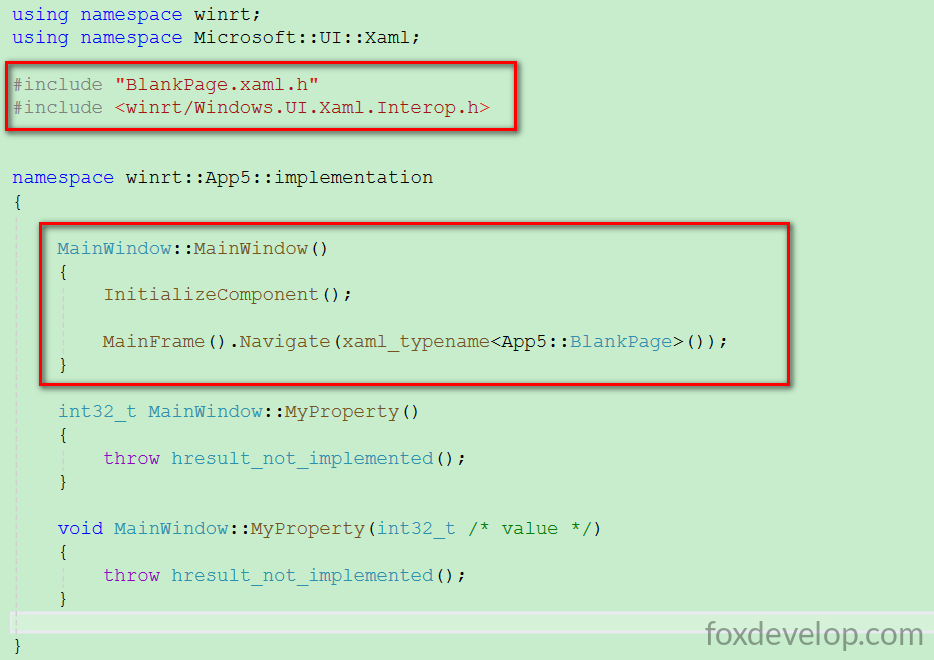
使用 xaml_typename 必須引入以下標頭檔
#include <winrt/Windows.UI.Xaml.Interop.h>Code language: HTML, XML (xml)程式碼 MainFrame().Navigate(xaml_typename()) 的作用是導覽至 BlankPage 空白頁。開啟主視窗時,右側的 MainFrame 就會顯示該空白頁內容。
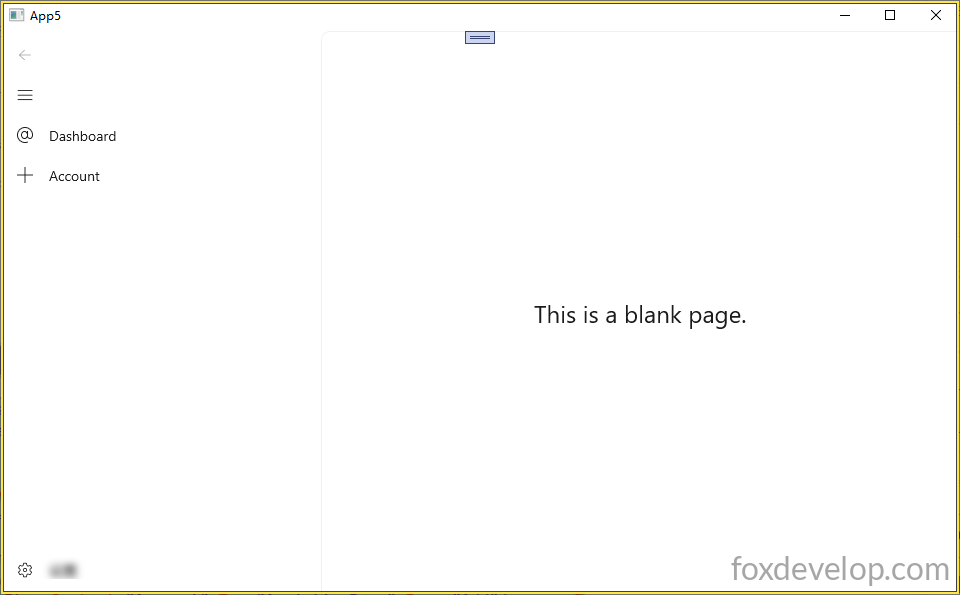
左側選單與主視窗頁面載入設定完成
Previous: 實現按鈕點擊與屬性綁定
Next: 點擊左側導覽列即可切換不同頁面