WinUI 3 C++ 控制項篇-基礎文字控制項
本課我們開始學習 WinUI 3 C++ 的控制項,WinUI C++ 內建豐富多樣的控制項,先從最基礎的文字顯示與輸入控制項入門。
以下是所有與文字相關的核心控制項:
TextBlock:靜態文字顯示,支援富文字、行內樣式
RichTextBlock:唯讀富文字檢視器,支援段落、斜體、粗體、內嵌圖片
TextBox:單行純文字輸入框
RichEditBox:多行富文字編輯器(可設定字型、顏色、段落格式)
PasswordBox:密碼輸入框,隱藏輸入字元
AutoSuggestBox:具自動下拉提示功能的輸入框
NumberBox:僅限數字輸入,可限定最大/最小值、支援小數
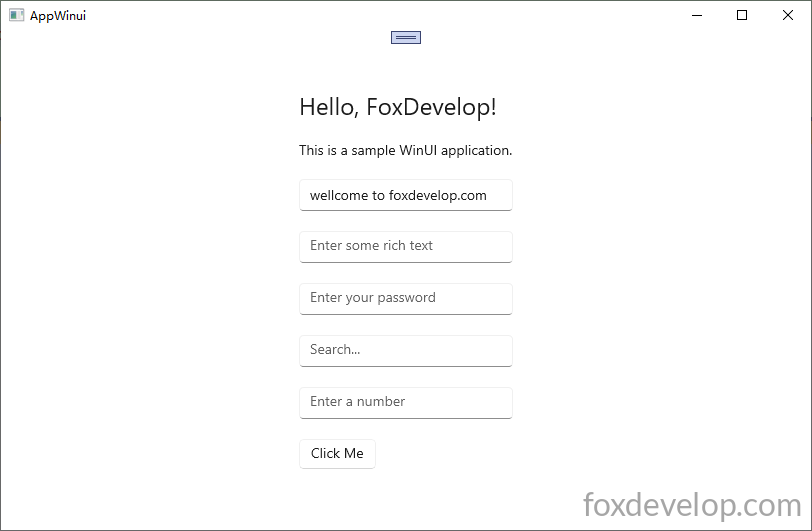
    <StackPanel Orientation="Vertical" HorizontalAlignment="Center" VerticalAlignment="Center" Padding="30">

        <TextBlock Text="Hello, FoxDevelop!" FontSize="24" Margin="0,0,0,20"/>

        <RichTextBlock>
            <Paragraph>
                <Run Text="This is a sample WinUI application."/>
            </Paragraph>
        </RichTextBlock>

        <TextBox x:Name="myTextBox" PlaceholderText="Enter your name" Text="" Margin="0,20,0,0"/>

        <RichEditBox PlaceholderText="Enter some rich text" Margin="0,20,0,0"/>

        <PasswordBox PlaceholderText="Enter your password" Margin="0,20,0,0"/>

        <AutoSuggestBox PlaceholderText="Search..." Margin="0,20,0,0"/>

        <NumberBox PlaceholderText="Enter a number" Margin="0,20,0,0"  Maximum="100" Minimum="0"/>

        <Button Content="Click Me" Margin="0,20,0,0" Click="Button_Click"/>
    </StackPanel>Code language: HTML, XML (xml)
游標移至事件名稱,按下 F12 自動產生按鈕點擊事件函式
#include "pch.h"
#include "MainWindow.xaml.h"
#if __has_include("MainWindow.g.cpp")
#include "MainWindow.g.cpp"
#endif


#include <winrt/Microsoft.UI.Xaml.Controls.h>
#include <winrt/Microsoft.UI.Xaml.h>

using namespace winrt;
using namespace Microsoft::UI::Xaml;
using namespace Microsoft::UI::Xaml::Controls;
using namespace Windows::Foundation;

// To learn more about WinUI, the WinUI project structure,
// and more about our project templates, see: http://aka.ms/winui-project-info.

namespace winrt::AppWinui::implementation
{
    int32_t MainWindow::MyProperty()
    {
        throw hresult_not_implemented();
    }

    void MainWindow::MyProperty(int32_t /* value */)
    {
        throw hresult_not_implemented();
    }

}

void winrt::AppWinui::implementation::MainWindow::Button_Click(winrt::Windows::Foundation::IInspectable const& sender, winrt::Microsoft::UI::Xaml::RoutedEventArgs const& e)
{
    myTextBox().Text(L"welcome to foxdevelop.com");//設定 TextBox 文字內容
    hstring inputText = myTextBox().Text(); //讀取 TextBox 文字內容
    OutputDebugStringW(inputText.c_str());
}
Code language: C++ (cpp)
透過 myTextBox().Text 可寫入或讀取文字值:傳入寬字串參數(如 L"welcome to foxdevelop.com")代表設定文字;不帶參數呼叫 hstring inputText = myTextBox().Text(); 則是讀取目前文字。
補充說明:即使執行 myTextBox().Text(L"welcome to foxdevelop.com"); 預設填入文字,使用者在介面手動輸入的內容,點擊按鈕後後端仍可正常讀取。
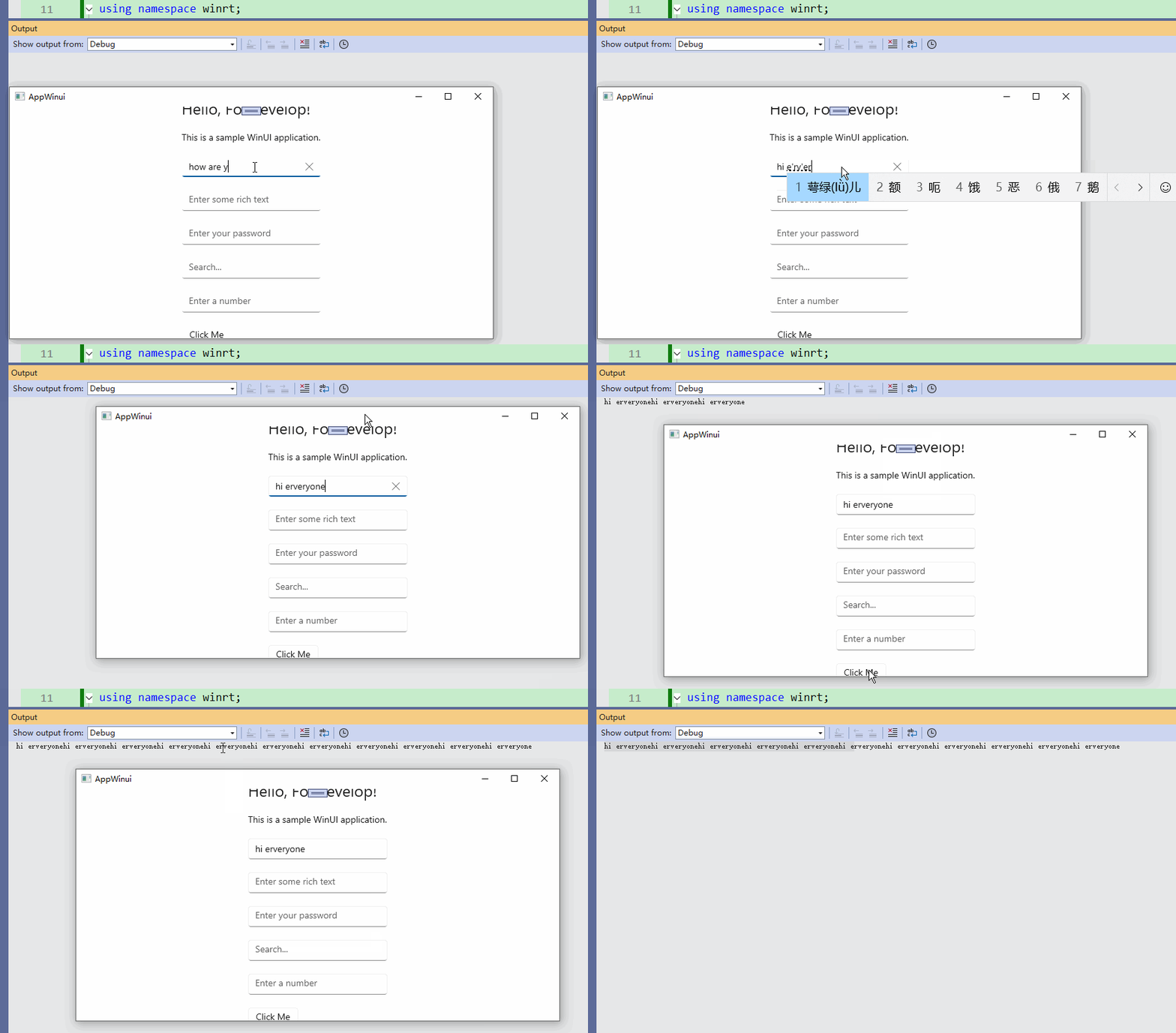
其餘文字控制項皆可使用類似語法讀取、設定值,此處不再逐一示範。
Previous: 透過九宮格範例學習Grid版面配置
Next: WinUI 3 C++ 控制項篇-按鈕控制項