本节课,我们开始来学习一下WinUI 3 C++ 的控件,Winui C++控件丰富,我们首先从基本的文本输入和显示控件开始。
如下这些是和文本有关的控件
TextBlock:静态文字展示,支持富文本、行内样式
RichTextBlock:富文本只读展示,段落、斜体、加粗、图片嵌入
TextBox:单行文本输入框
RichEditBox:多行富文本编辑(字体、颜色、段落)
PasswordBox:密码输入框,隐藏输入字符
AutoSuggestBox:带自动下拉联想的输入框
NumberBox:仅数字输入,限定最大 / 最小值、小数
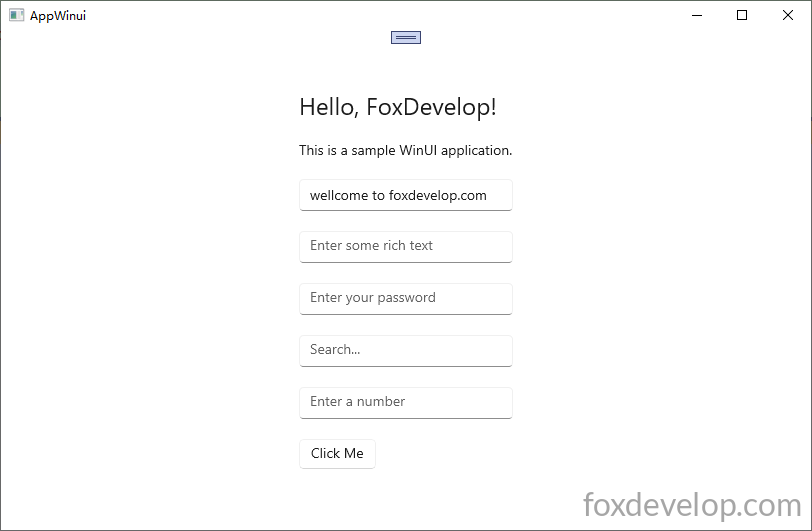
    <StackPanel Orientation="Vertical" HorizontalAlignment="Center" VerticalAlignment="Center" Padding="30">

        <TextBlock Text="Hello, FoxDevelop!" FontSize="24" Margin="0,0,0,20"/>

        <RichTextBlock>
            <Paragraph>
                <Run Text="This is a sample WinUI application."/>
            </Paragraph>
        </RichTextBlock>

        <TextBox x:Name="myTextBox" PlaceholderText="Enter your name" Text="" Margin="0,20,0,0"/>

        <RichEditBox PlaceholderText="Enter some rich text" Margin="0,20,0,0"/>

        <PasswordBox PlaceholderText="Enter your password" Margin="0,20,0,0"/>

        <AutoSuggestBox PlaceholderText="Search..." Margin="0,20,0,0"/>

        <NumberBox PlaceholderText="Enter a number" Margin="0,20,0,0"  Maximum="100" Minimum="0"/>

        <Button Content="Click Me" Margin="0,20,0,0" Click="Button_Click"/>
    </StackPanel>Code language: HTML, XML (xml)
按F12添加按钮点击事件函数
#include "pch.h"
#include "MainWindow.xaml.h"
#if __has_include("MainWindow.g.cpp")
#include "MainWindow.g.cpp"
#endif


#include <winrt/Microsoft.UI.Xaml.Controls.h>
#include <winrt/Microsoft.UI.Xaml.h>

using namespace winrt;
using namespace Microsoft::UI::Xaml;
using namespace Microsoft::UI::Xaml::Controls;
using namespace Windows::Foundation;

// To learn more about WinUI, the WinUI project structure,
// and more about our project templates, see: http://aka.ms/winui-project-info.

namespace winrt::AppWinui::implementation
{
    int32_t MainWindow::MyProperty()
    {
        throw hresult_not_implemented();
    }

    void MainWindow::MyProperty(int32_t /* value */)
    {
        throw hresult_not_implemented();
    }

}

void winrt::AppWinui::implementation::MainWindow::Button_Click(winrt::Windows::Foundation::IInspectable const& sender, winrt::Microsoft::UI::Xaml::RoutedEventArgs const& e)
{
    myTextBox().Text(L"wellcome to foxdevelop.com");//set TextBox value
    hstring inputText = myTextBox().Text(); //get TextBox value
    OutputDebugStringW(inputText.c_str());
}
Code language: C++ (cpp)
函数中通过 myTextBox().Text 可以设置和获取值,如果传入参数,例如L”wellcome to foxdevelop.com” 则会设置。如果不传参数,hstring inputText = myTextBox().Text(); 则是获取。
注释,myTextBox().Text(L”wellcome to foxdevelop.com”);//set TextBox value 这句后,用户前台输入内容,点击按钮后,后台就可以获取到了
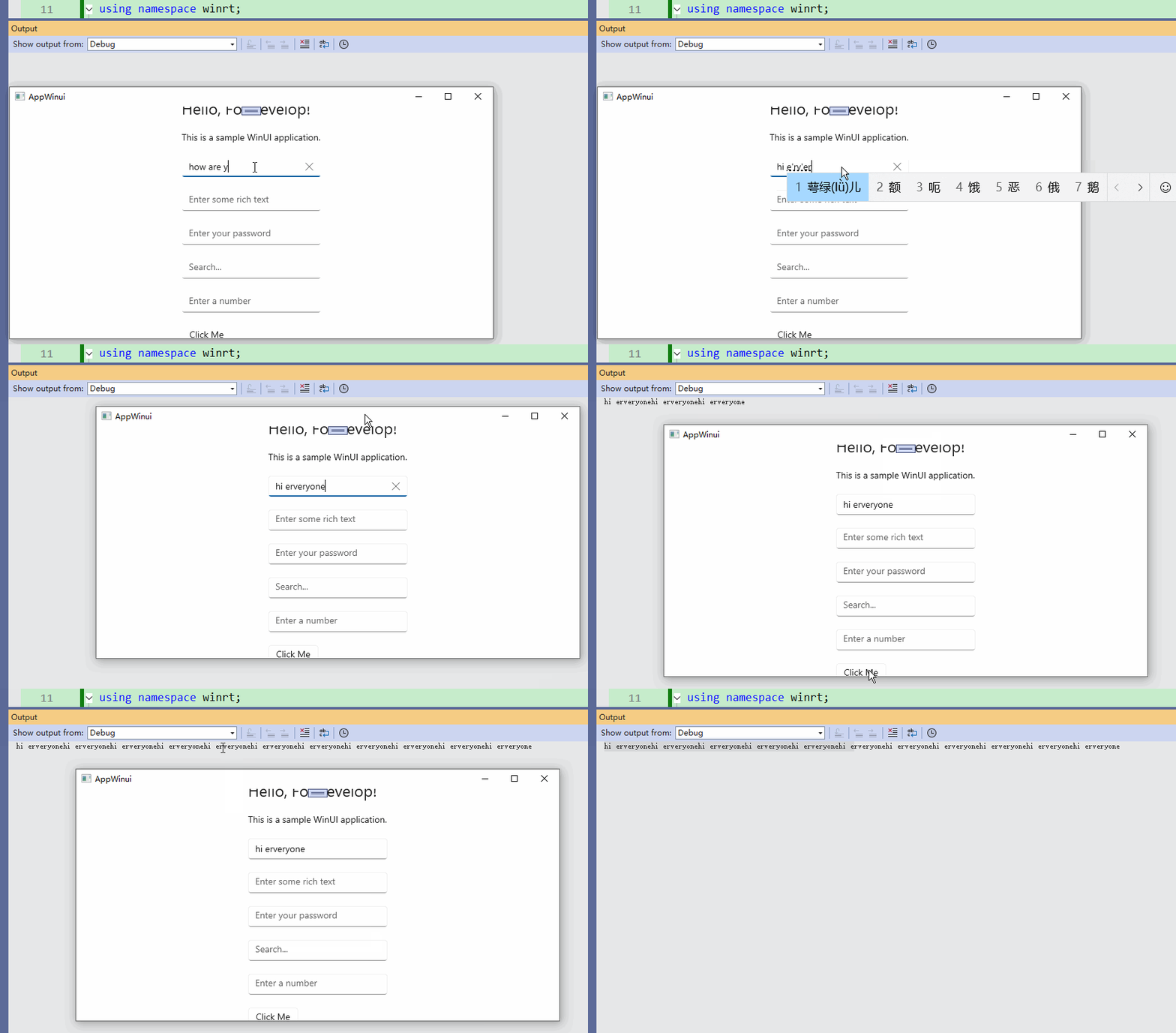
其他控件,可以通过类似的方式,获取值和设置值。这里就不作一一介绍了。
Previous: 显示一个九宫格学习Grid
Next: WinUI 3 C++ 控件篇-按钮控件