What is Lazarus?
1. Project History
In February 1999, three developers founded Lazarus after the Delphi clone project Megido was halted. Core veterans Marc Weustink and Mattias Gaertner joined successively between 1999 and 2000 to lead core development of the project; the original founding team has since stepped down from maintenance.
2. Core Definition
Lazarus is a cross-platform Delphi-compatible IDE built for Free Pascal, featuring the LCL component library compatible with Delphi’s VCL. Powered by the GPL-licensed Free Pascal compiler, it supports multiple operating systems including Windows, Linux and macOS, and fully complies with Delphi’s object-oriented syntax.
Core feature: Unlike Java’s “Write Once, Run Anywhere”, it delivers “Write Once, Compile Anywhere” — native binaries for multiple platforms can be compiled without modifying source code.
3. GUI Features
Completely independent of graphics APIs, it allows free switching of underlying widget sets including Win32, GTK2, Qt and Cocoa; custom widget sets can be developed if no matching interface exists. Cross-platform porting requires zero changes to business logic code — only the corresponding graphics library needs to be swapped for compilation and linking.
4. Development Capabilities & Compatibility
1. It provides RAD rapid visual development capabilities comparable to Delphi, with a fully featured IDE covering most development requirements;
2. Compatible with standard Delphi source code, yet does not support Windows-exclusive OCX, DCU and proprietary database components.
5. Commercial Licensing
1. Free Pascal Compiler (GPL): Source code modifications are permitted, and all altered source files must be disclosed when distributing modified builds;
2. FCL/LCL Libraries (modified LGPL): Closed-source commercial software may be developed and sold without open-sourcing your own project code; source changes to the underlying libraries must be made public only if the libraries themselves are modified.
6. Origin of the Project Name
The name derives from Lazarus, the resurrected figure in the Bible, symbolizing the project as a revived successor to the discontinued Megido project.
Installation
Download the latest installer from the official website: Lazarus Homepage
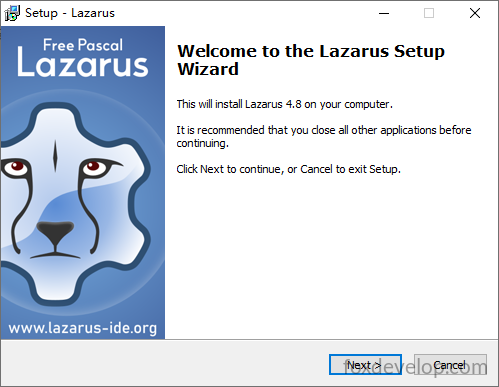
The version used in this guide is lazarus-4.8-fpc-3.2.2-win64.exe. Double-click the installer file after downloading.
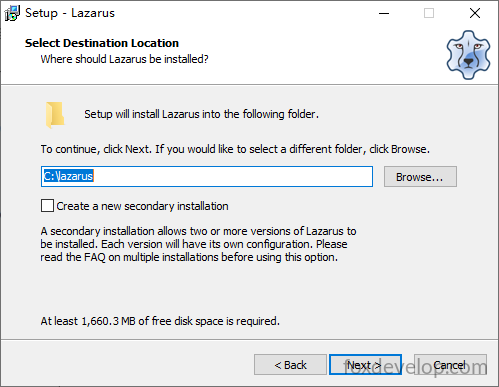
Select installation directory
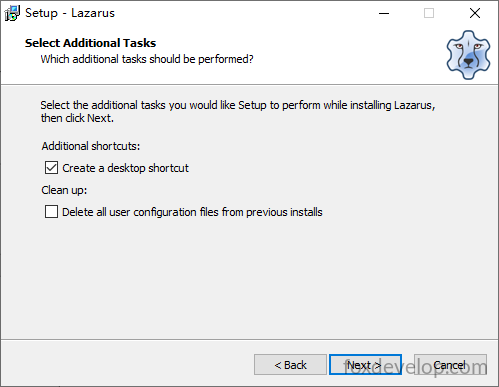
Create Your First Project
Launch the Lazarus IDE once installation completes
After opening, the IDE loads several separate windows by default: one for menus and toolbars, one left sidebar panel, and one source code editing area
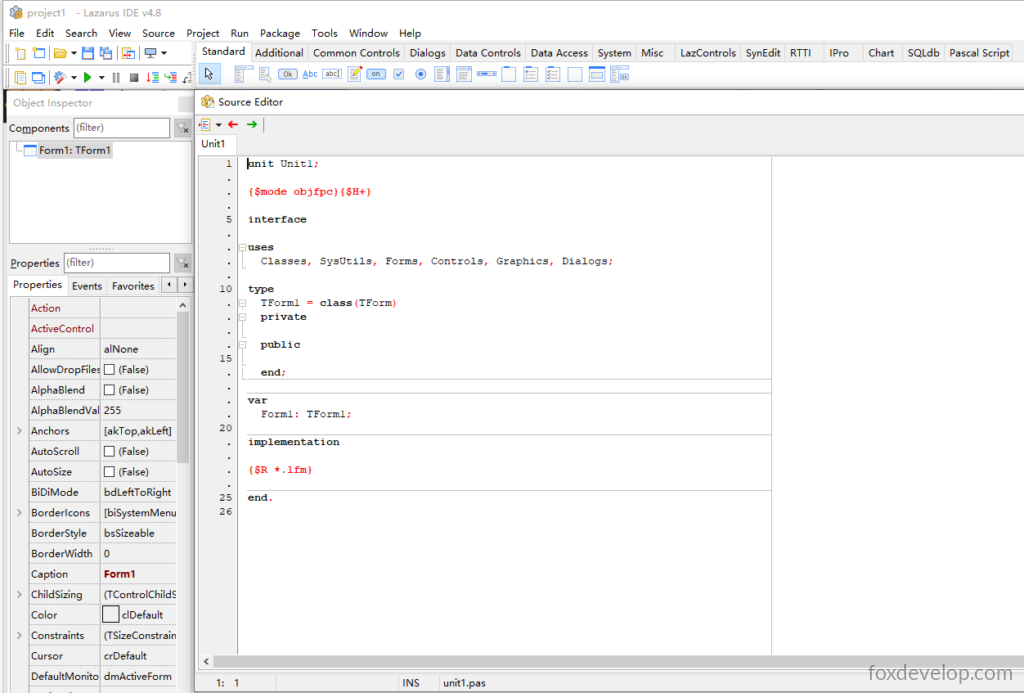
A blank project is automatically created on startup
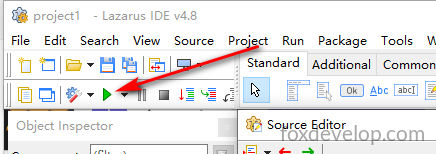
Click the green play triangle or press F9 to run the project.
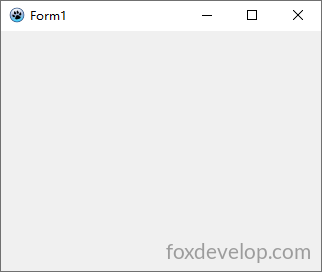
This is your first project — it runs an empty window with zero custom code written.
Concise Summary of Core Lazarus Functions
1. Licensing & Freedom Features
The core libraries (LCL/FCL/RTL) use the LGPL license with static linking exception, allowing closed-source commercial software development; the main IDE is licensed under GPL. It compiles native binaries without runtime dependencies (Linux/BSD only require basic GTK2/Qt runtime libraries). Projects can be copied directly and compiled across all supported platforms.
2. User-Friendly & High Development Efficiency
All-in-one integrated installer, built-in visual drag-and-drop form designer with automatic synchronization between GUI layout and source code. Equipped with syntax highlighting, code completion, code navigation and refactoring tools, plus integrated compilation and debugging — enabling full-cycle development, testing and troubleshooting within one tool.
3. High Extensibility & Rich Functional Ecosystem
Fully open-source, allowing custom modification of source code and components; third-party extensions can be installed via LPK plugin packages. Built-in frameworks for databases, charts/reports and network programming, native UTF-8 multi-language internationalization support, and a vast component ecosystem.
4. Full Cross-Platform Compatibility
Both the IDE and compiled programs run cross-platform, supporting Windows, macOS, Linux, Raspberry Pi and other hardware devices. The LCL library delivers native OS-style UI experiences with no project code modifications required for multi-platform compilation.
5. High Performance & Modern Syntax Support
Powered by the continuously updated FPC compiler, it delivers excellent performance suitable for large-scale projects (the Lazarus IDE itself is built entirely with this toolset). Based on object-oriented Free Pascal with ongoing modern programming feature updates, paired with abundant ecosystem plugins and a low barrier to custom extension development.
Install and run your first project