單元(Unit)可將共用型別、函式、程序、常數、變數等宣告打包,供其他單元或主程式呼叫,等同於其他程式語言中的模組 / 套件。
建立單元
單元分為兩大核心區塊:
interface 介面區:對外公開內容,其他檔案引入後可直接存取;
implementation 實作區:內部私有程式碼,僅當前單元可見,外部無法呼叫。
範例
建立名為 MyUnit.pas 的檔案,用於撰寫其中一個單元。
unit MyUnit;

{$ifdef FPC}
{$mode objfpc}{$H+}{$J-}
{$endif}

// 介面區:對外公開
interface

procedure MyProcedure(const A: Integer);
function MyFunction(const S: string): string;

// 實作區:私有程式邏輯
implementation

procedure MyProcedure(const A: Integer);
begin
  WriteLn('A + 10 is: ', A + 10);
end;

function MyFunction(const S: string): string;
begin
  Result := S + 'strings are automatically managed';
end;

end.Code language: JavaScript (javascript)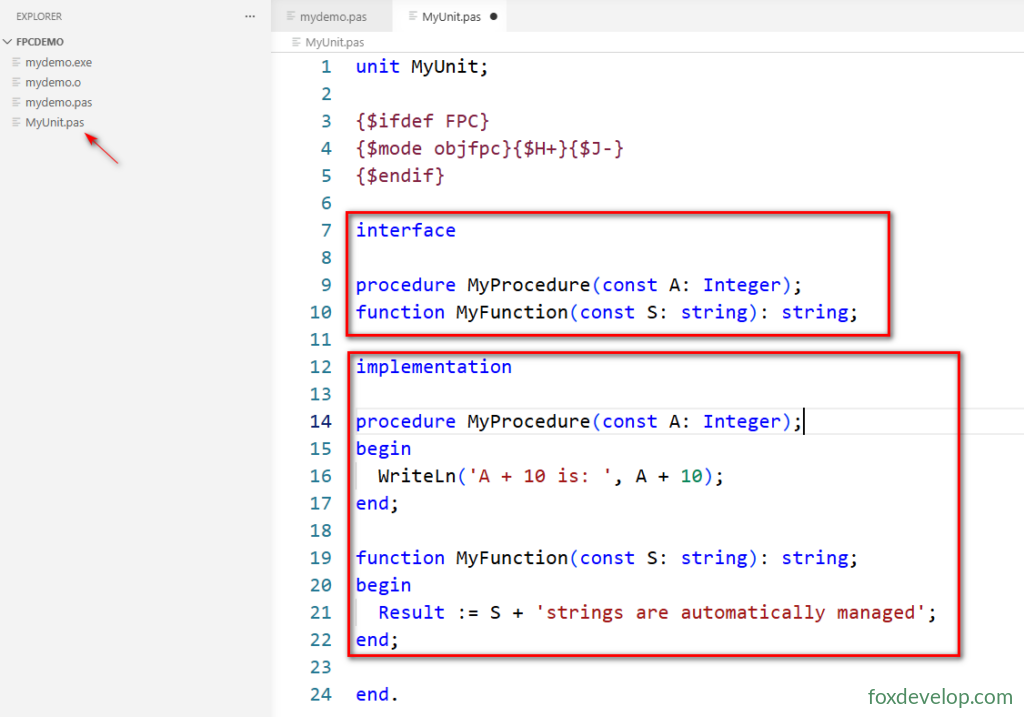
細心的讀者會發現,結尾的 end. 沒有對應的 begin?
Pascal 的單元(
unit)語法結構與程式(program)不同
program主程式:必須以begin ... end.做為程式執行入口
unit單元:不需要全域 begin整個單元結尾使用
end.(句號結尾代表檔案結束,無對應全域 begin)
interface內撰寫函式/程序原型、型別、常數、全域變數;外部透過uses引入後即可呼叫;implementation僅撰寫完整函式實作,其中定義的區域程序、私有變數,外部單元無法存取;- 單元檔案以
unit 名稱;開頭,end.結尾。
主程式引入單元
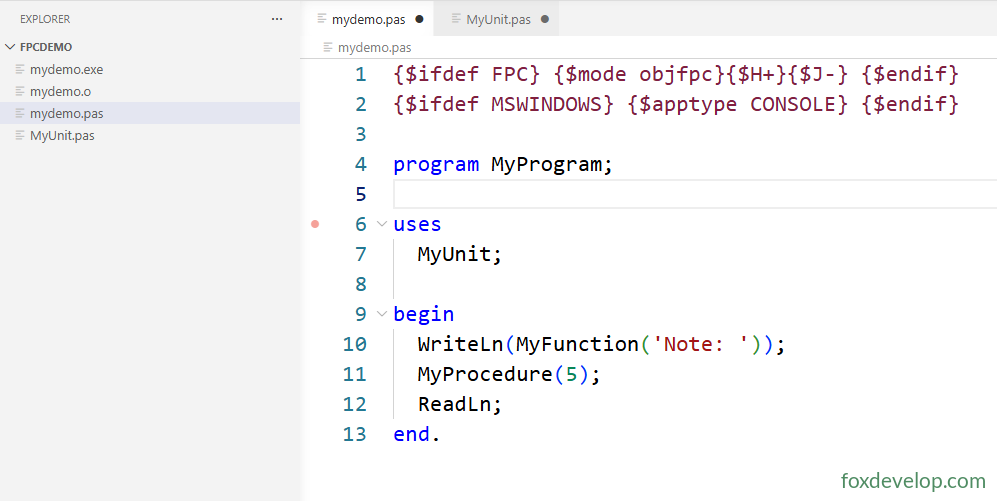
我們的主程式檔案為 mydemo.pas
透過 uses 關鍵字載入自訂單元
{$ifdef FPC} {$mode objfpc}{$H+}{$J-} {$endif}
{$ifdef MSWINDOWS} {$apptype CONSOLE} {$endif}

program MyProgram;

// 引入自訂單元 MyUnit
uses
  MyUnit;

begin
  WriteLn(MyFunction('Note: '));
  MyProcedure(5);
  ReadLn;
end.Code language: PHP (php)
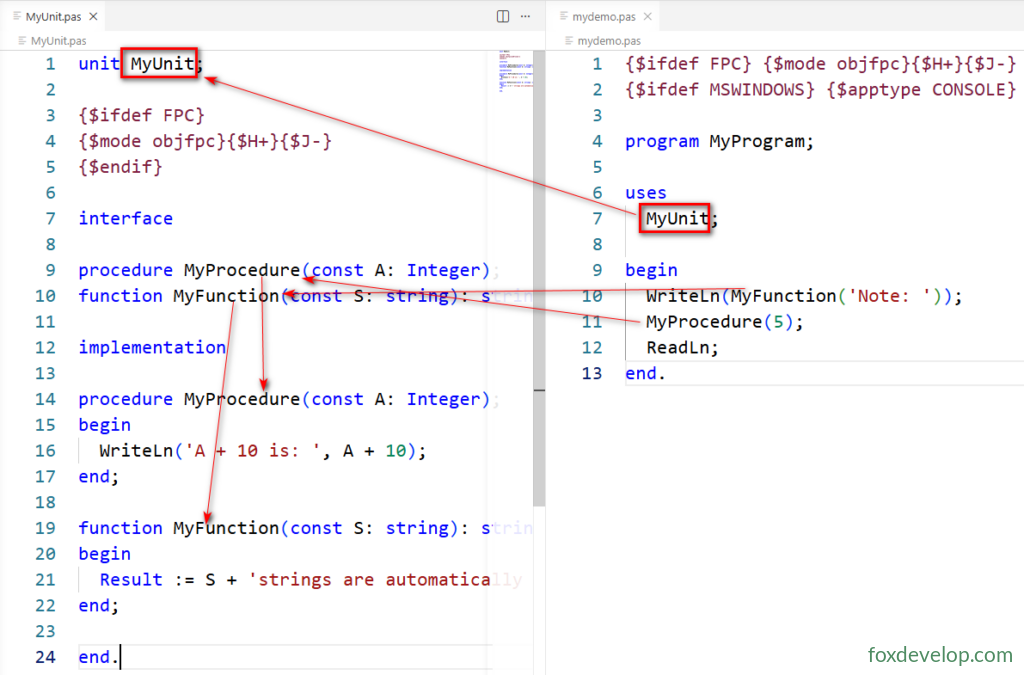
上方 uses 下方的 MyUnit; 指的是單元名稱,而非 pas 檔案名稱。
也就是 MyUnit.pas 內第一行程式碼 unit MyUnit; 所定義的名稱。
雖然檔名與單元名可不一致,但建議兩者同名;若名稱不同,uses 仍需填寫單元名而非檔名。
接下來編譯並執行,主程式會呼叫單元內的函式。
接下來編譯並執行
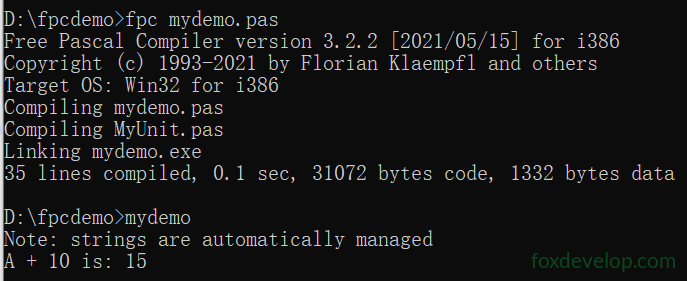
編譯完成後,專案目錄會多出兩個檔案
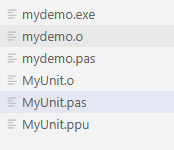
.ppu(Pascal Unit File,單元編譯資訊檔)
僅編譯單元檔(unit)時才會產生,主程式 program 不會生成 ppu 檔
- 儲存單元
interface介面區的編譯中繼資料:函式原型、型別、常數、匯出符號; - 後續其他檔案執行
uses MyUnit時,編譯器不需重新解析 MyUnit.pas 完整原始碼,直接讀取 .ppu 快速驗證介面; - 大幅提升大型專案編譯速度,是 FPC 增量編譯的核心檔案。
MyUnit.o:MyUnit.pas 編譯後的二進位機器指令(完整實作區程式碼)
mydemo.o:mydemo.pas 主程式的機器碼
編譯器先將 pas 檔轉譯為獨立二進位 .o 目的檔,最後連結器合併所有 .o 檔,封裝成可執行檔 .exe。
Previous: 數值轉字串
Next: 單元與程式檔副檔名總整理