Tips
If you have learned C, C++, Java or C#, you can skip this lesson. Rust comments are nearly identical to those languages.
What Are Comments?
Comments are explanatory text written for people. The compiler will ignore them, and they won’t be executed as part of the program.
Purposes of Comments
- Explain code functionality: help others understand the code better
- Record development information: used to generate technical documentation
- Temporarily disable code: keep code intact while preventing it from running
- Improve code readability
Two Main Comment Types in Rust
- Line comment: Starts with // and continues to the end of the current line
- Block comment: Wraps a section of code, supports multiple lines with the syntax /* … */
Comments are just like the notes you write in textbooks to help you understand the content.
We will learn these two common comment types first, and cover the third one later.
fn main() {
    // Single-line comments start with two forward slashes and run to the end of the line.
    // All content after the slashes on the same line will be ignored by the compiler.

    // Example: This line of code will not execute
    // println!("Hello, world!");

    // Try removing the slashes above and run the code again.

    /*
     * Block comments can be used to disable code temporarily. As shown below,
     * they also support nesting: /* like this */, which makes it easy to comment out large chunks of code.
     */

    /*
     * println!("Hello, world!");
     * println!("Hello, world2!");
     */

    /*
    Note: The asterisks on the left are only for formatting purposes.
    They are not required by the language syntax.
    */

    // You can quickly toggle code on and off with block comments by adding or removing one slash:

    /* <- Add an extra slash here to uncomment the entire block below
       (Change /* to //* and give it a try)

    println!("Now");
    println!("All");
    println!("Code will run!");
    // Inner single-line comments remain unaffected

    // */

    // Block comments can also be placed in the middle of expressions:
    let x = 5 + /* 90 + */ 5;
    println!("`x` is 10 or 100? x = {}", x);
}Code language: PHP (php)
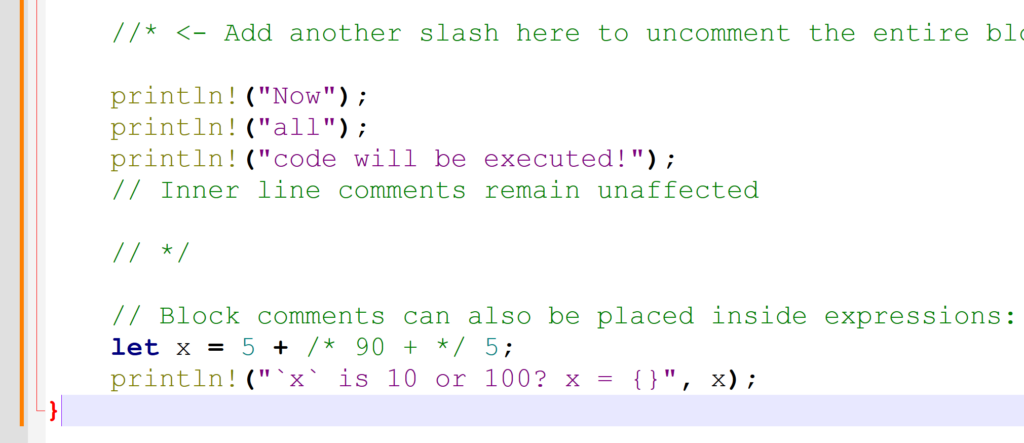
Feel free to copy and test the code above, especially the trick of adding an extra slash before /* to enable the blocked code.
In short, add a forward slash before /* to turn it into //*. This removes the opening of the block comment, and the trailing // */ becomes a regular single-line comment.
This effectively disables the block comment, so the println code inside can run normally.
Documentation Comments
Documentation comments can be processed by tools to generate HTML-based documents for developers to refer to. We will learn this part in a separate lesson later.