1. Basic Concepts
1. XSL
XSL (EXtensible Stylesheet Language)
A stylesheet language for XML defined by W3C. Think of CSS for HTML; XSL is designed for XML.
In a broad sense, XSL consists of three major parts:
- XSLT: Core language for transforming XML documents
- XPath: Language for navigating and querying XML document nodes
- XSL‑FO: Formatting language for XML documents (mostly used for PDF generation)
- CSS: Stylesheet for HTML, browsers render HTML content
- XSL: Stylesheet for XML; XSLT acts as transformation‑rendering engine for XML
2. XSLT
XSLT (XSL Transformations)
✅ The most critical component within XSL; it is an independent language and can run without other backend languages
✅ Purpose: Read source XML documents and convert them into other formats such as HTML/XHTML, custom XML, SQL plain text and more
✅ How it works: Convert source XML tree → output result tree. Supports adding, removing, filtering and reordering XML elements and attributes
✅ Dependency: Uses XPath to locate internal XML nodes (W3C standard)
In short: XSLT reads XML data and transforms XML into target formats such as HTML following XSL styling rules
2. Transformation Workflow
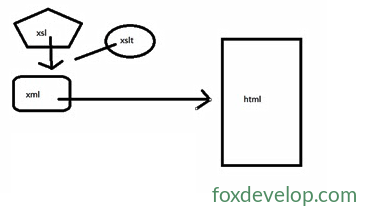
XML Data Source + XSLT Stylesheet (XSL) →【XSLT Processor】→ HTML (or other formats)Transformation capabilities:
- Map XML elements into HTML tags
- Filter, hide or display specific nodes
- Re‑order nodes, add or remove elements and attributes
3. Runtime Environment
Nearly all early mainstream browsers had native support for XML + XSLT:
- Firefox, Mozilla, Netscape, Opera, IE6 and above
Additional note: While modern browsers still offer support, browser‑side XSLT transformations are far less common today. It is mostly used on backend services, data export and document template processing.
Introduction