RichTextBox 富文本编辑控件
RichTextBox 是高级文本控件,提供高级文本输入和编辑功能,如字符或段落格式的设置。
常用属性
| 属性 | 说明 |
|---|---|
DetectUrls | 是否自动将 URL 格式化为链接 |
EnableAutoDragDrop | 是否启用文本、图片和其他数据的拖放操作 |
BorderStyle | 边框样式 |
Lines | 多行文本行,以字符串数组形式返回 |
MaxLength | 最大可输入字符数 |
Multiline | 是否允许多行 |
ScrollBars | 滚动条行为(None、Horizontal、Vertical、Both、ForcedHorizontal、ForcedVertical、ForcedBoth) |
WordWrap | 是否自动换行 |
Enabled | 是否启用 |
Text | 获取或设置纯文本内容 |
Rtf | 获取或设置包含 RTF 格式代码的文本 |
SelectionFont | 当前选中文本的字体系列 |
SelectionColor | 当前选中文本的颜色 |
SelectionAlignment | 当前段落的对齐方式 |
SelectionBullet | 当前段落是否使用项目符号 |
ZoomFactor | 缩放比例 |
this.richTextBox1.Multiline = true;
this.richTextBox1.ScrollBars = RichTextBoxScrollBars.Both;
this.richTextBox1.DetectUrls = true;
this.richTextBox1.EnableAutoDragDrop = true;
this.richTextBox1.ZoomFactor = 1.2f;Code language: JavaScript (javascript)
常用方法
| 方法 | 说明 |
|---|---|
Cut() | 剪切选中内容到剪贴板 |
Copy() | 复制选中内容到剪贴板 |
Paste() | 从剪贴板粘贴内容 |
Paste(DataFormats.Format) | 按指定格式粘贴 |
Undo() | 撤销 |
Redo() | 重做 |
LoadFile(string) | 加载文件(支持 .txt、.rtf) |
SaveFile(string) | 保存文件 |
Find(string) | 查找文本 |
Select(int, int) | 选中指定范围的文本 |
this.richTextBox1.LoadFile(@"C:\test.rtf");
this.richTextBox1.SaveFile(@"C:\output.rtf");Code language: JavaScript (javascript)
常用事件
| 事件 | 说明 |
|---|---|
TextChanged | 文本改变时触发 |
SelectionChanged | 选中内容改变时触发 |
LinkClicked | 点击链接时触发 |
private void richTextBox1_LinkClicked(object sender, LinkClickedEventArgs e)
{
    System.Diagnostics.Process.Start(e.LinkText);
}Code language: JavaScript (javascript)
综合示例:简易富文本编辑器
通过 ToolStrip + Panel + RichTextBox + 对话框控件组合实现一个简易编辑器。
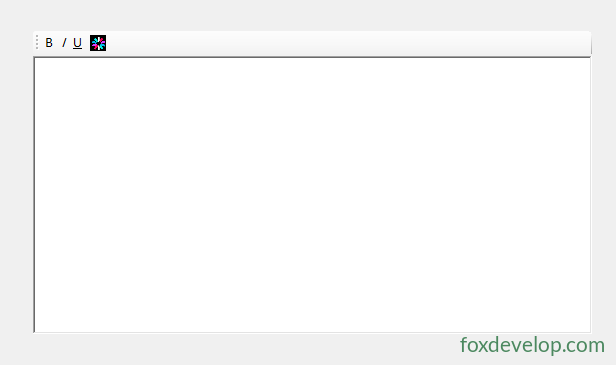
布局思路:
- 添加一个
Panel,将ToolStrip和RichTextBox放入其中 - 在 ToolStrip 上添加按钮,为每个按钮设置
Tag标识 - 处理
toolStrip1_ItemClicked事件,根据Tag执行不同操作
完整代码示例:
using System;
using System.Drawing;
using System.Windows.Forms;

namespace WindowsFormsApp5
{
    public partial class Form1 : Form
    {
        public Form1()
        {
            InitializeComponent();
        }

        private string rtf;
        /// <summary>
        /// 多信息文本格式内容
        /// </summary>
        public string Rtf
        {
            get { return this.richTextBox1.Rtf; }
            set { this.richTextBox1.Rtf = value; }
        }

        private string textValue;
        /// <summary>
        /// 文本格式内容
        /// </summary>
        public string TextValue
        {
            get { return this.richTextBox1.Text; }
            set { this.richTextBox1.Text = value; }
        }

        private OpenFileDialog openImageDialog = new OpenFileDialog();

        private void toolStrip1_ItemClicked(object sender, ToolStripItemClickedEventArgs e)
        {
            if (e.ClickedItem.Tag != null)
            {
                switch (e.ClickedItem.Tag.ToString())
                {
                    case "Bold":
                        if (this.richTextBox1.SelectionFont != null)
                        {
                            this.richTextBox1.SelectionFont = new Font(
                                this.richTextBox1.SelectionFont,
                                this.richTextBox1.SelectionFont.Style ^ FontStyle.Bold);
                        }
                        else
                        {
                            this.richTextBox1.SelectionFont = new Font(
                                this.richTextBox1.Font,
                                this.richTextBox1.Font.Style ^ FontStyle.Bold);
                        }
                        break;

                    case "Italic":
                        if (this.richTextBox1.SelectionFont != null)
                        {
                            this.richTextBox1.SelectionFont = new Font(
                                this.richTextBox1.SelectionFont,
                                this.richTextBox1.SelectionFont.Style ^ FontStyle.Italic);
                        }
                        else
                        {
                            this.richTextBox1.SelectionFont = new Font(
                                this.richTextBox1.Font,
                                this.richTextBox1.Font.Style ^ FontStyle.Italic);
                        }
                        break;

                    case "Underline":
                        if (this.richTextBox1.SelectionFont != null)
                        {
                            this.richTextBox1.SelectionFont = new Font(
                                this.richTextBox1.SelectionFont,
                                this.richTextBox1.SelectionFont.Style ^ FontStyle.Underline);
                        }
                        else
                        {
                            this.richTextBox1.SelectionFont = new Font(
                                this.richTextBox1.Font,
                                this.richTextBox1.Font.Style ^ FontStyle.Underline);
                        }
                        break;

                    case "Cut":
                        this.richTextBox1.Cut();
                        break;

                    case "Copy":
                        this.richTextBox1.Copy();
                        break;

                    case "Paste":
                        this.richTextBox1.Paste();
                        break;

                    case "InsertImg":
                        if (this.openImageDialog.ShowDialog() == DialogResult.OK)
                        {
                            string fileName = this.openImageDialog.FileName;
                            try
                            {
                                Bitmap data = new Bitmap(fileName);
                                Clipboard.SetDataObject(data);
                                DataFormats.Format clipFormat = DataFormats.GetFormat(DataFormats.Bitmap);
                                if (this.richTextBox1.CanPaste(clipFormat))
                                {
                                    this.richTextBox1.Paste(clipFormat);
                                }
                            }
                            catch (Exception exception)
                            {
                                MessageBox.Show("图片插入失败:" + exception.Message, "提示", MessageBoxButtons.OK, MessageBoxIcon.Asterisk);
                            }
                        }
                        break;

                    case "Color":
                        if (this.colorDialog1.ShowDialog() == DialogResult.OK)
                        {
                            this.richTextBox1.SelectionColor = this.colorDialog1.Color;
                        }
                        break;

                    case "Undo":
                        this.richTextBox1.Undo();
                        break;

                    case "Redo":
                        this.richTextBox1.Redo();
                        break;

                    case "Left":
                        this.richTextBox1.SelectionAlignment = HorizontalAlignment.Left;
                        break;

                    case "Center":
                        this.richTextBox1.SelectionAlignment = HorizontalAlignment.Center;
                        break;

                    case "Right":
                        this.richTextBox1.SelectionAlignment = HorizontalAlignment.Right;
                        break;

                    default:
                        break;
                }
            }
        }

        private void Form1_Load(object sender, EventArgs e)
        {
        }
    }
}Code language: PHP (php)
Tag 标识与功能对照
| Tag 值 | 功能 |
|---|---|
Bold | 加粗/取消加粗 |
Italic | 斜体/取消斜体 |
Underline | 下划线/取消下划线 |
Cut | 剪切 |
Copy | 复制 |
Paste | 粘贴 |
InsertImg | 插入图片 |
Color | 设置字体颜色 |
Undo | 撤销 |
Redo | 重做 |
Left | 左对齐 |
Center | 居中对齐 |
Right | 右对齐 |
核心原理说明
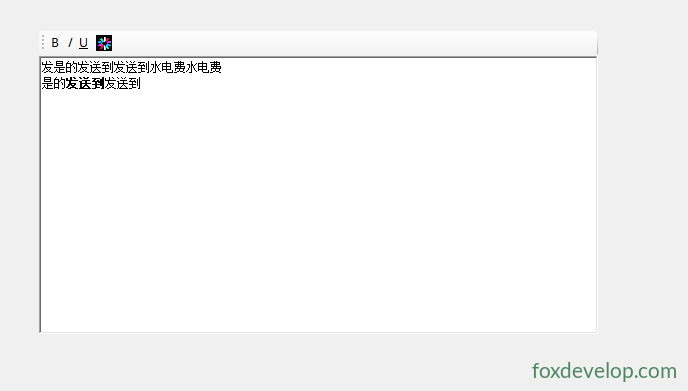
SelectionFont — 获取或设置当前选中文本的字体系列,通过^ FontStyle.Bold等位运算实现切换SelectionColor — 配合ColorDialog设置选中文本颜色SelectionAlignment — 设置段落对齐方式- 图片插入 — 先将图片放入剪贴板,再以
Bitmap格式粘贴到 RichTextBox 中 Rtf属性 — 包含完整格式信息,可用于保存和加载带格式的文档
Previous: RadioButton 单选按钮控件
Next: SaveFileDialog 文件保存对话框