StatusStrip 状态栏控件
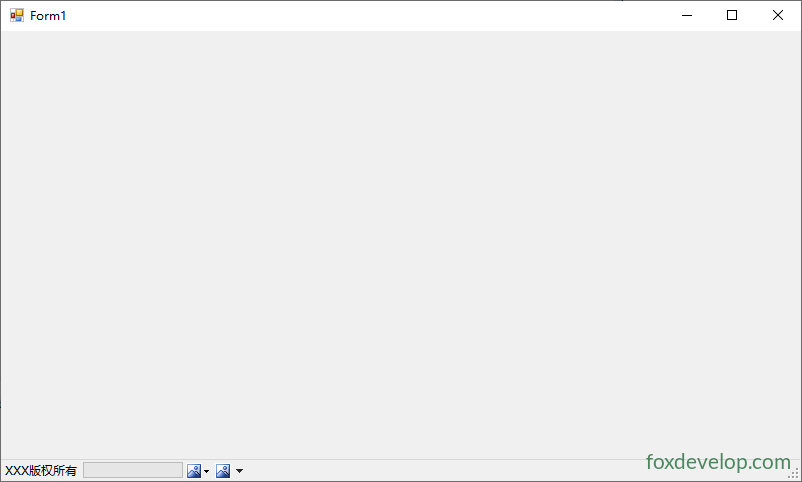
StatusStrip 是一个显示在窗体底部的状态栏工具条,可以添加 Label、按钮、进度条等子项。通常用来显示版权信息、官方信息、运行状态等。
添加子项
在窗体底部拖动 StatusStrip 到窗体后,点击下拉箭头可以添加以下子项:
| 子项类型 | 说明 |
|---|---|
ToolStripStatusLabel | 文本标签,最常用 |
ToolStripProgressBar | 进度条 |
ToolStripDropDownButton | 下拉按钮 |
ToolStripSplitButton | 分体按钮 |
ToolStripStatusLabel + Spring | 自动填充剩余空间 |
常用属性
| 属性 | 说明 |
|---|---|
Items | 状态栏上的子项集合 |
Dock | 停靠位置(默认 Bottom) |
ShowItemToolTips | 是否显示工具提示 |
SizingGrip | 是否显示右下角大小调整手柄 |
Stretch | 是否拉伸填满宽度 |
ToolStripStatusLabel 常用属性
| 属性 | 说明 |
|---|---|
Text | 显示文本 |
Spring | 是否自动拉伸填满剩余空间 |
BorderSides | 边框显示位置 |
BorderStyle | 边框样式 |
Image | 显示的图标 |
Alignment | 对齐方式(Left / Right) |
// 后台动态添加状态栏标签
ToolStripStatusLabel statusLabel = new ToolStripStatusLabel();
statusLabel.Text = "© 2024 foxdevelop.com";
statusLabel.Spring = true; // 自动填充
statusLabel.TextAlign = ContentAlignment.MiddleCenter;
statusStrip1.Items.Add(statusLabel);

// 右侧显示状态
ToolStripStatusLabel statusLabel2 = new ToolStripStatusLabel();
statusLabel2.Text = "就绪";
statusLabel2.Alignment = ToolStripItemAlignment.Right;
statusStrip1.Items.Add(statusLabel2);Code language: JavaScript (javascript)
在状态栏中显示进度条
ToolStripProgressBar progressBar = new ToolStripProgressBar();
progressBar.Alignment = ToolStripItemAlignment.Right;
progressBar.Visible = false;
statusStrip1.Items.Add(progressBar);

// 使用时
progressBar.Visible = true;
for (int i = 0; i <= 100; i++)
{
    progressBar.Value = i;
    Application.DoEvents();
    Thread.Sleep(50);
}
progressBar.Visible = false;Code language: JavaScript (javascript)
动态更新状态信息
private void UpdateStatus(string message)
{
    ToolStripStatusLabel label = statusStrip1.Items[0] as ToolStripStatusLabel;
    if (label != null)
    {
        label.Text = message;
    }
}

// 调用
UpdateStatus("正在处理...");Code language: JavaScript (javascript)
常用事件
| 事件 | 说明 |
|---|---|
ItemClicked | 状态栏子项被点击时触发 |
private void statusStrip1_ItemClicked(object sender, ToolStripItemClickedEventArgs e)
{
    if (e.ClickedItem is ToolStripStatusLabel label)
    {
        MessageBox.Show(label.Text);
    }
}Code language: JavaScript (javascript)
Previous: SplitContainer 拆分容器控件
Next: TabControl 多选项卡容器控件