上节课中,我们在xaml中添加了一个按钮,并且生成了一个事件,我们首先实现的是点击按钮,修改按钮的文字。
首先回到我们的xaml中,我们需要给按钮起一个名字x:Name=”btnAdd”,这样方便我们在后台cpp中操作它
<Grid>
    <Button x:Name="btnAdd" Content="Click Me" HorizontalAlignment="Center" VerticalAlignment="Center" Click="OnButtonClick"/>
</Grid>Code language: HTML, XML (xml)
然后在MainWindow.xaml.cpp中的OnButtonClick实现函数中
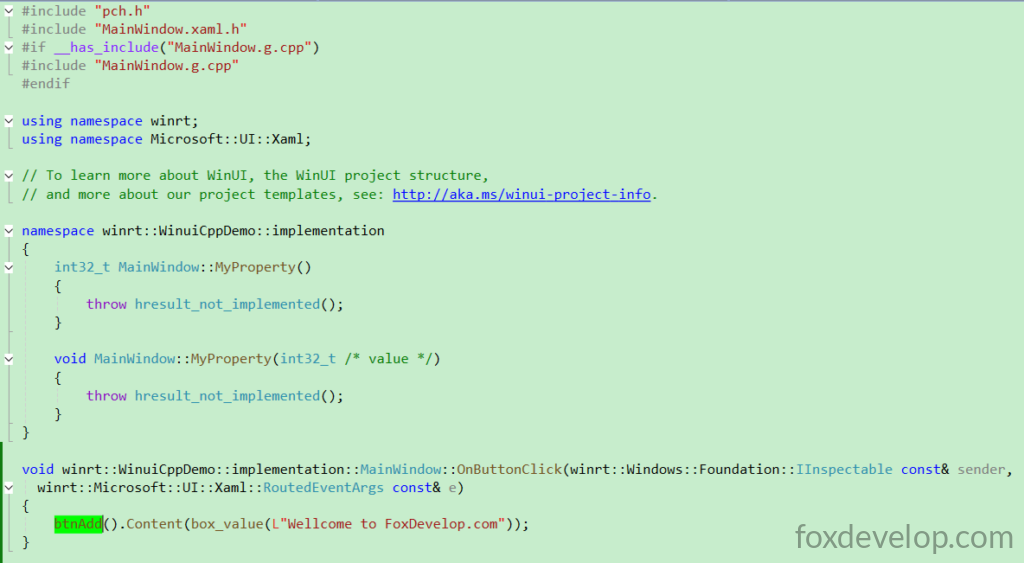
就可以直接使用上面的btnAdd的来获取了这个按钮对象了。
然后一点击,就把它的Content改为“Wellcome to FoxDevelop.com”了,
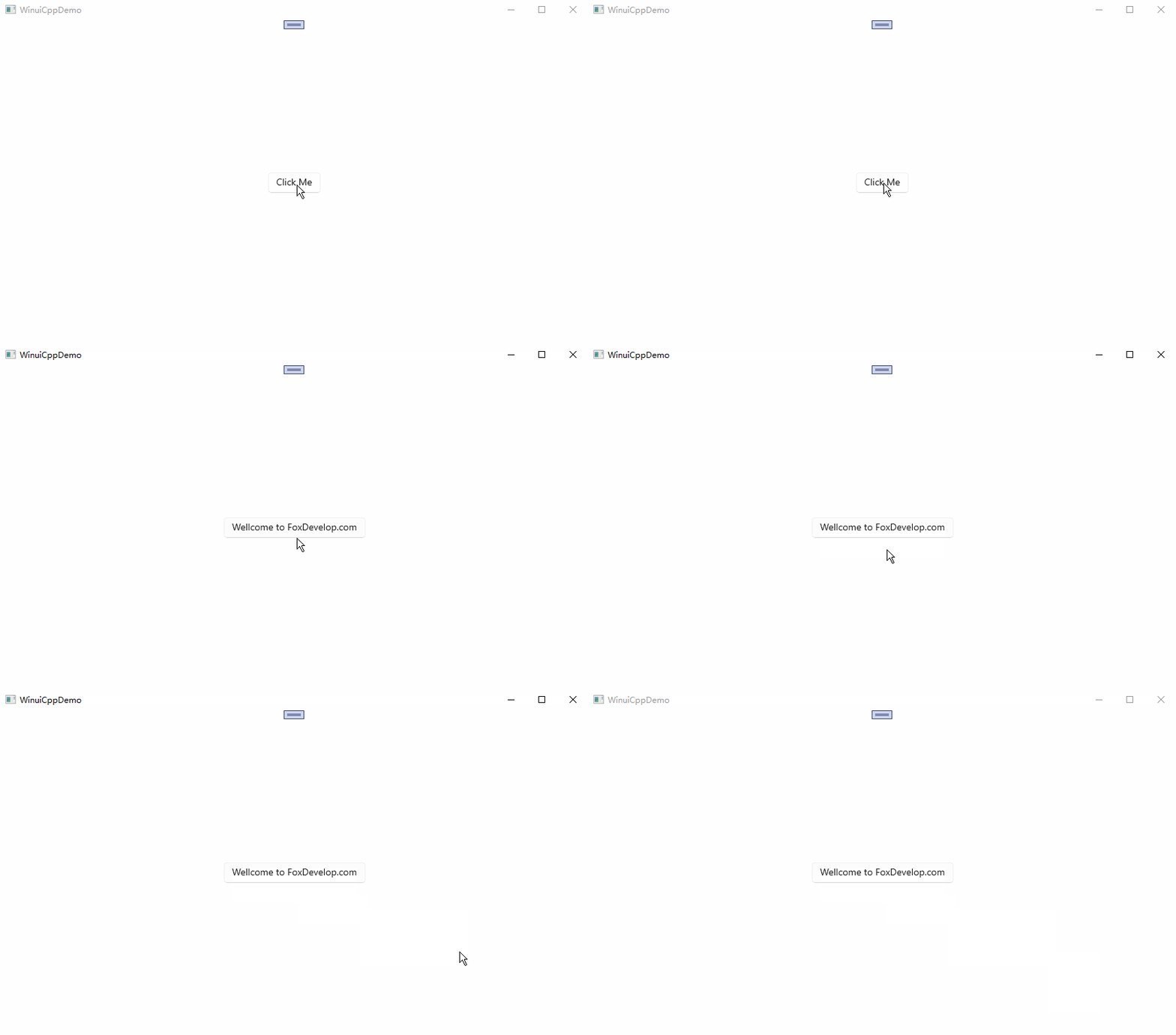
下面我们运行一下。
void winrt::WinuiCppDemo::implementation::MainWindow::OnButtonClick(winrt::Windows::Foundation::IInspectable const& sender,
winrt::Microsoft::UI::Xaml::RoutedEventArgs const& e)
{
    btnAdd().Content(box_value(L"Wellcome to FoxDevelop.com"));
}
Code language: C++ (cpp)
可以看到点击后,可以修改UI的属性,下面我们来创建一个int属性,用来记录点击次数,点击一次就递增,然后修改一个属性,属性自动绑定到xaml的一个文本框中。
属性绑定
为了避免避免七天代码干扰,读者可以重新创建一个空白项目
然后按如下步骤操作
修改xaml,增加一个textblock
<?xml version="1.0" encoding="utf-8"?>
<Window
    x:Class="WinuiDemo.MainWindow"
    xmlns="http://schemas.microsoft.com/winfx/2006/xaml/presentation"
    xmlns:x="http://schemas.microsoft.com/winfx/2006/xaml"
    xmlns:local="using:WinuiDemo"
    xmlns:d="http://schemas.microsoft.com/expression/blend/2008"
    xmlns:mc="http://schemas.openxmlformats.org/markup-compatibility/2006"
    mc:Ignorable="d"
    Title="WinuiDemo">

    <Grid>
        <TextBlock Text="{x:Bind MyProperty}" FontSize="24"/>
    </Grid>
</Window>
Code language: C++ (cpp)
然后.cpp中,MyProperty直接返回一个数字
namespace winrt::WinuiDemo::implementation
{
    int32_t MainWindow::MyProperty()
    {
        return 100;
    }

    void MainWindow::MyProperty(int32_t /* value */)
    {
        throw hresult_not_implemented();
    }
}
Code language: C++ (cpp)
然后运行
读者环境出现如下错误,并且编译一直卡住
Build started at 14:42...
1>------ Build started: Project: WinuiCppDemo, Configuration: Debug x64 ------
1>WindowsAppSDKMLDeploymentMode=Framework
1>MainWindow.xaml.cpp
并且显示如下错误
#error directive: "C++/WinRT no longer supports pre-standardization coroutines.
If you use co_await, switch to /await:strict or upgrade to C++20. If you do not,
 remove /await from the compiler flags."Code language: PHP (php)
升级到 C++20
因为 WinUI 3 和 C++/WinRT 都是基于标准协程的,未来维护更方便。
在 项目属性 → C/C++ → 语言 → C++语言标准里选择 C++20。
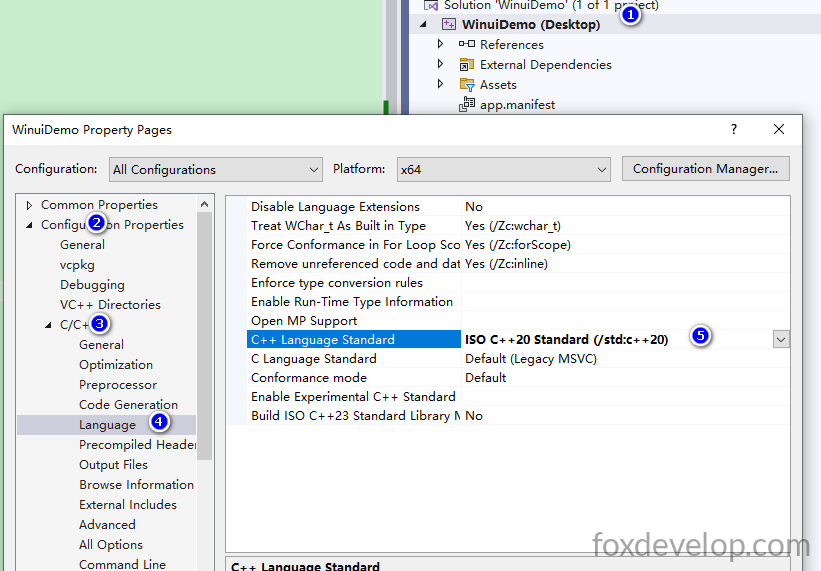
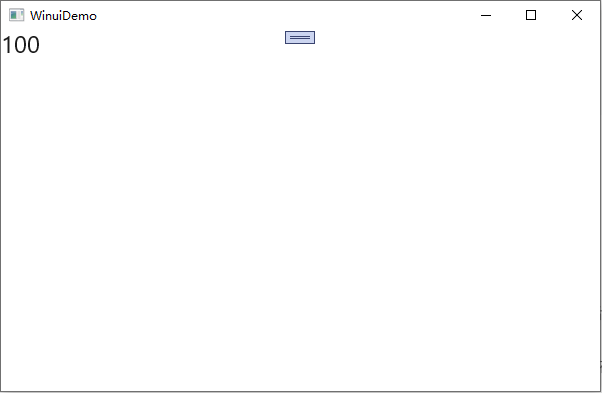
然后再次编译,这个过程,等待时间非常长,在D:\Demos\WinuiDemo\WinuiDemo\x64\Debug 项目目录下面生成1.3GB的文件,所以难怪编译这么久了,不知道读者的电脑会不会快一些。也许和电脑配置有关。编译成功后,运行打开后,我们的页面会显示100
int32_t MainWindow::MyProperty()
    {
        return 100;
    }Code language: C++ (cpp)
也就是会显示这个属性输出的值。
实现按钮点击,计数器递增
下面我们添加一个按钮,然后给按钮增加点击事件
<?xml version="1.0" encoding="utf-8"?>
<Window
    x:Class="WinuiDemo.MainWindow"
    xmlns="http://schemas.microsoft.com/winfx/2006/xaml/presentation"
    xmlns:x="http://schemas.microsoft.com/winfx/2006/xaml"
    xmlns:local="using:WinuiDemo"
    xmlns:d="http://schemas.microsoft.com/expression/blend/2008"
    xmlns:mc="http://schemas.openxmlformats.org/markup-compatibility/2006"
    mc:Ignorable="d"
    Title="WinuiDemo">

    <StackPanel Orientation="Vertical">
        <TextBlock Text="{x:Bind MyProperty}" FontSize="24"/>
        <Button Content="Click Me" Click="Button_Click"/>
    </StackPanel>
</Window>
Code language: HTML, XML (xml)
鼠标放到Click=”Button_Click”的Button_Click,然后按键盘的F12,自动会在.h .cpp中生成事件函数
void Button_Click(winrt::Windows::Foundation::IInspectable const& sender, winrt::Microsoft::UI::Xaml::RoutedEventArgs const& e);
和前面一样。下面我们需要添加一个int32_t 的字段用来存储点击次数。
首先我们需要在MainWindow.xaml.h 中添加一个整数属性,用来存放这个计数的
.idL 文件中写的属性,只是一个接口,用来提供外面访问,我们真正用来存放数据的,需要我们自己写
IDL 里写的
Int32 MyProperty,这个类对外暴露一个可读可写的 Int32 属性编译器自动生成 Get/Set 虚函数、属性变更事件
MyPropertyChanged
int32_t m_myPropValue = 0; // 私有变量,存储点击次数!Code language: C++ (cpp)#pragma once
#include "MainWindow.g.h"
namespace winrt::WinuiDemo::implementation
{
struct MainWindow : MainWindowT<MainWindow>
{
private:
int32_t m_myPropValue = 0; // save the value of MyProperty
public:
MainWindow()
{
// Xaml objects should not call InitializeComponent during construction.
// See https://github.com/microsoft/cppwinrt/tree/master/nuget#initializecomponent
}
//getter & setter function
int32_t MyProperty();
void MyProperty(int32_t value);
//Click Function
void Button_Click(winrt::Windows::Foundation::IInspectable const& sender, winrt::Microsoft::UI::Xaml::RoutedEventArgs const& e);
};
}
namespace winrt::WinuiDemo::factory_implementation
{
struct MainWindow : MainWindowT<MainWindow, implementation::MainWindow>
{
};
}
Code language: C++ (cpp)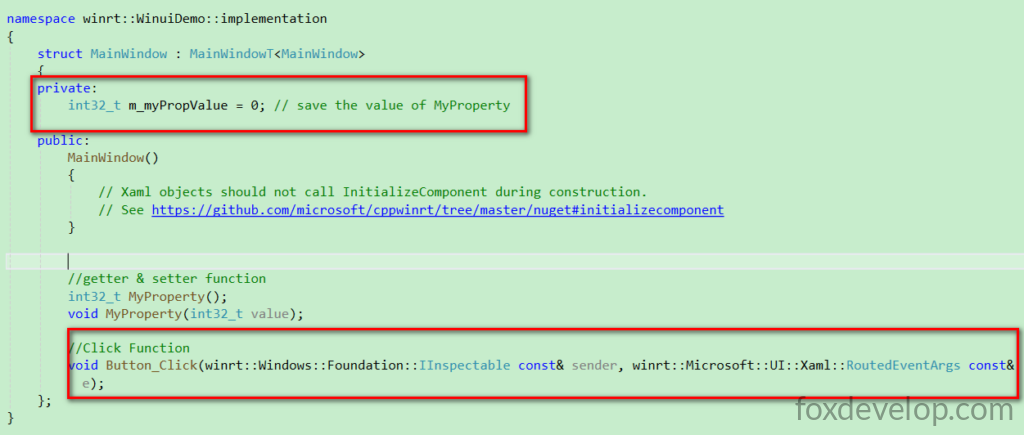
然后修改cpp中的两个读写属性,每次点击事件里面,通过MyProperty()获取最新值,然后+1,另外最重要一点是
this->Bindings->Update(); 这个千万不要漏了,它是通知所有绑定此属性的地方刷新,没有它界面是不会变化
#include "pch.h"
#include "MainWindow.xaml.h"
#if __has_include("MainWindow.g.cpp")
#include "MainWindow.g.cpp"
#endif

using namespace winrt;
using namespace Microsoft::UI::Xaml;

// To learn more about WinUI, the WinUI project structure,
// and more about our project templates, see: http://aka.ms/winui-project-info.

namespace winrt::WinuiDemo::implementation
{
    int32_t MainWindow::MyProperty()
    {
        return m_myPropValue; //get m_myPropValue
    }

    void MainWindow::MyProperty(int32_t  value)
    {
        m_myPropValue = value; //set m_myPropValue
        this->Bindings->Update(); // Force refresh all x:Bind bindings on this page to update UI display
    }
}

void winrt::WinuiDemo::implementation::MainWindow::Button_Click(winrt::Windows::Foundation::IInspectable const& sender,
 winrt::Microsoft::UI::Xaml::RoutedEventArgs const& e)
{
    MyProperty(MyProperty() + 1);//update m_myPropValue, let it add 1
}
Code language: C++ (cpp)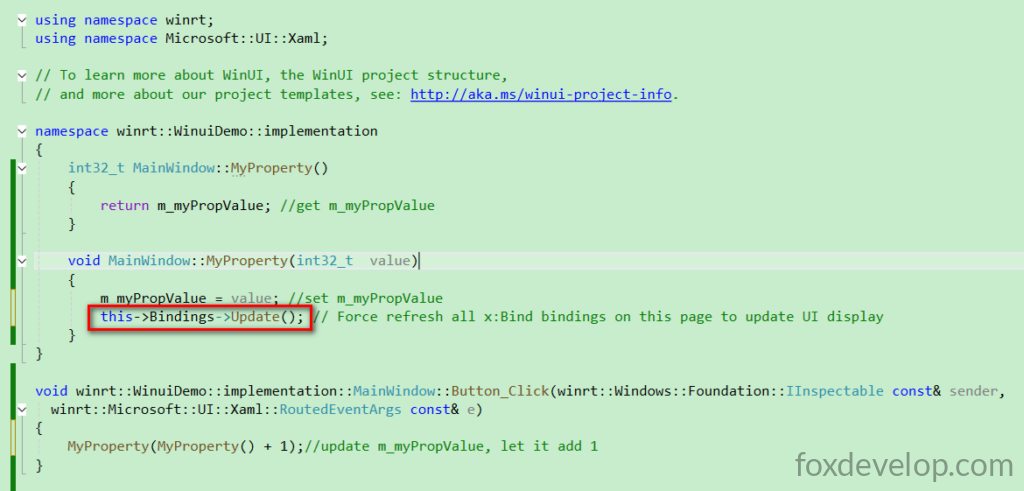
现在重新编译运行
作者环境,等待很久,不知道读者电脑会不会出现。
Build started at 15:29...
1>------ Build started: Project: WinuiDemo, Configuration: Debug x64 ------
1>WindowsAppSDKMLDeploymentMode=Framework
1>App.xaml.cpp
1>MainWindow.xaml.cpp
C++ 编译过程 生成很多文件,过去快十分钟了,还在编译。
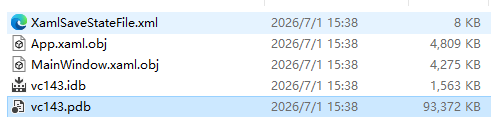
到作者本机事件15:40分钟,总算编译运行了,弹出那个窗体了,足足11分钟之久,作者几度以为程序出问题,几度想关闭VS了。
最终运行效果
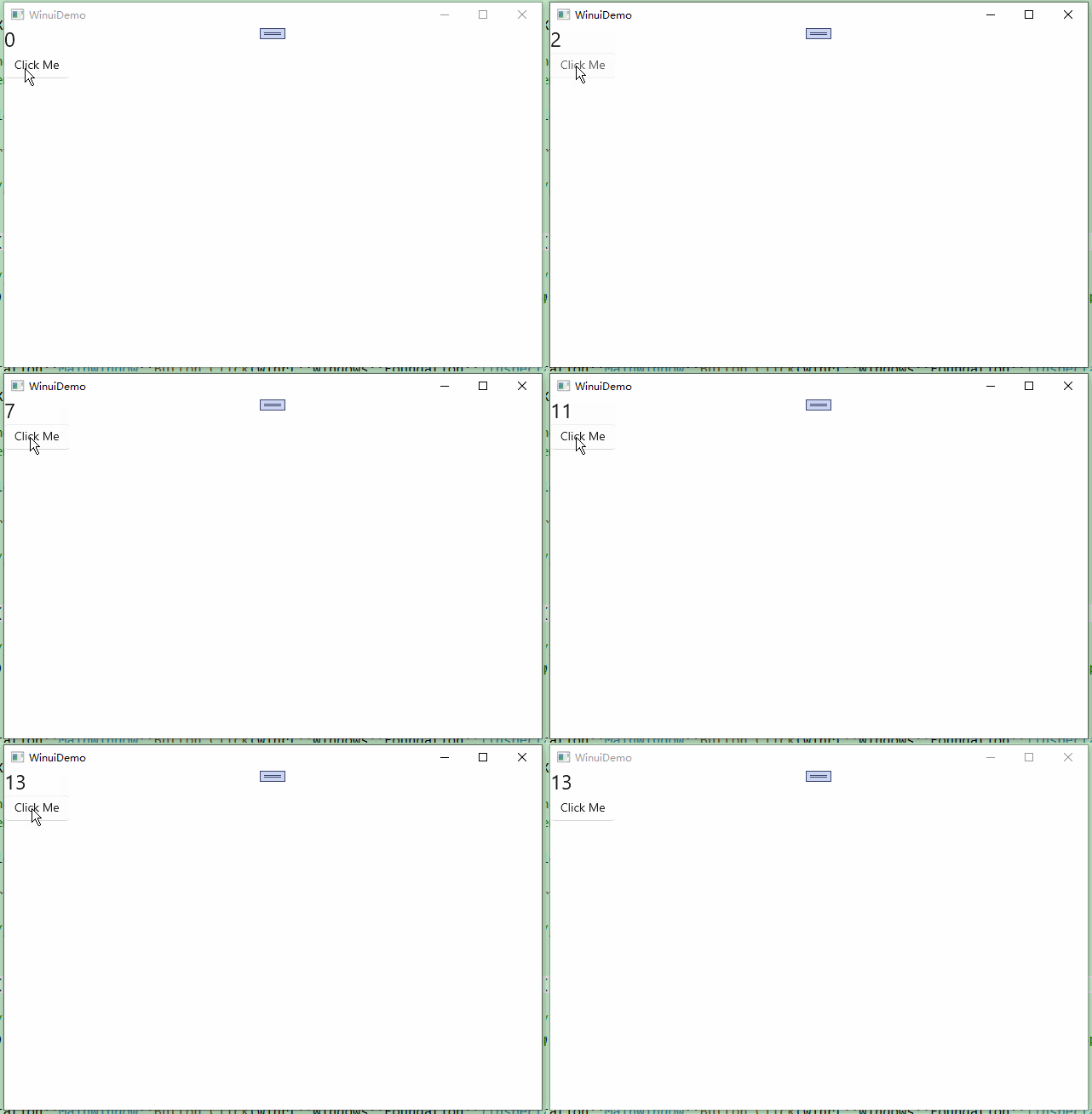
好了,本节课就到这里,本节课我们学习了,按钮点击后,后台做一些操作,然后修改界面的内容,另外还学习了,点击一个按钮,修改后台的属性,然后UI自动更新这个最新的属性值。