In the previous lesson, we added a button in XAML and generated an event. Our first implementation was changing the button’s text upon clicking the button.
First go back to our XAML file. We need to give the button a name with x:Name=”btnAdd”, which lets us manipulate it in the backend C++ code.
<Grid>
    <Button x:Name="btnAdd" Content="Click Me" HorizontalAlignment="Center" VerticalAlignment="Center" Click="OnButtonClick"/>
</Grid>Code language: HTML, XML (xml)
Next, navigate to the OnButtonClick implementation function inside MainWindow.xaml.cpp
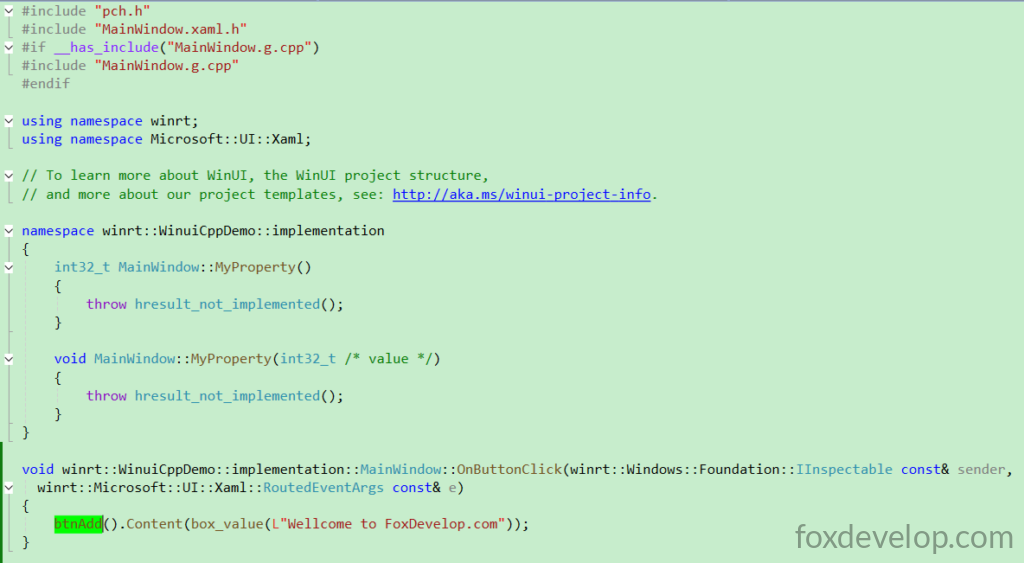
We can directly retrieve the button object via btnAdd declared above.
When clicked, its Content will be set to “Welcome to FoxDevelop.com”.
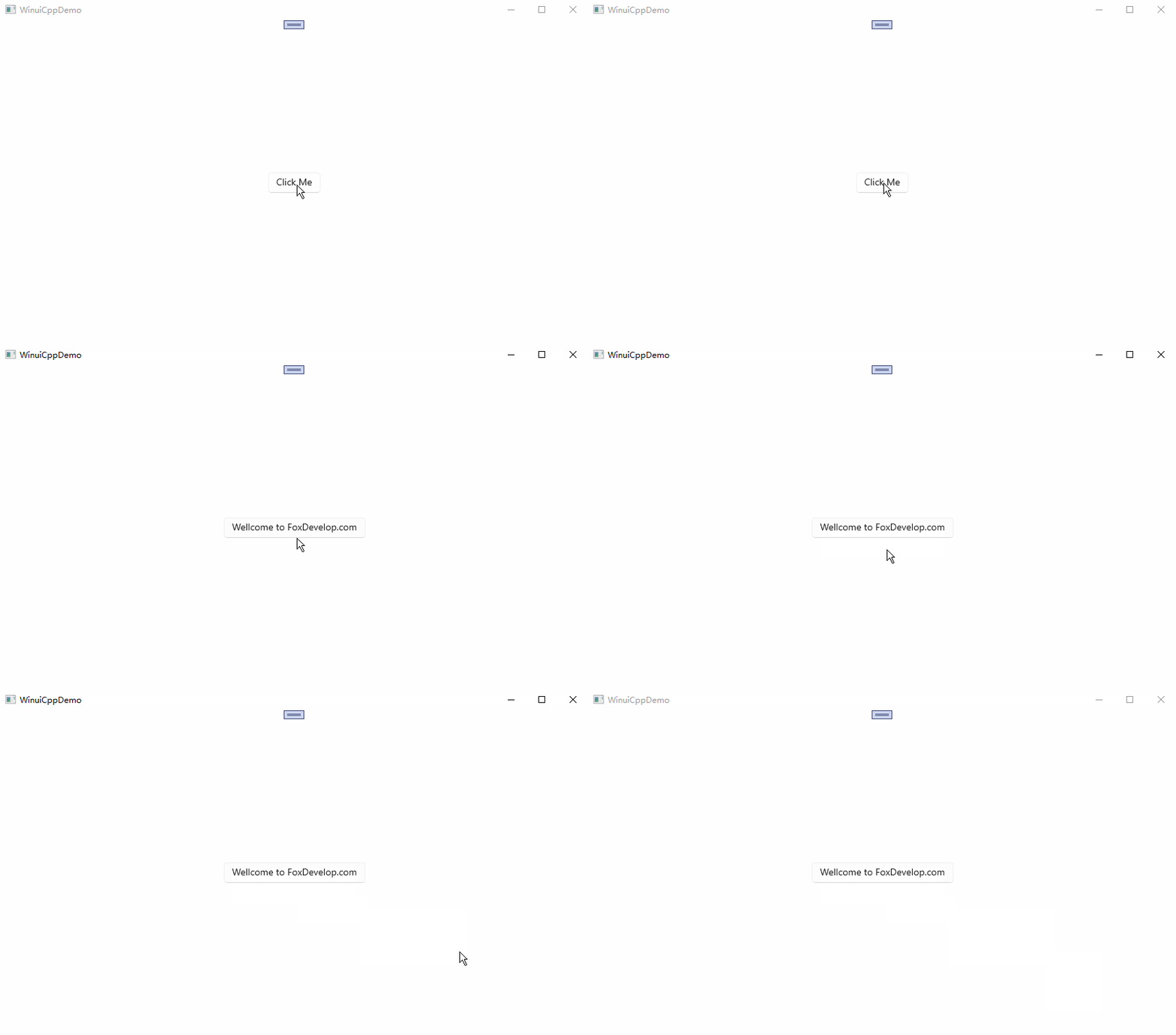
Let’s run the project now.
void winrt::WinuiCppDemo::implementation::MainWindow::OnButtonClick(winrt::Windows::Foundation::IInspectable const& sender,
winrt::Microsoft::UI::Xaml::RoutedEventArgs const& e)
{
    btnAdd().Content(box_value(L"Welcome to FoxDevelop.com"));
}
Code language: C++ (cpp)
As you can see, clicking the button modifies UI properties. Next, we will create an integer property to record click counts. Each click increments the value, and we will bind this property to a TextBlock in XAML so the UI updates automatically.
Implement Button Click & Property Binding
To avoid interference from previous code samples, readers may create a brand-new blank project.
Follow the steps below:
Modify the XAML file and add a TextBlock
<?xml version="1.0" encoding="utf-8"?>
<Window
    x:Class="WinuiDemo.MainWindow"
    xmlns="http://schemas.microsoft.com/winfx/2006/xaml/presentation"
    xmlns:x="http://schemas.microsoft.com/winfx/2006/xaml"
    xmlns:local="using:WinuiDemo"
    xmlns:d="http://schemas.microsoft.com/expression/blend/2008"
    xmlns:mc="http://schemas.openxmlformats.org/markup-compatibility/2006"
    mc:Ignorable="d"
    Title="WinuiDemo">

    <Grid>
        <TextBlock Text="{x:Bind MyProperty}" FontSize="24"/>
    </Grid>
</Window>
Code language: C++ (cpp)
Then in the .cpp file, MyProperty simply returns a numeric value
namespace winrt::WinuiDemo::implementation
{
    int32_t MainWindow::MyProperty()
    {
        return 100;
    }

    void MainWindow::MyProperty(int32_t /* value */)
    {
        throw hresult_not_implemented();
    }
}
Code language: C++ (cpp)
Run the project afterwards
You may encounter the following error and the build process will get stuck indefinitely
Build started at 14:42...
1>------ Build started: Project: WinuiCppDemo, Configuration: Debug x64 ------
1>WindowsAppSDKMLDeploymentMode=Framework
1>MainWindow.xaml.cpp
The error message reads as follows:
#error directive: "C++/WinRT no longer supports pre-standardization coroutines.
If you use co_await, switch to /await:strict or upgrade to C++20. If you do not,
 remove /await from the compiler flags."Code language: PHP (php)
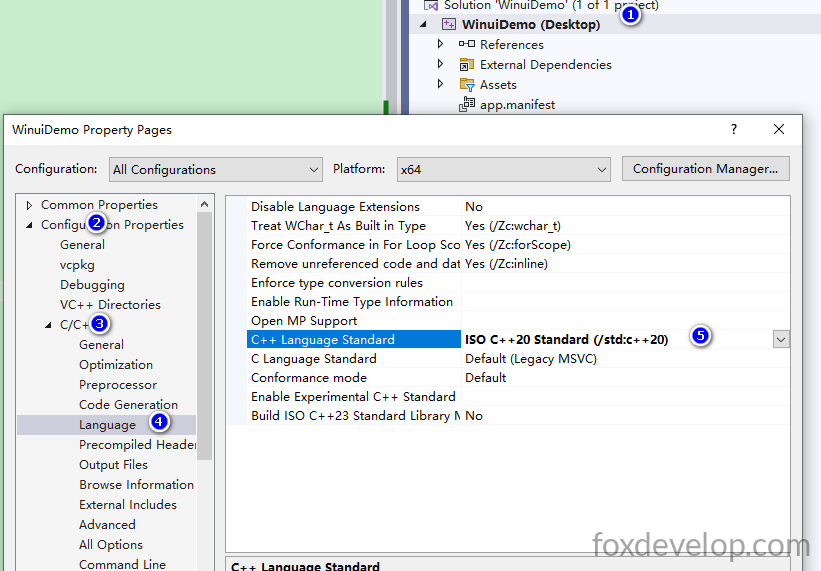
Upgrade to C++20
WinUI 3 and C++/WinRT rely on standard-compliant coroutines, which makes long-term maintenance much easier.
Navigate to Project Properties → C/C++ → Language → C++ Language Standard and select C++20.
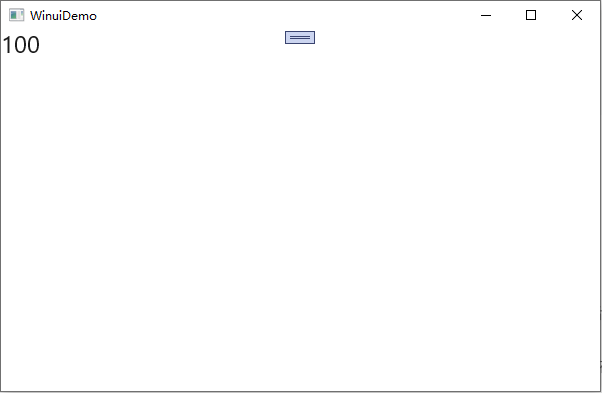
Rebuild the project afterward. The build will take a very long time, generating 1.3GB of files under D:\Demos\WinuiDemo\WinuiDemo\x64\Debug. This explains the slow compilation speed; build performance varies based on your PC hardware. Once compilation succeeds and you launch the app, the page will display the number 100.
int32_t MainWindow::MyProperty()
    {
        return 100;
    }Code language: C++ (cpp)
The page renders the value returned by this property.
Implement Click Counter with Button Tap
Now we add a button and attach a click event handler to it
<?xml version="1.0" encoding="utf-8"?>
<Window
    x:Class="WinuiDemo.MainWindow"
    xmlns="http://schemas.microsoft.com/winfx/2006/xaml/presentation"
    xmlns:x="http://schemas.microsoft.com/winfx/2006/xaml"
    xmlns:local="using:WinuiDemo"
    xmlns:d="http://schemas.microsoft.com/expression/blend/2008"
    xmlns:mc="http://schemas.openxmlformats.org/markup-compatibility/2006"
    mc:Ignorable="d"
    Title="WinuiDemo">

    <StackPanel Orientation="Vertical">
        <TextBlock Text="{x:Bind MyProperty}" FontSize="24"/>
        <Button Content="Click Me" Click="Button_Click"/>
    </StackPanel>
</Window>
Code language: HTML, XML (xml)
Hover your cursor over Button_Click inside Click=”Button_Click”, then press F12. Visual Studio will auto-generate the event function signatures in both .h and .cpp files.
void Button_Click(winrt::Windows::Foundation::IInspectable const& sender, winrt::Microsoft::UI::Xaml::RoutedEventArgs const& e);
This works exactly the same as our earlier example. Next we need a private int32_t member variable to store our click counter value.
First add an integer property inside MainWindow.xaml.h to hold the counter value
Properties defined in .idl files only act as an external interface for public access. We need to create our own private field to store the actual data values.
When we write
Int32 MyPropertyin IDL, our class exposes a read-write Int32 property to external callers.The compiler auto-generates virtual Get/Set methods and a property changed event named
MyPropertyChanged
int32_t m_myPropValue = 0; // Private field to store click count!Code language: C++ (cpp)#pragma once
#include "MainWindow.g.h"
namespace winrt::WinuiDemo::implementation
{
struct MainWindow : MainWindowT<MainWindow>
{
private:
int32_t m_myPropValue = 0; // save the value of MyProperty
public:
MainWindow()
{
// Xaml objects should not call InitializeComponent during construction.
// See https://github.com/microsoft/cppwinrt/tree/master/nuget#initializecomponent
}
//getter & setter function
int32_t MyProperty();
void MyProperty(int32_t value);
//Click Function
void Button_Click(winrt::Windows::Foundation::IInspectable const& sender, winrt::Microsoft::UI::Xaml::RoutedEventArgs const& e);
};
}
namespace winrt::WinuiDemo::factory_implementation
{
struct MainWindow : MainWindowT<MainWindow, implementation::MainWindow>
{
};
}
Code language: C++ (cpp)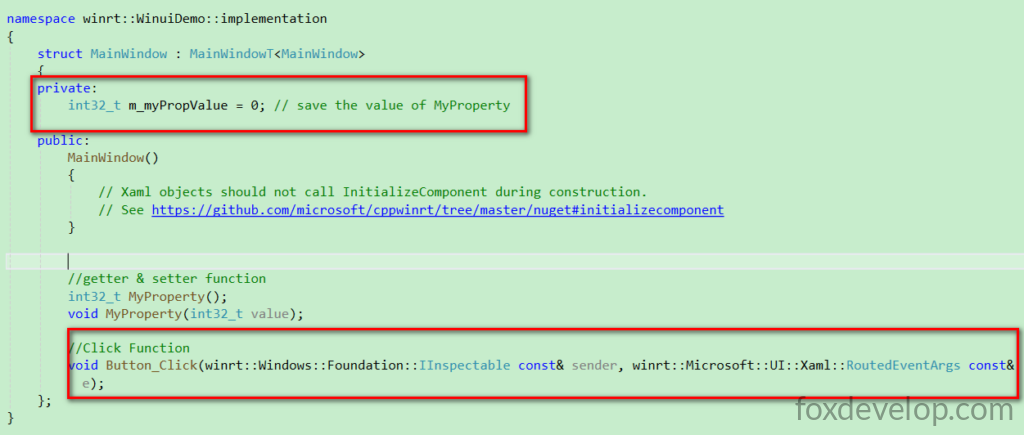
Now modify the getter and setter functions inside the .cpp file. Inside the click event handler, fetch the current value from MyProperty(), increment it by one, and assign it back. Most importantly:
this->Bindings->Update(); Do NOT omit this line. It notifies all UI elements bound to this property to refresh; without it, your interface will never update visually.
#include "pch.h"
#include "MainWindow.xaml.h"
#if __has_include("MainWindow.g.cpp")
#include "MainWindow.g.cpp"
#endif

using namespace winrt;
using namespace Microsoft::UI::Xaml;

// To learn more about WinUI, the WinUI project structure,
// and more about our project templates, see: http://aka.ms/winui-project-info.

namespace winrt::WinuiDemo::implementation
{
    int32_t MainWindow::MyProperty()
    {
        return m_myPropValue; //get m_myPropValue
    }

    void MainWindow::MyProperty(int32_t  value)
    {
        m_myPropValue = value; //set m_myPropValue
        this->Bindings->Update(); // Force refresh all x:Bind bindings on this page to update UI display
    }
}

void winrt::WinuiDemo::implementation::MainWindow::Button_Click(winrt::Windows::Foundation::IInspectable const& sender,
 winrt::Microsoft::UI::Xaml::RoutedEventArgs const& e)
{
    MyProperty(MyProperty() + 1);//update m_myPropValue, let it add 1
}
Code language: C++ (cpp)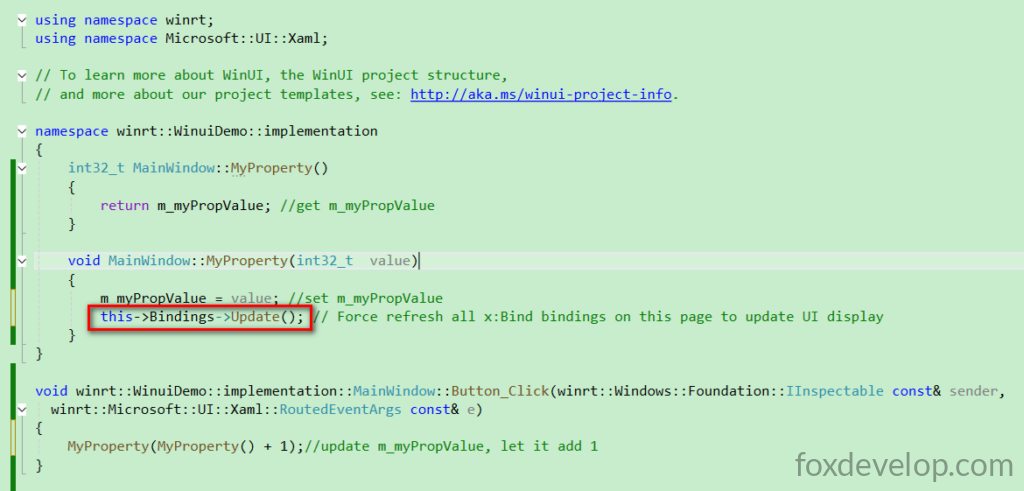
Rebuild and run the application now
On my local machine the build process takes an extremely long time; your mileage may vary based on hardware.
Build started at 15:29...
1>------ Build started: Project: WinuiDemo, Configuration: Debug x64 ------
1>WindowsAppSDKMLDeploymentMode=Framework
1>App.xaml.cpp
1>MainWindow.xaml.cpp
C++ compilation generates dozens of intermediate files. On my setup, the build process ran for over ten minutes without finishing initially.
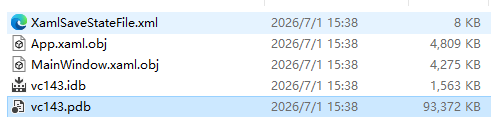
At 15:40 local time the build finally completed and the application window popped open — the entire process took a full 11 minutes. I repeatedly feared the build had crashed and almost closed Visual Studio multiple times.
Final Running Demo Result
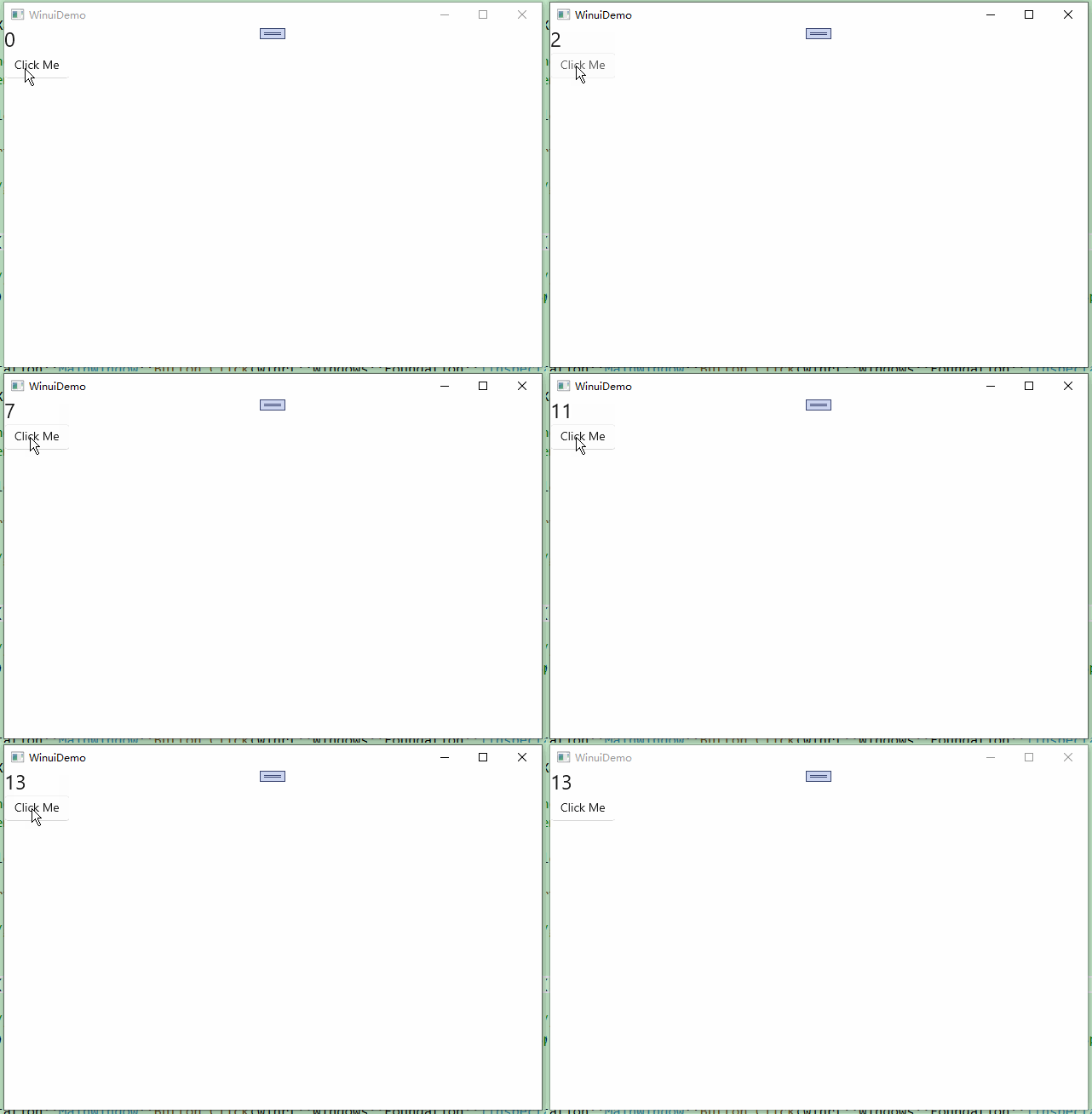
That wraps up this lesson. Today we covered how to execute backend logic and modify UI content on button click, as well as binding backend properties to automatically refresh the UI with updated values after each button tap.