ナビゲーションを追加
画面に左サイドメニューを追加する
新規WinUI C++プロジェクトを作成します
MainWindow.xamlを開きます
内部のGrid部分だけ下記のNavigationViewに置き換えます(ファイル全体を上書きしないでください)
<NavigationView x:Name="NavView" PaneDisplayMode="Left">

   <NavigationView.MenuItems>
       <NavigationViewItem Content="Dashboard" Tag="DashboardPage"
Icon="Account"/>
       <NavigationViewItem Content="Account" Tag="AnalyticsPage"
Icon="Add"/>
   </NavigationView.MenuItems>

   <Frame x:Name="MainFrame"/>

</NavigationView>Code language: HTML, XML (xml)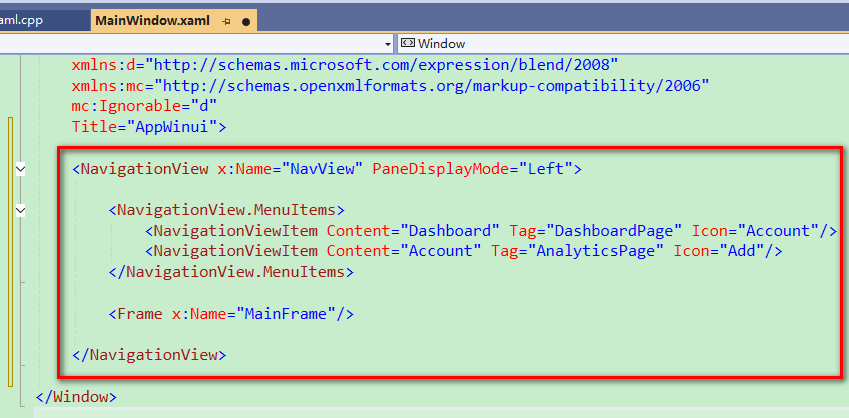
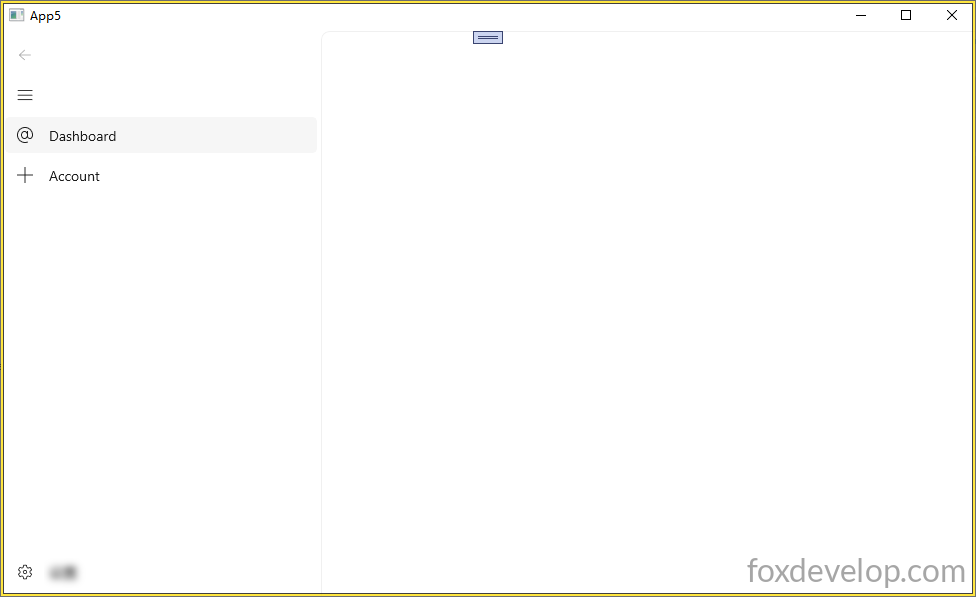
実行後の画面は下記の通りです
空ページを追加
空のページを作成する
プロジェクト名を右クリック → 新しい項目の追加(Add New Item)
Visual C++ → WinUI → BlankPage.xaml 空ページテンプレートを選択
BlankPage.xaml内のGrid部分を下記のように編集します。ページごとに区別できるよう、それぞれ異なるテキストを表示するTextBlockを配置します。
PageとWindowは別のコントロールです
    <Grid>
        <TextBlock Text="This is a blank page."
HorizontalAlignment="Center"
VerticalAlignment="Center" FontSize="24"/>
    </Grid>Code language: C++ (cpp)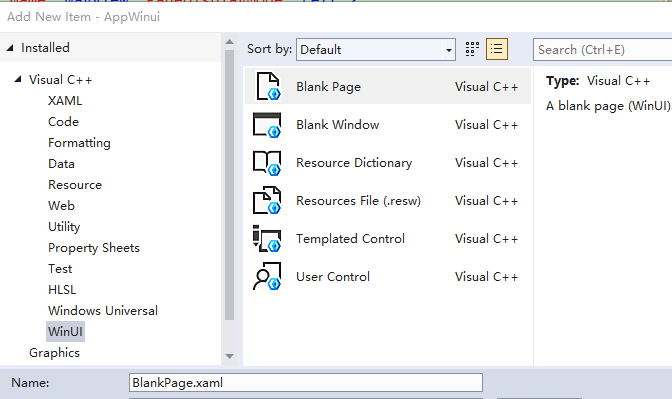
ナビゲーションバーとページ読み込み
メインウィンドウの既定ページを設定
メインウィンドウのFrameに、先ほど作成した空ページを既定で読み込むよう設定します
FrameはHTMLのiframeに似た概念で、独立した領域として別のページの内容を読み込んで表示します。
MainWindow.xaml.hを開く
コンストラクタの実装部分を削除し、宣言だけ残します。
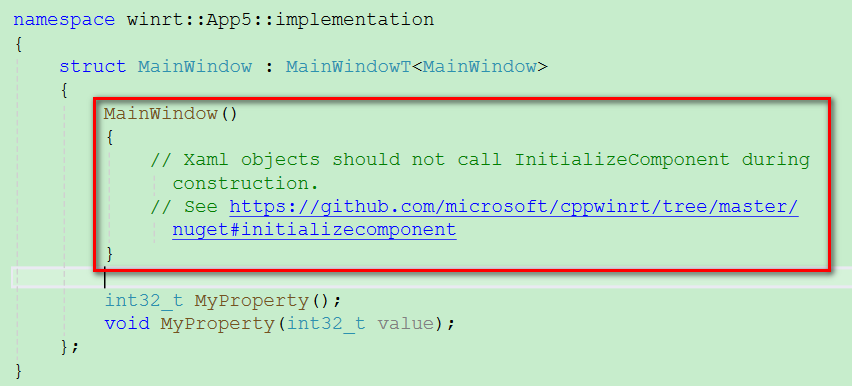
MainWindow();
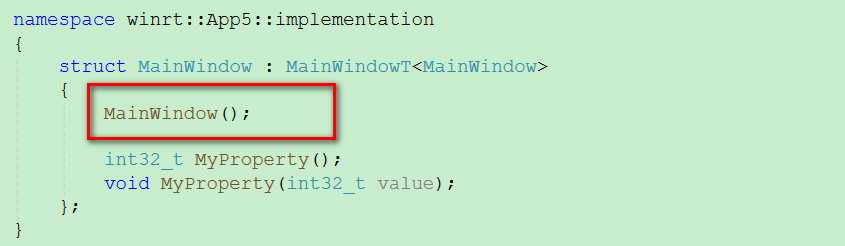
.cppファイル側にコンストラクタの処理を実装します。
#include "pch.h"
#include "MainWindow.xaml.h"
#if __has_include("MainWindow.g.cpp")
#include "MainWindow.g.cpp"
#endif

using namespace winrt;
using namespace Microsoft::UI::Xaml;

#include "BlankPage.xaml.h"
#include <winrt/Windows.UI.Xaml.Interop.h>

// To learn more about WinUI, the WinUI project structure,
// and more about our project templates, see: http://aka.ms/winui-project-info.

namespace winrt::App5::implementation
{
    // コンストラクタの実装をcppに記述することで、安全にUI初期化とページ遷移を行えます
    MainWindow::MainWindow()
    {
        InitializeComponent();
        // FrameにBlankPageを読み込んで表示
        MainFrame().Navigate(xaml_typename<App5::BlankPage>());
    }

    int32_t MainWindow::MyProperty()
    {
        throw hresult_not_implemented();
    }

    void MainWindow::MyProperty(int32_t /* value */)
    {
        throw hresult_not_implemented();
    }


}
Code language: PHP (php)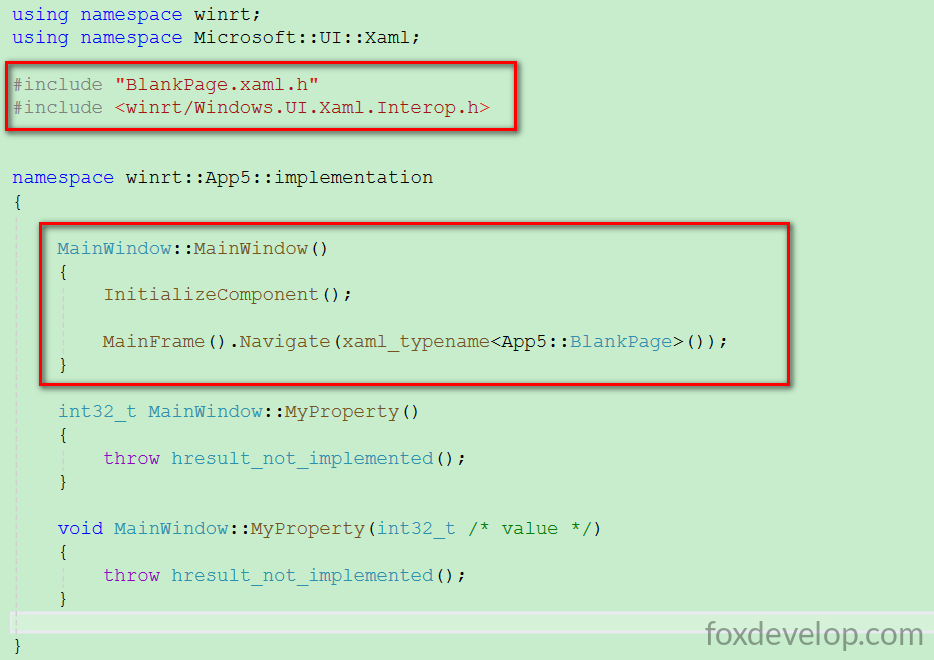
xaml_typenameを使用するには下記ヘッダーのインクルードが必須です
#include <winrt/Windows.UI.Xaml.Interop.h>Code language: HTML, XML (xml)MainFrame().Navigate(xaml_typename()) というコードはBlankPageへ遷移する処理です。メインウィンドウ起動時、右側のMainFrameにこの空ページが表示されます。
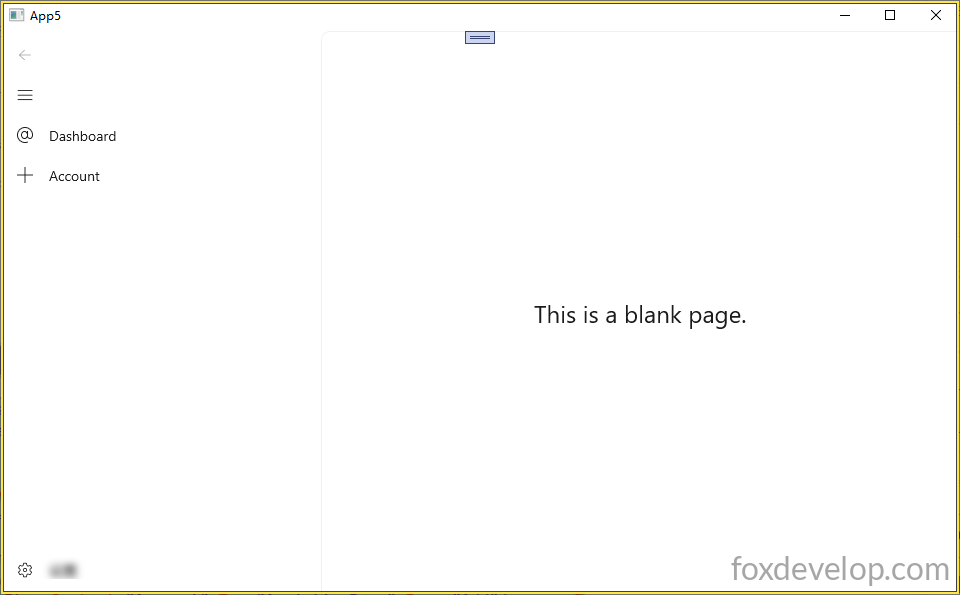
左メニューとメインウィンドウのページ読み込み設定完了
Previous: ボタンクリックとプロパティバインディングの実装