Unit File Extension
All unit source files use the unified .pas extension. Filenames are recommended to be all lowercase, e.g. myunit.pas.
FPC supports custom extensions. Some developers use .pp for unit files (such as myunit.pp), but this is not a universal standard.
Windows File System: Filenames are case-insensitive; MyUnit.pas and myunit.pas are treated as the same file.
Unix (Linux/macOS) File System: Strictly case-sensitive. The Pascal language itself is case-insensitive, yet uses MyUnit; strictly matches the filename case on disk. If your file is named myunit.pas but you write uses MyUnit, Unix environments will throw a “unit not found” error.
The industry-wide standard is to use all-lowercase .pas unit filenames. This ensures compatibility with all compilers and cross-platform file systems, and avoids case matching bugs.
Main Program (Project) File Extension
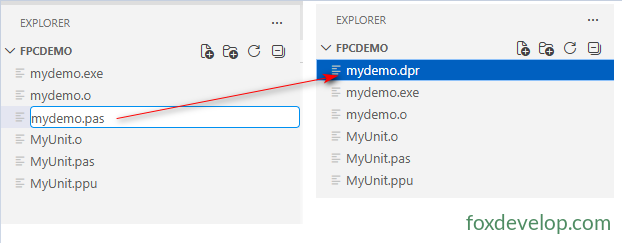
Previously, we renamed the main entry file mydemo.dpr to .pas just to enable syntax highlighting in the editor.
There are two standard extensions for main program entry files:
.dpr (Delphi Project) Compatible with both Delphi and FPC/Lazarus compilers; the top choice for cross-IDE workflows.
.lpr (Lazarus Project) Exclusively for Lazarus + FPC development, incompatible with Delphi.
You may also use .pas, but this is not recommended for beginners.
Storing main program code directly in a .pas file
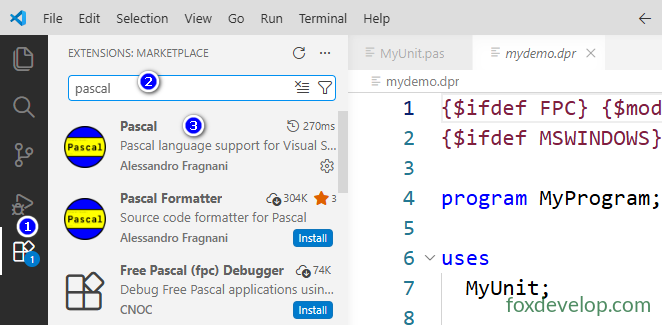
We will switch editors to VS Code now. VS Code supports syntax highlighting for .dpr files after installing the Pascal extension.
Therefore, we will rename mydemo.pas back to mydemo.dpr.
Search for the Pascal extension in VS Code and install it to enable syntax highlighting.
Unit and Program File Extensions