Xamarin.Forms Entry文本输入教程
新建项目
启动 Visual Studio,新建名为 EntryTutorial 的 Xamarin.Forms 空白应用。
基础Entry控件(MainPage.xaml)
双击打开 MainPage.xaml,替换为以下完整代码:
<?xml version="1.0" encoding="utf-8"?>
<ContentPage xmlns="http://xamarin.com/schemas/2014/forms"
             xmlns:x="http://schemas.microsoft.com/winfx/2009/xaml"
             x:Class="EntryTutorial.MainPage">
    <StackLayout Margin="20,35,20,20">
        <Entry Placeholder="Enter text" />
    </StackLayout>
</ContentPage>Code language: HTML, XML (xml)代码说明:
- Entry:Xamarin.Forms 单行文本输入框控件,用于接收用户单行文字输入。
- Placeholder:占位提示文本,输入框内容为空时默认展示,用于提示用户输入内容。
绑定输入核心事件
修改 Entry 控件代码,绑定 TextChanged 文本变化事件和 Completed 输入完成事件:
<Entry Placeholder="Enter text"
       TextChanged="OnEntryTextChanged"
Completed="OnEntryCompleted" />Code language: HTML, XML (xml)事件作用:
- TextChanged:输入框文本发生任意修改时实时触发。
- Completed:用户点击键盘回车/完成键,结束本次输入时触发。
编写后台事件逻辑(MainPage.xaml.cs)
打开后台代码文件,添加两个事件处理方法,实现输入监听逻辑:
void OnEntryTextChanged(object sender, TextChangedEventArgs e)
{
    string oldText = e.OldTextValue;
    string newText = e.NewTextValue;
}

void OnEntryCompleted(object sender, EventArgs e)
{
    string text = ((Entry)sender).Text;
}Code language: JavaScript (javascript)代码说明:
- OnEntryTextChanged:通过
TextChangedEventArgs参数,可获取文本修改前(OldTextValue)和修改后(NewTextValue)的内容,实时监听输入变化。 - OnEntryCompleted:输入完成回车触发,将 sender 强转为 Entry 对象,读取 Text 属性获取最终输入的完整内容。
自定义Entry控件(密码输入案例)
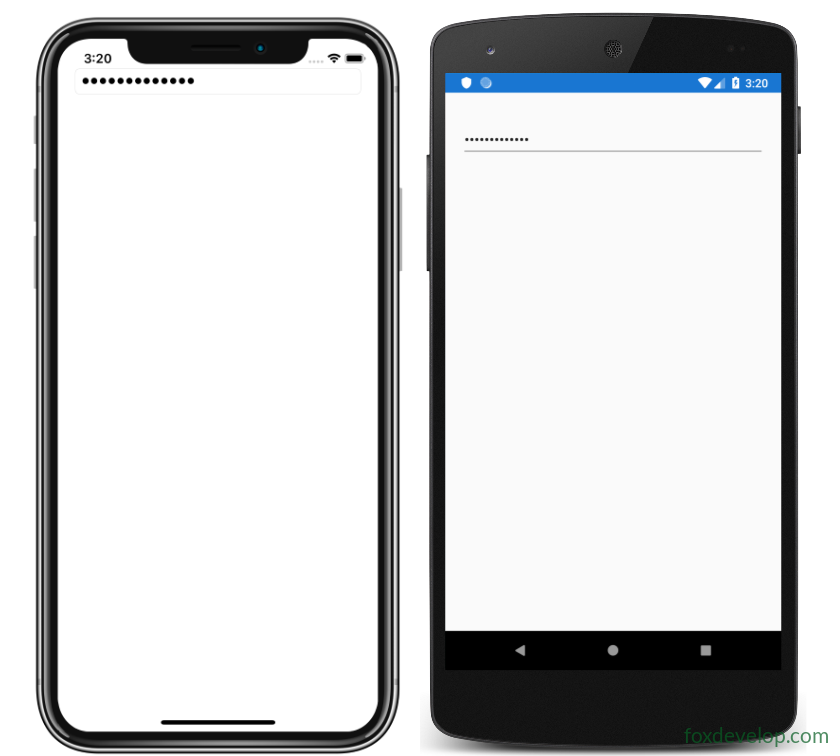
修改 Entry 控件,配置输入限制、密码掩码、输入辅助功能关闭等属性,实现密码输入框效果:
<Entry Placeholder="Enter password"
       MaxLength="15"
       IsSpellCheckEnabled="false"
       IsTextPredictionEnabled="false"
IsPassword="true" />Code language: HTML, XML (xml)属性详解:
- MaxLength:限制输入框最大可输入字符数量,此处限制为15位。
- IsSpellCheckEnabled=”false”:关闭系统拼写检查功能。
- IsTextPredictionEnabled=”false”:关闭输入法文本联想、自动预测功能。
- IsPassword=”true”:开启密码掩码模式,输入的文字自动隐藏为圆点,保护隐私。
总结
- Entry 是 单行文本输入控件,仅支持单行输入,多行输入需使用 Editor 控件。
- Placeholder 属性用于设置输入框默认提示文字,优化用户体验。
- 两大核心输入事件:
TextChanged(实时监听文本变化)、Completed(监听输入完成)。 - 密码场景专属配置:通过
IsPassword实现密码隐藏,搭配长度限制、关闭输入辅助功能,适配账号密码输入需求。
Previous: Xamarin.Forms 按钮教程
Next: Xamarin.Forms Editor 教程