学习StackLayout堆叠布局容器,掌握方向、Margin、Padding、Spacing、HorizontalOptions、VerticalOptions属性。
1. 创建项目
打开Visual Studio,新建空白Xamarin.Forms项目,项目名称:StackLayoutTutorial
2. 编辑 MainPage.xaml(垂直布局默认)
打开MainPage.xaml,替换代码:
<?xml version="1.0" encoding="utf-8"?>
<ContentPage xmlns="[http://xamarin.com/schemas/2014/forms](http://xamarin.com/schemas/2014/forms)"
             xmlns:x="[http://schemas.microsoft.com/winfx/2009/xaml](http://schemas.microsoft.com/winfx/2009/xaml)"
             x:Class="StackLayoutTutorial.MainPage">
    <StackLayout Margin="20,35,20,25">
        <Label Text="The StackLayout has its Margin property set, to control the rendering position of the StackLayout." />
        <Label Text="The Padding property can be set to specify the distance between the StackLayout and its children." />
        <Label Text="The Spacing property can be set to specify the distance between views in the StackLayout." />
    </StackLayout>
</ContentPage>
Code language: HTML, XML (xml)
默认
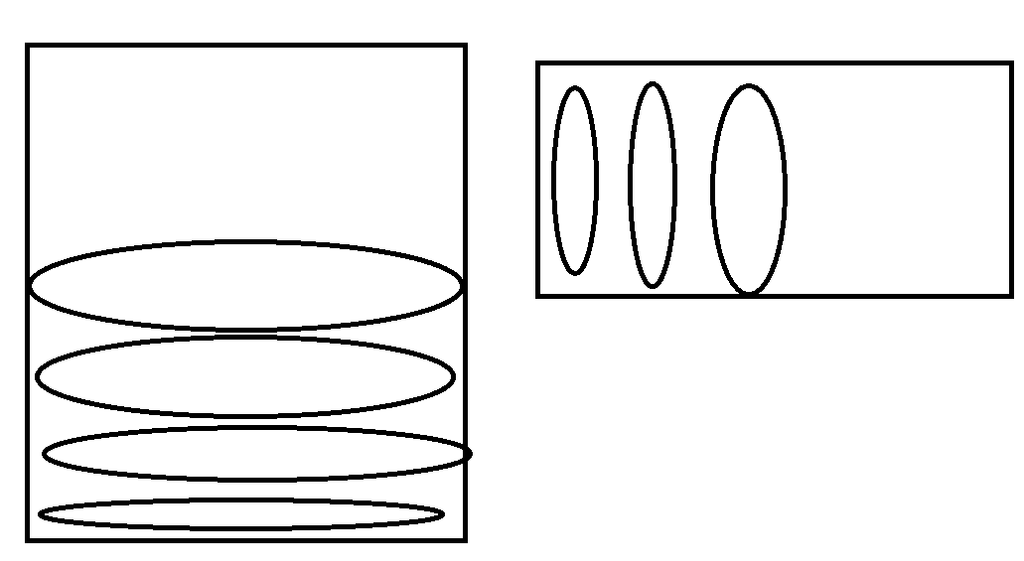
Orientation="Vertical",子控件垂直从上到下依次排列。
属性说明
- Margin:StackLayout外部边距,控制布局容器和页面边缘之间距离,格式:
左,上,右,下 - Padding:StackLayout内部边距,容器边缘与内部子控件之间距离
- Spacing:子控件互相之间的间距(控件与控件之间空隙)
3. 修改为水平排列
添加 Orientation="Horizontal",子控件水平从左向右排列:
<StackLayout Margin="20,35,20,25"
             Orientation="Horizontal">
    <Label Text="The StackLayout has its Margin property set, to control the rendering position of the StackLayout." />
    <Label Text="The Padding property can be set to specify the distance between the StackLayout and its children." />
    <Label Text="The Spacing property can be set to specify the distance between views in the StackLayout." />
</StackLayout>
Code language: HTML, XML (xml)
Orientation可选值:
Vertical(垂直,默认) /Horizontal(水平)
4. 对齐与扩展 HorizontalOptions / VerticalOptions
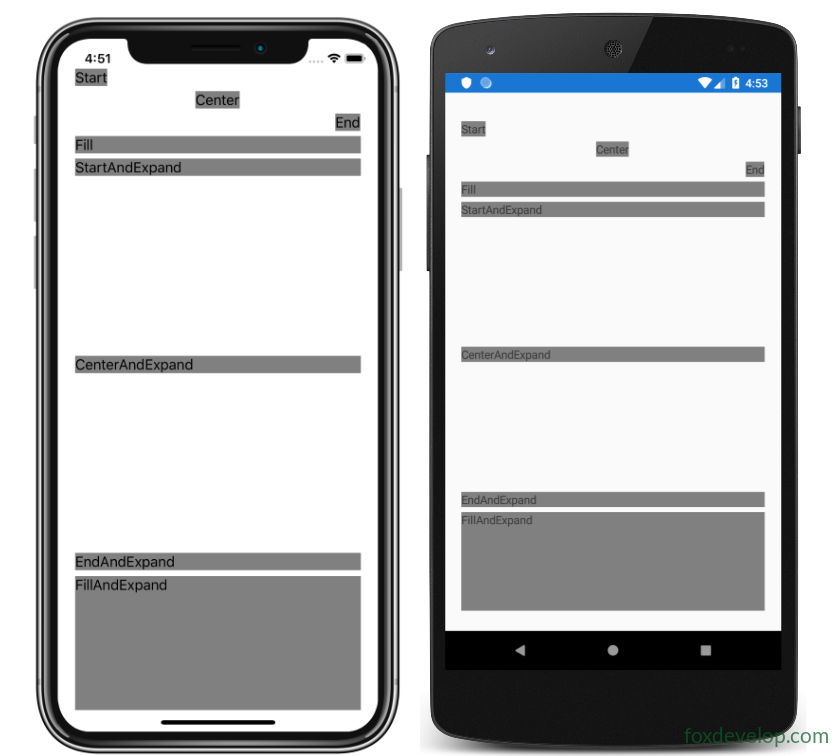
HorizontalOptions、VerticalOptions 取值来自LayoutOptions,包含两部分:对齐方式 + 是否扩展占用剩余空间。
<StackLayout Margin="20,35,20,25">
    <Label Text="Start"
           HorizontalOptions="Start"
           BackgroundColor="Gray" />
    <Label Text="Center"
           HorizontalOptions="Center"
           BackgroundColor="Gray" />
    <Label Text="End"
           HorizontalOptions="End"
           BackgroundColor="Gray" />
    <Label Text="Fill"
           HorizontalOptions="Fill"
           BackgroundColor="Gray" />
    <Label Text="StartAndExpand"
           VerticalOptions="StartAndExpand"
           BackgroundColor="Gray" />
    <Label Text="CenterAndExpand"
           VerticalOptions="CenterAndExpand"
           BackgroundColor="Gray" />
    <Label Text="EndAndExpand"
           VerticalOptions="EndAndExpand"
           BackgroundColor="Gray" />
    <Label Text="FillAndExpand"
           VerticalOptions="FillAndExpand"
           BackgroundColor="Gray" />
</StackLayout>
Code language: HTML, XML (xml)
基础对齐选项
Start:靠起始位置(垂直StackLayout:靠左;水平StackLayout:靠顶部)Center:居中End:靠末尾位置Fill:填满父容器可用空间(默认值)
带Expand扩展选项(AndExpand)
StartAndExpand / CenterAndExpand / EndAndExpand / FillAndExpand
含义:设置对齐,并且抢占父容器多余空白空间(只有StackLayout支持Expand)
注意
StackLayout只读取和自身方向垂直的那个Options:
- 垂直StackLayout(默认):生效的是
HorizontalOptions- 水平StackLayout:生效的是
VerticalOptions
控件 HorizontalOptions / VerticalOptions 默认值:
Fill
Previous: 便签项目介绍
Next: Xamarin.Forms 标签Label教程