Using Menu in an Activity
Create a menu folder under res
Then add a main menu file under the menu folder
Right-click the menu folder and choose Add Menu Resource File
<?xml version="1.0" encoding="utf-8"?>
<menu xmlns:android="http://schemas.android.com/apk/res/android">
    <item android:id="@+id/add" android:title="Add"/>
    <item android:id="@+id/del" android:title="Delete"/>
    <item android:id="@+id/search" android:title="Search"/>
</menu>Code language: HTML, XML (xml)
Override onCreateOptionsMenu in the Activity
Press Ctrl + O to override base class methods
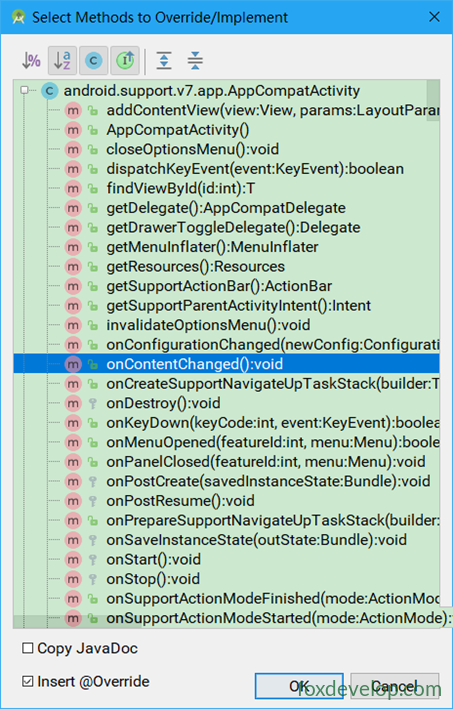
@Override
public boolean onCreateOptionsMenu(Menu menu) {
    getMenuInflater().inflate(R.menu.main, menu);
    return true; // Must return true to make the menu visible
}Code language: PHP (php)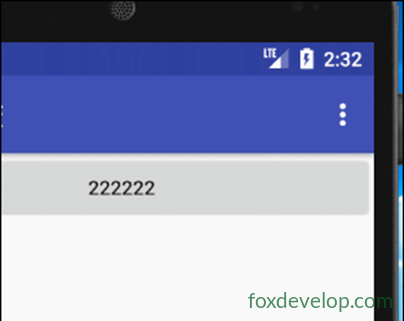
Menu Response Events
Override the onOptionsItemSelected method
@Override
public boolean onOptionsItemSelected(MenuItem item) {
    // Toast.makeText(FirstActivity.this, "xxx", Toast.LENGTH_SHORT).show();
    switch (item.getItemId()) {
        case R.id.add:
            Toast.makeText(FirstActivity.this, "Add Course", Toast.LENGTH_LONG).show();
            break;
        case R.id.del:
            Toast.makeText(FirstActivity.this, "Delete Course", Toast.LENGTH_LONG).show();
            break;
        default:
            Toast.makeText(FirstActivity.this, "Other", Toast.LENGTH_LONG).show();
    }
    return super.onOptionsItemSelected(item);
}Code language: JavaScript (javascript)
Menu button (three dots) in the top right corner
Previous: Toast
Next: Destroying an activity