Four types of loops: for / while / repeat / for-in
Refer to the examples below first. Modify the code file from the previous lesson, mydemo.dpr, and change its extension to pas, resulting in mydemo.pas. This is the standard file extension for Pascal source files. Then download a code editor such as Notepad++ with syntax highlighting support, which will make your code much clearer to read.
Below is a complete sample with line-by-line code comments. We will break down each statement step by step after the code example.
// 2.8 Loop Statements: for, while, repeat, for..in
{$ifdef FPC} {$mode objfpc}{$H+}{$J-} {$endif}
// FPC compiler directives: enable OOP mode, long strings, disable automatic string reference counting
{$ifdef MSWINDOWS} {$apptype CONSOLE} {$endif}
// Windows platform: mark program as console application (no GUI window)
{$R+} // Enable range bound checking, very useful for debugging array index errors
var
  MyArray: array [0..9] of Integer; // Integer array with 10 elements, indexes 0 to 9
  I: Integer; // Loop counter variable
begin
// 1. Forward for loop: initialize array to store square values of 0~9
for I := 0 to 9 do
    MyArray[I] := I * I;

// 2. Basic for loop to iterate array indexes and print squares
for I := 0 to 9 do
    WriteLn('Square is ', MyArray[I]);

// 3. Low/High auto-fetch array bounds, no hardcoded 0 and 9, better scalability
for I := Low(MyArray) to High(MyArray) do
    WriteLn('Square is ', MyArray[I]);

// 4. while loop: check condition first, execute body only if condition holds
  I := 0;
while I < 10 do
begin
    WriteLn('Square is ', MyArray[I]);
    I := I + 1; // Equivalent writing styles: I+=1 / Inc(I)
end;

// 5. repeat-until loop: execute body once first, check exit condition at end
  I := 0;
repeat
    WriteLn('Square is ', MyArray[I]);
    Inc(I); // Increment counter
until I = 10;

// 6. for-in iteration: directly fetch element values without manipulating indexes
for I in MyArray do
    WriteLn('Square is ', I);
end.Code language: Delphi (delphi)
The code below has all comments removed
{$ifdef FPC} {$mode objfpc}{$H+}{$J-} {$endif}
{$ifdef MSWINDOWS} {$apptype CONSOLE} {$endif}
{$R+}

var
  MyArray: array [0..9] of Integer;
  I: Integer;

begin

for I := 0 to 9 do
    MyArray[I] := I * I;

for I := 0 to 9 do
    WriteLn('Square is ', MyArray[I]);

for I := Low(MyArray) to High(MyArray) do
    WriteLn('Square is ', MyArray[I]);

  I := 0;
while I < 10 do
begin
    WriteLn('Square is ', MyArray[I]);
    I := I + 1;
end;

  I := 0;
repeat
    WriteLn('Square is ', MyArray[I]);
    Inc(I);
until I = 10;

for I in MyArray do
    WriteLn('Square is ', I);

end.Code language: Delphi (delphi)
We will analyze the code of each loop one by one below
for Loop
Assign values to an array using a for loop
{$ifdef FPC} {$mode objfpc}{$H+}{$J-} {$endif}
{$ifdef MSWINDOWS} {$apptype CONSOLE} {$endif}
{$R+}

var
  MyArray: array [0..9] of Integer;
  I: Integer;

begin

for I := 0 to 9 do
    MyArray[I] := I * I;

end.Code language: Delphi (delphi)
This code consists of three parts: precompiler directives at the top, variable declarations under var (one array and one integer), and the main execution block wrapped between begin and end., which contains a for loop assigning values from 0 to 9 to I and populating array elements via indexes
Assign values to the 10 array elements MyArray[0] through MyArray[9]. The asterisk * stands for multiplication.
MyArray[0] := 0 * 0;
MyArray[1] := 1 * 1;
…
MyArray[9] := 9 * 9;
Next, add another for loop below the first one to read each element stored in the array.
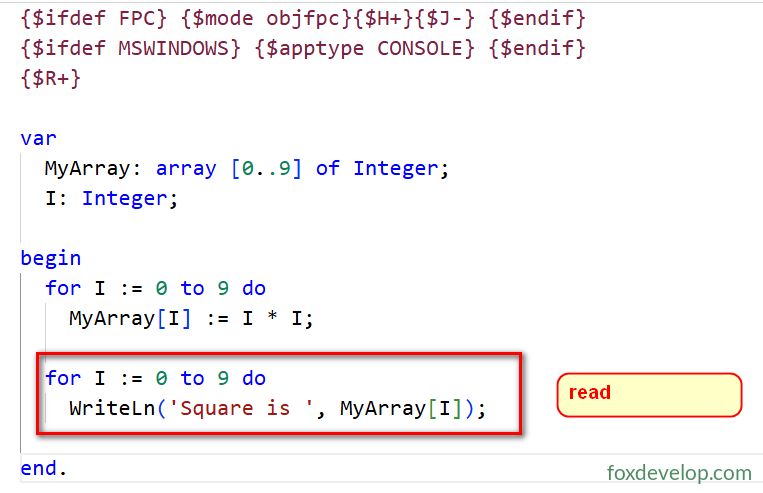
After compiling and running the program, all stored values will be printed as output
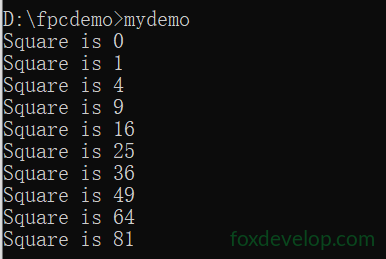
All outputs are squares of numbers 0 through 9, matching our expected results above.
If you do not know the index range of an array, use built-in functions to retrieve its lower and upper bounds.
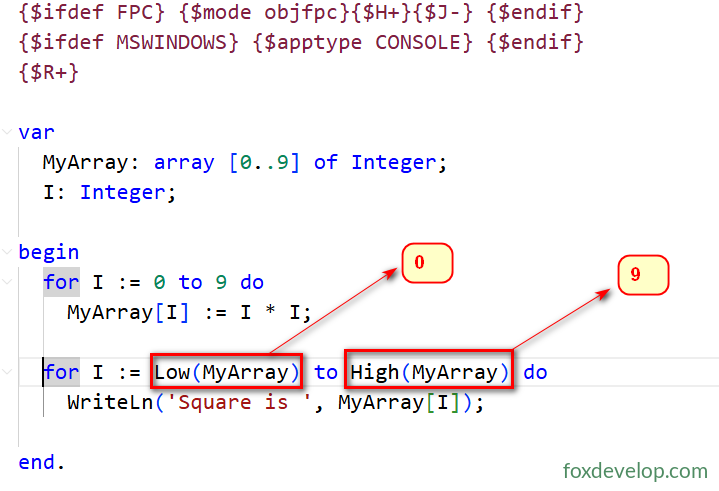
The Low(ArrayName) function above retrieves the minimum index value of an array
Low(Type/Variable): Fetch the minimum value / lower bound of ordinal types, arrays, setsHigh(Type/Variable): Fetch the maximum value / upper bound of ordinal types, arrays, sets
while and repeat Loops
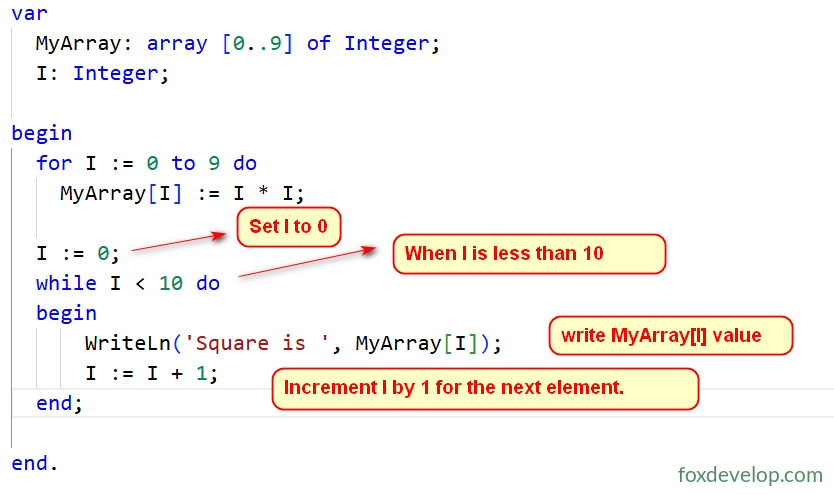
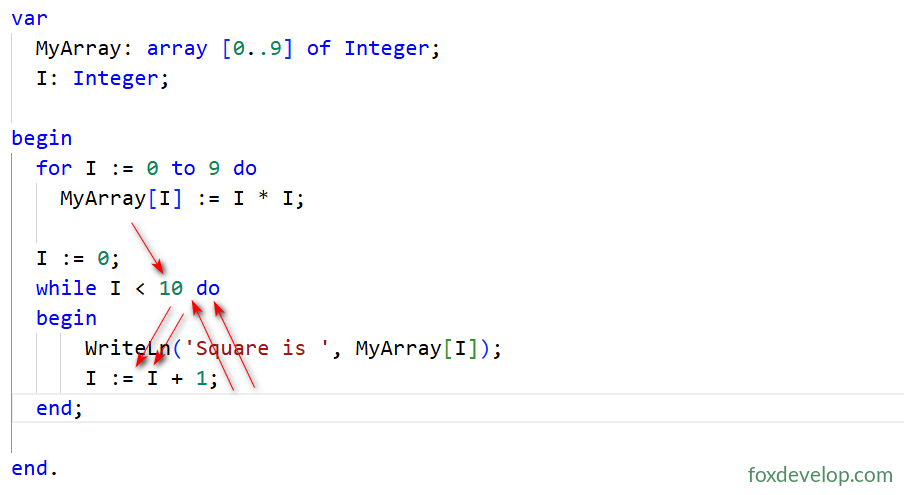
Inside the while loop body wrapped in begin end;, variable I increments by 1 at the end of the block. After incrementing, execution jumps back to the while I < 10 do line for a new condition check. If the condition evaluates true, the loop body runs a second time, I increments again, and the check repeats. This cycle continues until I < 10 becomes false, terminating the while loop. The condition fails when I equals 10.
Core Differences Between while and repeat-until
- Opposite conditional logic
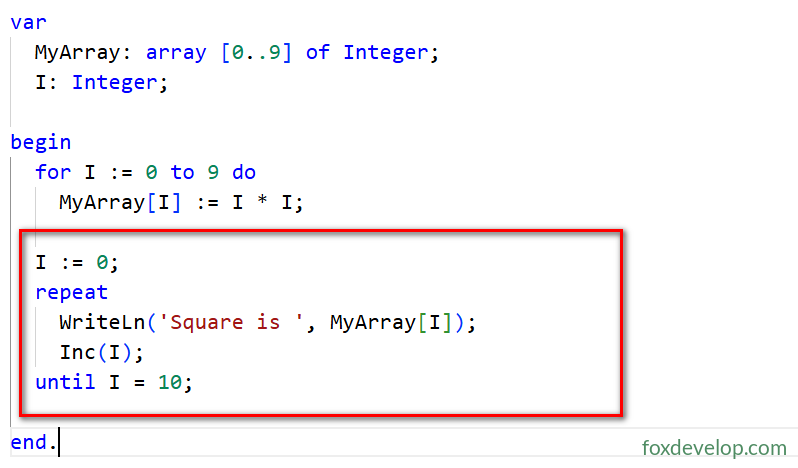
while Condition do: If condition holds → continue looping; if not → exit looprepeat ... until Condition: If condition holds → exit loop; if not → continue looping
- Guaranteed minimum execution count differs
- while: If initial condition fails, loop body never executes
- repeat-until: Regardless of condition, loop body runs at least once
If you have learned languages such as C, C++, Java, this is easy to understand: repeat-until provides identical functionality to do-while. It executes the loop body once first, then checks the condition after until. Loop repeats if the condition is false.
repeat-until does not require begin and end keywords, as repeat until inherently forms a single code block. You may optionally add begin end, but it is unnecessary and not recommended.
The literal meaning of repeat until is “repeat … until”. Its purpose is intuitive from the English wording.
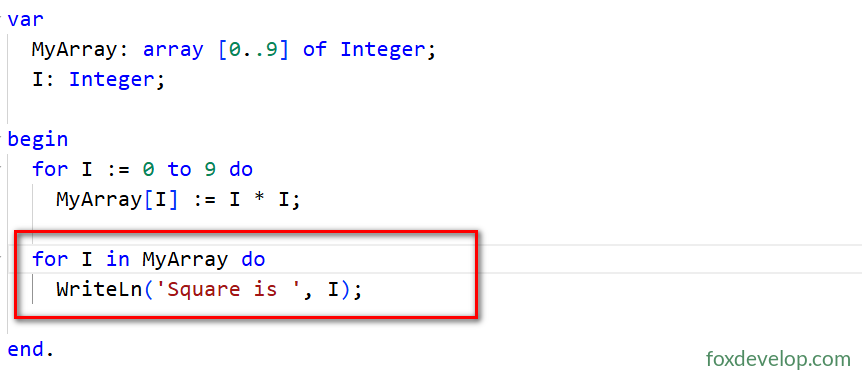
During iteration, values stored in MyArray are assigned sequentially to variable I, allowing direct manipulation of I inside the loop. No manual index increment is required, and indexes are not even needed at all until iteration completes.
Standard for Loop (for I := ... to/downto) Explanation
- Analogous to C’s for loop but with stricter limits: only iterates over contiguous ordinal values (integers, enums);
- Supports reverse iteration via
downto:for I := 9 downto 0 do; - Bounds from
Low(xx)/High(xx)are calculated exactly once at loop initialization, offering high runtime efficiency; - After loop termination, variable I holds an undefined value and triggers compiler warnings. If exiting early via
Break/Exit, I retains its current numeric value.
for-in Iteration (Modern foreach Style)
Supports iteration over four data types without manual index handling:
- Arrays: Directly read every element value (demonstrated in prior examples)
- Enumerated types
{$ifdef FPC} {$mode objfpc}{$H+}{$J-} {$endif}
{$ifdef MSWINDOWS} {$apptype CONSOLE} {$endif}
{$R+}

type TAnimalKind = (Duck,Cat,Dog);

var AK:TAnimalKind;
begin
  for AK in TAnimalKind do
    WriteLn(AK);
end.Code language: PHP (php)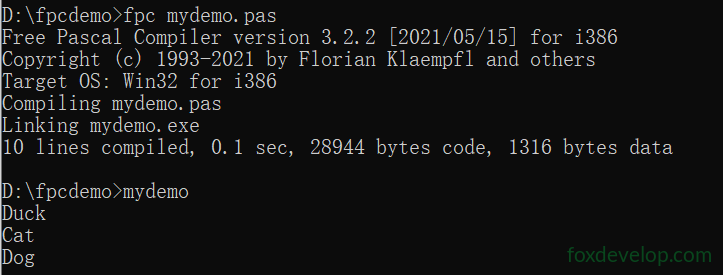
- Set types
{$ifdef FPC} {$mode objfpc}{$H+}{$J-} {$endif}
{$ifdef MSWINDOWS} {$apptype CONSOLE} {$endif}

type
  // Define enumeration type
  TAnimalKind = (Duck, Cat, Dog);
  // Define set type based on enumeration
  TAnimals = set of TAnimalKind;

var
  Animals: TAnimals;
  AK: TAnimalKind;
begin
  // Assign set values containing Duck and Cat
  Animals := [Duck, Cat];

  // for-in iterate all existing members inside the set
  for AK in Animals do
  begin
    WriteLn('Found animal: ', AK);
  end;
end.Code language: Delphi (delphi)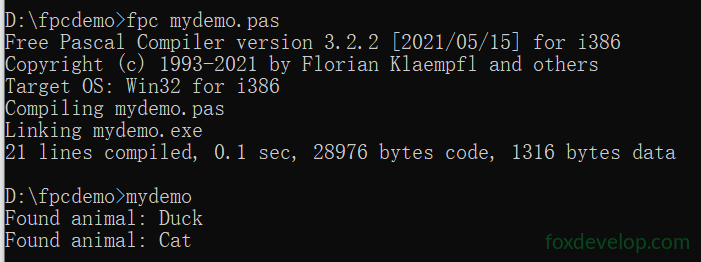
- Generic Lists (covered in later chapters)
{$ifdef FPC} {$mode objfpc}{$H+}{$J-} {$endif}
{$ifdef MSWINDOWS} {$apptype CONSOLE} {$endif}
uses
  SysUtils, Generics.Collections; // Import generic container unit

type
  TMyClass = class  // Custom class storing number and its square
    I, Square: Integer;
  end;
  // Instantiate generic object list with automatic lifecycle management
  TMyClassList = {$ifdef FPC}specialize{$endif} TObjectList<TMyClass>;
var
  List: TMyClassList;
  C: TMyClass;
  I: Integer;
begin
  List := TMyClassList.Create(true); // true: auto-free internal objects on list destruction
try
  // Create objects in loop and add to list
for I := 0 to 9 do
begin
      C := TMyClass.Create;
      C.I := I;
      C.Square := I * I;
      List.Add(C);
end;
  // for-in directly iterate every custom object stored in list
for C in List do
      WriteLn('Square of ', C.I, ' is ', C.Square);
finally
    FreeAndNil(List); // Safely release list to avoid memory leaks
end;
end.
Code language: Delphi (delphi)
Note: This sample uses classes and generics. Beginners may skip this section temporarily; object-oriented programming will be explained in later chapters.