Composer is the official package manager for PHP.
Head over to this page in your browser: https://getcomposer.org/download/, locate Windows Installer and grab the Composer-Setup.exe installer file.

Right-click the installer and run it as administrator.
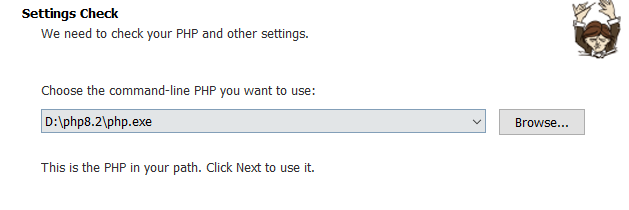
The installer will automatically detect your PHP folder during setup. If it fails to find the path, pick the PHP directory manually yourself.
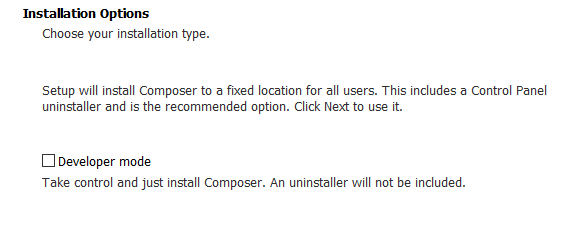
Leave the checkbox unchecked here and keep clicking Next with default settings.
The tool tries to auto-select your PHP install folder; select it manually if auto-detection fails.
You’ll come across proxy configuration next; skip this setup entirely.
Keep hitting Next until you reach Finish to wrap up installation.
Now confirm your installation. Open CMD and run the command below:
C:\Users\xxxx>composer --version
Composer version 2.9.8 2026-05-13 09:28:38
PHP version 8.2.31 (D:\php8.2\php.exe)
Run the "diagnose" command to get more detailed diagnostics output.Code language: CSS (css)
Your install is done successfully when the version information shows up like the example above. We’ve finished setting up Composer at this point.