Hey everyone, if you’ve made it to this part, I’m guessing you’ve gone through the earlier lessons already. If not, go back and check out our previous guide first: Getting Started with NativePHP – Install Laravel – FoxDevelop. Now we’ll walk through building our very first project.
We’ll start from scratch and set up a brand-new project:
Make an empty folder on your PC to hold project files, for example: D:\phpproject
Open CMD pointing to this directory quickly: type cmd directly into the folder’s address bar then hit Enter; your command window will pop up and switch paths automatically.
Run these commands below:
composer create-project --prefer-dist nativephp/mobile-starter my-app
cd my-app
php artisan native:jump
Quick troubleshooting note (skip this section if you’re running PHP 8.3)
composer create-project --prefer-dist nativephp/mobile-starter my-app
Creating a "nativephp/mobile-starter" project at "./my-app"
Installing nativephp/mobile-starter (1.0.4)
  - Downloading nativephp/mobile-starter (1.0.4)
  - Installing nativephp/mobile-starter (1.0.4): Extracting archive
Created project in D:\phpproject\my-app
> @php -r "file_exists('.env') || copy('.env.example', '.env');"
Loading composer repositories with package information
Updating dependencies
Your requirements could not be resolved to an installable set of packages.

  Problem 1
    - Root composer.json requires nativephp/mobile ^3.0 -> satisfiable by nativephp/mobile[3.0.0, ..., 3.3.5].
    - nativephp/mobile[3.0.0, ..., 3.3.5] require php ^8.3 -> your php version (8.2.31) does not satisfy that requirement.Code language: JavaScript (javascript)
The error happens because my local PHP is version 8.2; we need to upgrade to PHP 8.3 to proceed.
https://windows.php.net/download#php-8.3
Head to that page to grab PHP 8.3. Windows 64-bit users can directly download the package below:
https://downloads.php.net/~windows/releases/archives/php-8.3.31-nts-Win32-vs16-x64.zip
Once downloaded, extract all contents into D:\php8.3. You can pick your own folder path, just stick with English characters only.
After extraction, rename the config file:
Rename php.ini-development to php.ini
Open php.ini and uncomment lines by deleting the leading semicolons;
Remove semicolon comments for all entries listed here (critical step):
extension_dir = "ext"
extension=curl
extension=gd
extension=mbstring
extension=mysqli
extension=pdo_mysql
extension=zip
extension=openssl
extension=fileinfo
extension=sqlite3
extension=pdo_sqliteCode language: JavaScript (javascript)
Update your system environment variables, swap the old D:\php8.2 path with D:\php8.3.
Verify your PHP install with php -v; if the version checks out, resume project setup.
Resume NativePHP Mobile project creation
Now run the installation commands again:
composer create-project --prefer-dist nativephp/mobile-starter my-app
cd my-app
A clean successful install won’t throw any red error text in the terminal.
To test on a real physical phone, plug your device into your PC via USB first, then turn on Developer Options and USB Debugging on your handset.
Use the following command for quick physical-device testing (Real device quick start: Install the Jump App on your phone and scan a QR code to connect for debugging, no full APK compile needed):
php artisan native:jumpCode language: CSS (css)If you don’t have a physical mobile device, use this alternative command for emulator testing:
php artisan native:serve : For desktop preview or emulator testing (opens a standalone app window on your computer)
When everything works properly you’ll see output similar to below after running php artisan native:jump
php artisan native:jump
NativePHP Jump Server
Laravel server ……………………………………………………………………. http://127.0.0.1:8000
Laravel warmup ………………………………………………………………… ready in 0.42s (HTTP 200)
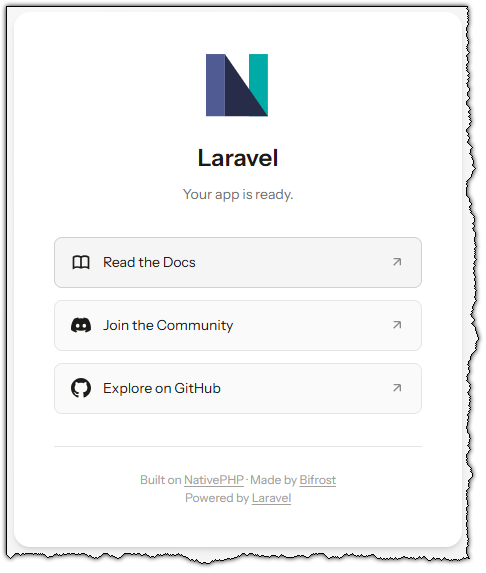
Open http://127.0.0.1:8000 in your browser to view your running app content.