今回の講座ではWinUI 3 C++の各種コントロールを学びます。WinUI C++には多種多様なコントロールが標準搭載されており、まずテキスト表示・入力系の基礎コントロールから解説します。
テキスト関連の主なコントロールは下記の通りです。
TextBlock:静的テキスト表示、リッチテキスト・インラインスタイルに対応
RichTextBlock:読み取り専用リッチテキストビューア、段落・斜体・太字・画像埋め込みに対応
TextBox:1行テキスト入力ボックス
RichEditBox:複数行リッチテキストエディタ(フォント・色・段落書式設定可能)
PasswordBox:パスワード入力欄、入力文字を非表示
AutoSuggestBox:オートコンプリートドロップダウン付き入力ボックス
NumberBox:数値のみ入力可能、最大値/最小値の制限・小数に対応
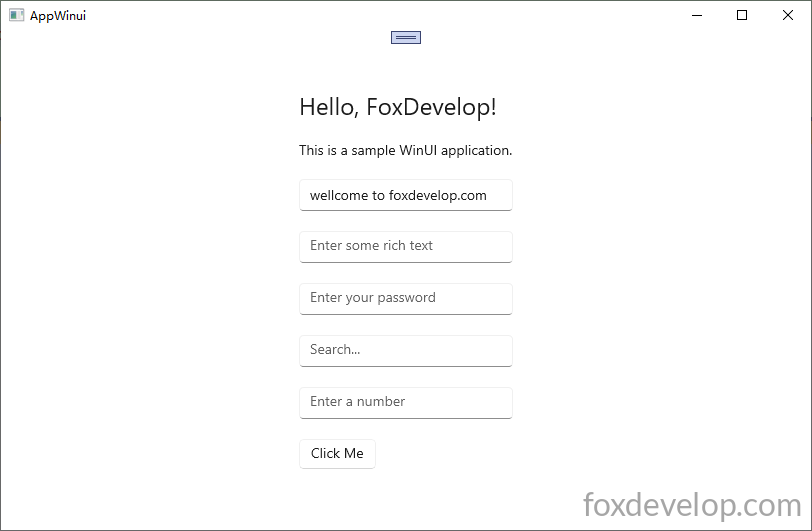
    <StackPanel Orientation="Vertical" HorizontalAlignment="Center" VerticalAlignment="Center" Padding="30">

        <TextBlock Text="Hello, FoxDevelop!" FontSize="24" Margin="0,0,0,20"/>

        <RichTextBlock>
            <Paragraph>
                <Run Text="This is a sample WinUI application."/>
            </Paragraph>
        </RichTextBlock>

        <TextBox x:Name="myTextBox" PlaceholderText="Enter your name" Text="" Margin="0,20,0,0"/>

        <RichEditBox PlaceholderText="Enter some rich text" Margin="0,20,0,0"/>

        <PasswordBox PlaceholderText="Enter your password" Margin="0,20,0,0"/>

        <AutoSuggestBox PlaceholderText="Search..." Margin="0,20,0,0"/>

        <NumberBox PlaceholderText="Enter a number" Margin="0,20,0,0"  Maximum="100" Minimum="0"/>

        <Button Content="Click Me" Margin="0,20,0,0" Click="Button_Click"/>
    </StackPanel>Code language: HTML, XML (xml)
イベント名にカーソルを合わせF12キーを押すと、ボタンクリックイベント関数が自動生成されます
#include "pch.h"
#include "MainWindow.xaml.h"
#if __has_include("MainWindow.g.cpp")
#include "MainWindow.g.cpp"
#endif


#include <winrt/Microsoft.UI.Xaml.Controls.h>
#include <winrt/Microsoft.UI.Xaml.h>

using namespace winrt;
using namespace Microsoft::UI::Xaml;
using namespace Microsoft::UI::Xaml::Controls;
using namespace Windows::Foundation;

// To learn more about WinUI, the WinUI project structure,
// and more about our project templates, see: http://aka.ms/winui-project-info.

namespace winrt::AppWinui::implementation
{
    int32_t MainWindow::MyProperty()
    {
        throw hresult_not_implemented();
    }

    void MainWindow::MyProperty(int32_t /* value */)
    {
        throw hresult_not_implemented();
    }

}

void winrt::AppWinui::implementation::MainWindow::Button_Click(winrt::Windows::Foundation::IInspectable const& sender, winrt::Microsoft::UI::Xaml::RoutedEventArgs const& e)
{
    myTextBox().Text(L"welcome to foxdevelop.com");//TextBoxのテキストを設定
    hstring inputText = myTextBox().Text(); //TextBoxのテキストを取得
    OutputDebugStringW(inputText.c_str());
}
Code language: C++ (cpp)
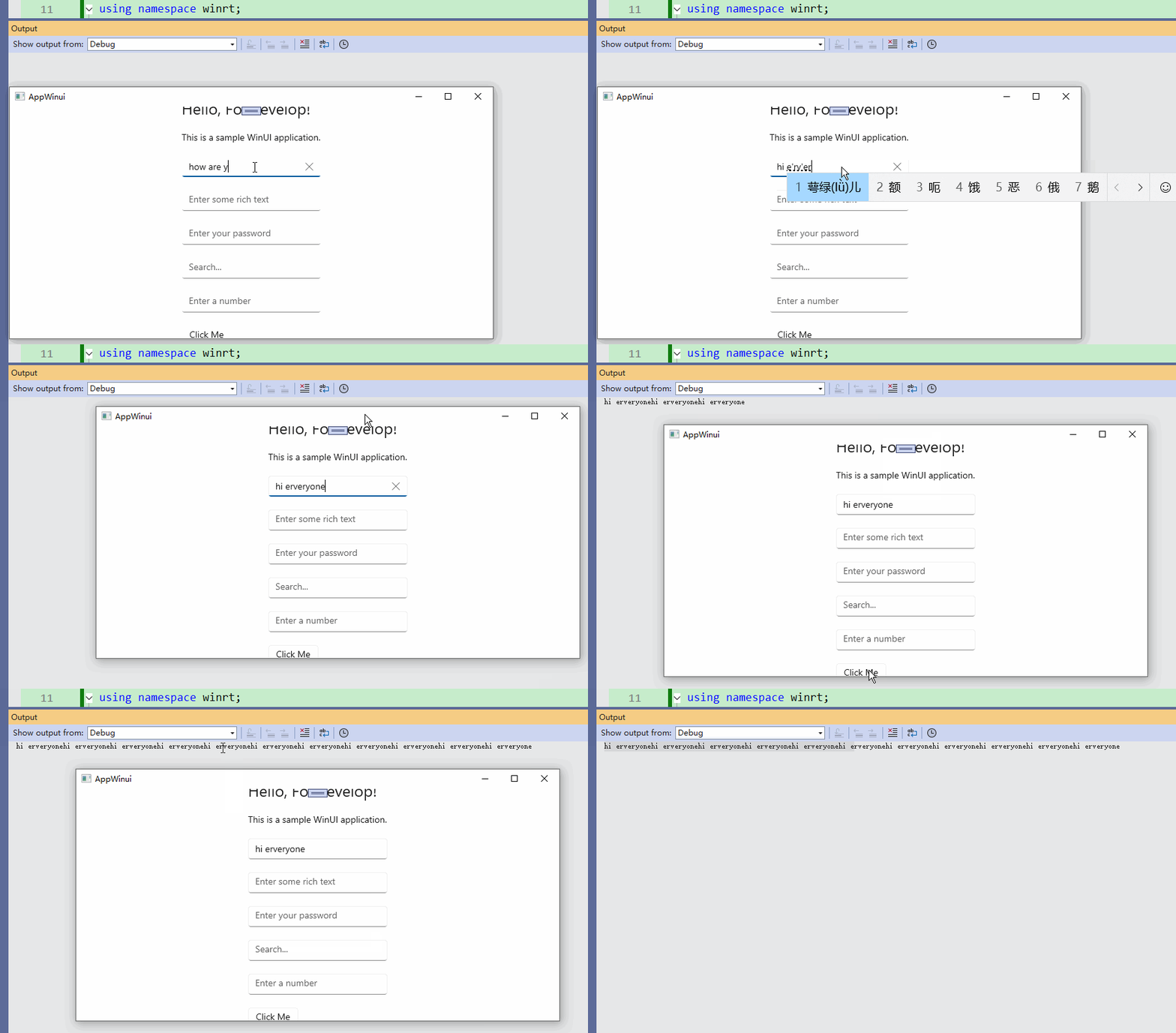
myTextBox().Text でテキストの設定・取得が可能です。L"welcome to foxdevelop.com" のように引数を渡すと文字を設定、引数なしで hstring inputText = myTextBox().Text(); と記述すると現在の入力文字を取得します。
補足:myTextBox().Text(L"welcome to foxdevelop.com"); で初期文字を挿入した後も、ユーザーが画面上に手入力した内容は、ボタンクリック時に後側コードから取得できます。
その他のテキスト系コントロールも同様の記述で値の読み書きが可能なため、ここでは一つずつ解説しません。
Previous: グリッド(Grid)レイアウトを学ぶため、3×3の九マス盤面を作成する