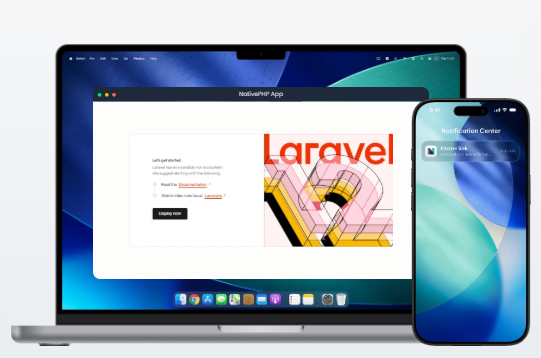
It’s a brand-new framework built for crafting native desktop applications. Whether you’re a seasoned developer or just starting out, you’ll find building apps with NativePHP really straightforward. More developers around the globe are picking up NativePHP every day. To make native desktop software with PHP, you work with the same core tools you already know: HTML, CSS, JavaScript and PHP itself.
Why pick PHP?
PHP is an extremely mature language with over thirty years of development behind it, refined through years of real-world use. It powers most websites across the internet, with WordPress — the world’s most widely used open-source site builder — being its biggest success story. Long rooted exclusively in web development, PHP is now branching out into desktop and mobile app creation thanks to projects like this.
What exactly is NativePHP?
- A handy set of libraries that let your PHP code interact seamlessly with the underlying operating system.
- A collection of helper tools to compile and bundle your finished native app builds.
- A self-contained static PHP runtime, so your packaged app runs anywhere without requiring users to install extra runtime environments manually.
What is Laravel?
Laravel is a popular PHP framework. Put simply, a framework is a pre-built development skeleton coded in PHP; building on top of it saves you from rewriting repetitive foundational code and speeds up development drastically.
Unlike most regular desktop or mobile development frameworks, NativePHP isn’t a native UI framework. It doesn’t render platform-native UI controls directly. Instead, it runs atop an embedded web browser engine. Thanks to this design choice, you’re free to use any frontend stack you like: plain raw HTML and CSS, React, Vue, Tailwind CSS, Bootstrap or Material UI are all fully supported.
NativePHP ships with built-in functionality covering plenty of common needs:
- Native window management
- System and application menu control
- Local file system operations
- Built-in SQLite database integration
- Native desktop push notifications
What kinds of apps can you build with NativePHP?
Practically anything you can think up. Task schedulers, screen recording utilities and countless other desktop tools are all viable projects.
NativePHP for Desktop is production-ready for live commercial use.
Setup & Installation
Make sure your local setup meets all these prerequisites:
- PHP 8.3 or newer
- Laravel 11 or above
- Node.js 22 or later
- Windows 10+, macOS 12+, or any mainstream Linux distribution
- Composer
About PHP & Node.js
For the smoothest development workflow, install PHP and Node.js directly onto your local development machine.
Why is Node.js required?
NativePHP Desktop is built around Electron, which relies entirely on Node.js and npm to install frontend dependencies and bundle final app assets.
Installing Node.js is straightforward: head to its official website, download the installer and follow the standard setup wizard like any regular desktop application.
Follow the checklist above to configure your development environment, and we’ll start building your very first NativePHP desktop application in the next section.