滚动控件RecyclerView的使用
我们继续完善RecyclerView.Adapter
适配器的两个方法 可以实现存储视图和给控件赋值
public ViewHolder onCreateViewHolder

public void onBindViewHolderCode language: PHP (php)
package com.foxdevelop.www.recyclerviewtest;
import android.annotation.SuppressLint;
import android.support.annotation.NonNull;
import android.support.v7.widget.RecyclerView;
import android.view.LayoutInflater;
import android.view.View;
import android.view.ViewGroup;
import android.widget.ImageView;
import android.widget.TextView;
import java.util.List;
public class BookAdapter extends RecyclerView.Adapter<BookAdapter.ViewHolder> {
private List<Book> books;
//定义了一个内部类 是一个静态类 从RecyclerView.ViewHolder继承过来
static class ViewHolder extends RecyclerView.ViewHolder
{
ImageView imageUI;
TextView textViewUI;
public ViewHolder(View view)
{
super(view);
this.imageUI = (ImageView)view.findViewById(R.id.image_view);
this.textViewUI = (TextView)view.findViewById(R.id.text_view);
}
}
public BookAdapter(List<Book> books)
{
this.books = books;
}
@NonNull
@Override
public ViewHolder onCreateViewHolder(@NonNull ViewGroup parent, int viewType) {
View view = LayoutInflater.from(parent.getContext()).inflate(R.layout.book_list,parent,false);
ViewHolder viewHolder = new ViewHolder(view);//把recycler传入到我们的viewholder里面
return viewHolder;
}
@Override
public void onBindViewHolder(@NonNull ViewHolder holder, int position) {
Book book = books.get(position);//获取当前的书本
holder.textViewUI.setText(book.getName());// 分别给里面的两个控件赋值
holder.imageUI.setImageResource(book.getImageId());
}
@Override
public int getItemCount() {
return books.size();
}
}Code language: JavaScript (javascript)<?xml version="1.0" encoding="utf-8"?>
<LinearLayout xmlns:android="http://schemas.android.com/apk/res/android"
android:layout_width="match_parent"
android:layout_height="wrap_content">
<ImageView
android:id="@+id/image_view"
android:layout_width="wrap_content"
android:layout_height="wrap_content"
/>
<TextView
android:id="@+id/text_view"
android:layout_width="wrap_content"
android:layout_height="wrap_content"
android:layout_marginLeft="12dp"
android:layout_gravity="center"
/>
</LinearLayout>Code language: HTML, XML (xml)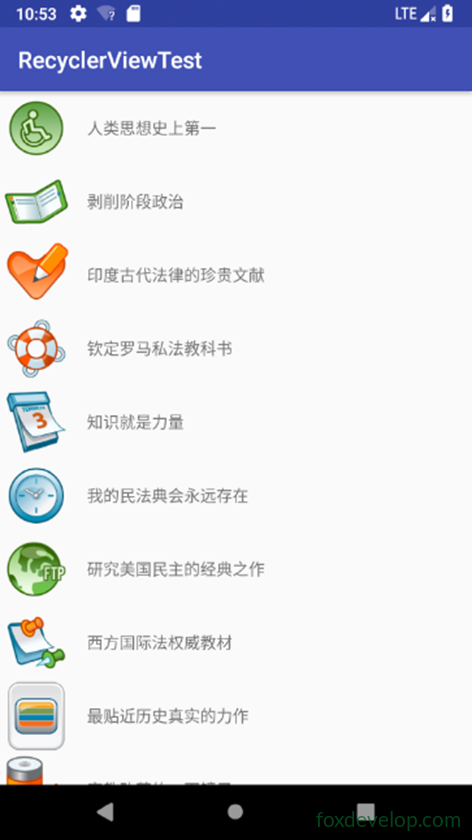
滚动控件RecyclerView横向布局
在RecyclerView实现横向滚动 非常简单
ListView是做不到的。
首先对boo_klist视图进行修改
修改boo_klist视图
<?xml version="1.0" encoding="utf-8"?>
<LinearLayout xmlns:android="http://schemas.android.com/apk/res/android"
    android:orientation="vertical"
    android:layout_width="100dp"
    android:layout_height="wrap_content">
    <ImageView
        android:id="@+id/image_view"
        android:layout_width="wrap_content"
        android:layout_height="wrap_content"
        android:layout_gravity="center_horizontal"
        />

    <TextView
        android:id="@+id/text_view"
        android:layout_width="wrap_content"
        android:layout_height="wrap_content"
        android:layout_marginTop="12dp"
        android:layout_gravity="center_horizontal"
        />
</LinearLayout>Code language: HTML, XML (xml)
设置线性管理器的排列方向
public class MainActivity extends AppCompatActivity {
    private List<Book> courses = new ArrayList<Book>();

    @Override
    protected void onCreate(Bundle savedInstanceState) {
         ………………
        linearLayoutManager.setOrientation(LinearLayoutManager.HORIZONTAL);
        recyclerView.setLayoutManager(linearLayoutManager);
         ……………..
    }Code language: PHP (php)
滚动控件RecyclerView瀑布流布局
RecyclerView的布局交给了线性布局管理器,所以可以很好地来进行布局。
除了水平排序 RecyclerView还支持
GridLayoutManager 可以实现网格布局
StaggeredGridLayoutManage可以实现瀑布流布局。

瀑布流布局设置-修改book_list 视图
<?xml version="1.0" encoding="utf-8"?>
<LinearLayout xmlns:android="http://schemas.android.com/apk/res/android"
    android:orientation="vertical"
    android:layout_width="match_parent"
    android:layout_height="wrap_content"
    android:layout_margin="5dp"
    >
    <ImageView
        android:id="@+id/image_view"
        android:layout_width="wrap_content"
        android:layout_height="wrap_content"
        android:layout_gravity="left"
        android:layout_marginTop="10dp"
        />

    <TextView
        android:id="@+id/text_view"
        android:layout_width="wrap_content"
        android:layout_height="wrap_content"
        android:layout_marginTop="10dp"
        android:layout_gravity="left"
        />
</LinearLayout>Code language: HTML, XML (xml)
然后给我们的RecyclerView设置瀑布流布局
protected void onCreate(Bundle savedInstanceState) {
    super.onCreate(savedInstanceState);
    setContentView(R.layout.activity_main);
    LoadBooks();
    RecyclerView recyclerView = (RecyclerView)findViewById(R.id.testrecy);
    StaggeredGridLayoutManager sg = new StaggeredGridLayoutManager(3,StaggeredGridLayoutManager.VERTICAL);
    recyclerView.setLayoutManager(sg);
    BookAdapter bookAdapter = new BookAdapter(courses);//初始化适配器的时候 传入的是数据源
    recyclerView.setAdapter(bookAdapter);
}Code language: JavaScript (javascript)
滚动控件RecyclerView网格表格布局
表格排序和瀑布流排序的区别就是表格排序是每个单元格的长宽都是一样的
而瀑布流布局 则它的高度可能不一样的
修改起来比较简单
GridLayoutManager layoutManager = new GridLayoutManager(this,3);
recyclerView.setLayoutManager(layoutManager);Code language: JavaScript (javascript)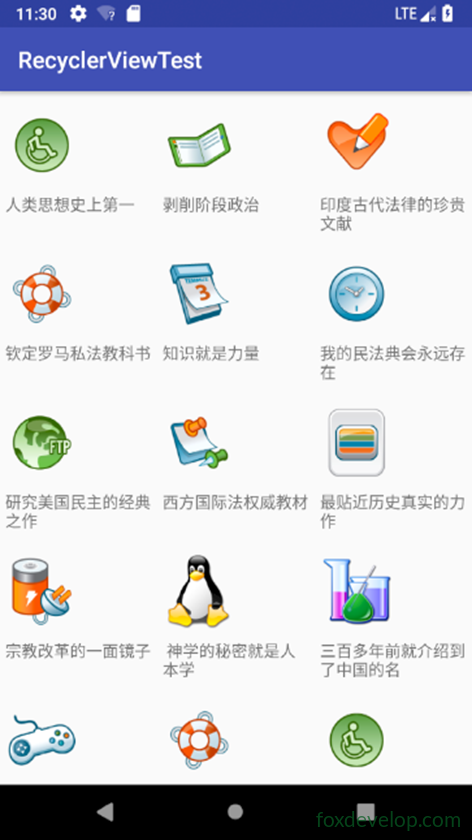
Previous: 适配器中无法获取控件
Next: 碎片Fragment