The Main Method
The entry point of a program
Every C# program must contain a class with a method named Main. In the sample code shown earlier, this method sits inside the class called Program.
That said, modern versions of C# let you skip writing the Main method explicitly; the top-level code you write directly acts as the body of Main by default.
- Program execution in C# starts at the very first line of code inside the
Mainmethod. - The method name
Mainmust start with an uppercase M.
Simplest valid form of the Main method:
static void Main( )
{
    Your code statements here
}Code language: C# (cs)
You can’t have zero or multiple Main methods — exactly one is required.
For demonstration purposes, we’ll create a .NET Framework project using Visual Studio 2022, which only runs on Windows.
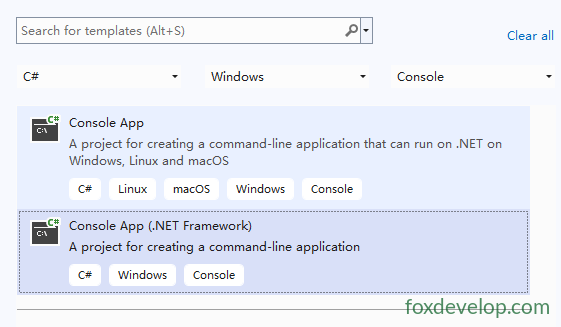
Select the Console App template shown below.
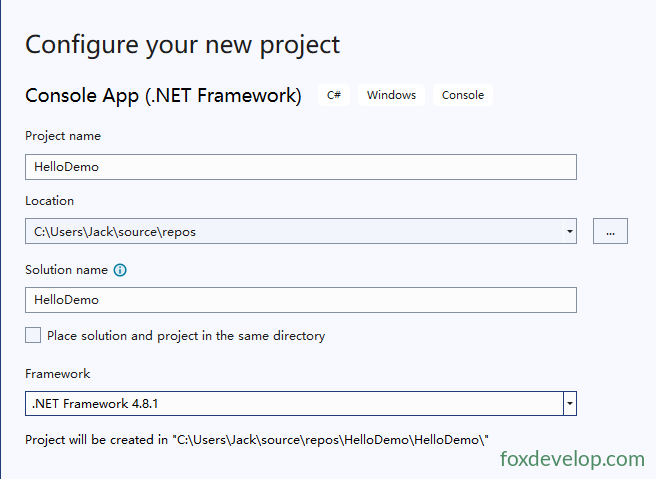
For the framework version, pick the latest .NET 4.8.1 release.
The default contents of Program.cs look like this:
using System;
using System.Collections.Generic;
using System.Linq;
using System.Text;
using System.Threading.Tasks;

namespace HelloDemo
{
    internal class Program
    {
        static void Main(string[] args)
        {
        }
    }
}
Code language: C# (cs)
The lines at the top import several namespaces, granting access to built-in .NET classes provided within those namespaces.
Add this single line of code inside the Main method:
Console.WriteLine(“hello foxdevelop.com”);
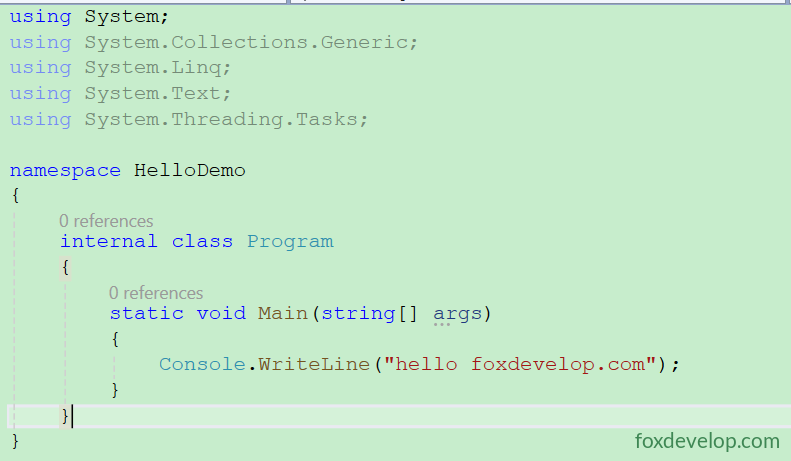
Hit the green Start triangle button at the top of Visual Studio to launch the program.

The runtime will execute the first line of code found inside Main by default.
If you duplicate the Main method, you’ll immediately get a compile error.
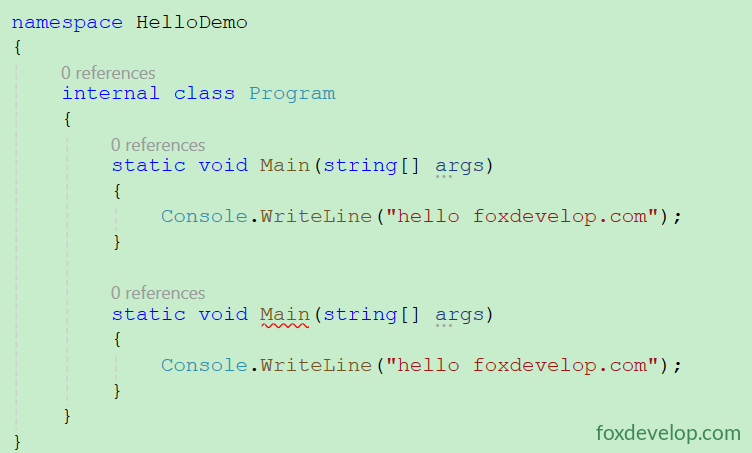
The error occurs because duplicate method names cannot exist within a single namespace. Let’s create two separate namespaces to test this workaround.
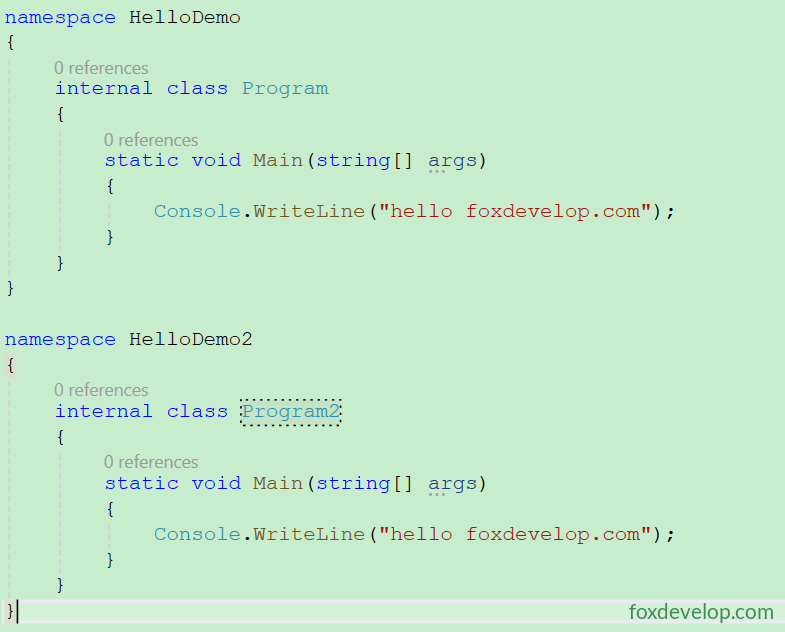
No red squiggly underlines appear now, but try building the project anyway.
Click Start

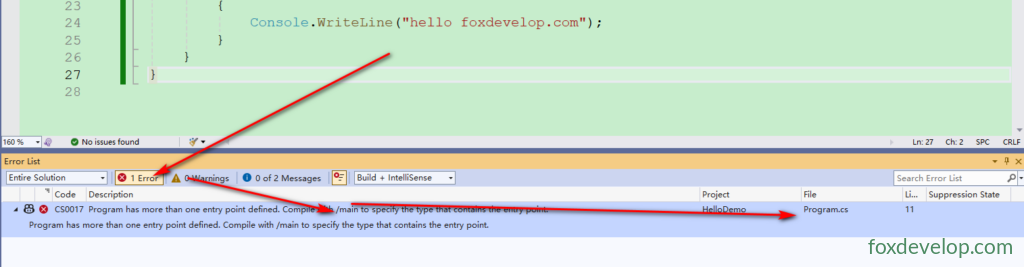
A build error pops up, visible inside the Error List panel at the bottom of the IDE.

If the Error List panel is hidden, enable it from the top menu bar.
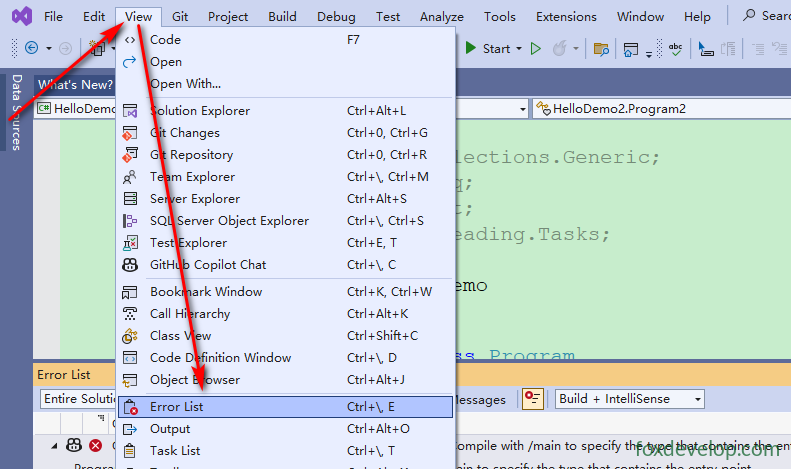
The Error List panel will pinpoint exactly where the fault lies.
Whitespace Characters
Whitespace refers to characters that produce no visible output when rendered. The compiler ignores all whitespace in source code; developers use these characters to format code for readability and logical structure.
Common whitespace types include:
- Space
- Tab
- New Line
- Carriage Return
Example: These two code snippets look drastically different visually, yet the compiler treats them identically.
// Neatly formatted version
Main()
{
    Console.WriteLine("Hi, there!");
}

// Compact inline version
Main(){Console.WriteLine("Hi, there!");}Code language: C# (cs)
Below is a standard, properly spaced Main method:
        static void Main(string[] args)
        {
            Console.WriteLine("hello foxdevelop.com");
        }Code language: C# (cs)
Here’s the same code stripped of all whitespace, packed tightly together. It compiles without any issues — the compiler sees no functional difference.
static void Main(string[] args){Console.WriteLine("hello foxdevelop.com");}Code language: C# (cs)
Statements
C# statement syntax closely resembles C and C++. This section covers general statement rules; specialized statement types will be explained later.
A statement is a single source code instruction that defines data types or tells the program to perform an action.
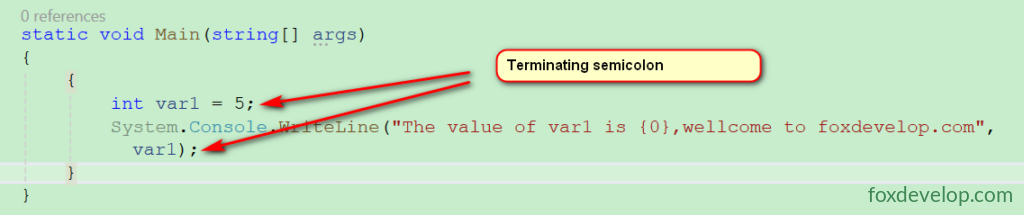
All simple statements must terminate with a semicolon ;. The two sequential simple statements below serve as an example: the first declares an integer variable var1 assigned a value of 5, and the second prints that value to the console window.
int var1 = 5;
System.Console.WriteLine("The value of var1 is {0},welcome to foxdevelop.com", var1);Code language: C# (cs)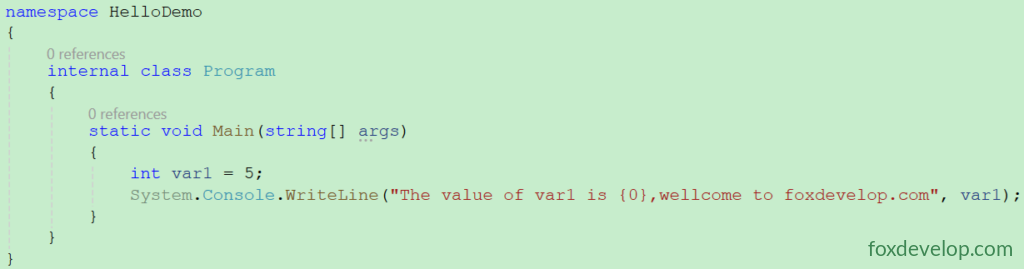
The Main method example above holds two separate statements, while our earlier examples only used one. The first line creates an integer variable named var1 and stores the number 5 inside it. The second line outputs text to the console; the {0} placeholder gets replaced with the value stored in var1.
Code Blocks
A code block consists of zero or more statements wrapped inside matching curly braces, and is treated as a single logical statement by the compiler.
Wrap the two statements from the prior example in curly braces to form a complete code block:
            {
                int var1 = 5;
                System.Console.WriteLine("The value of var1 is {0},welcome to foxdevelop.com", var1);
            }Code language: C# (cs)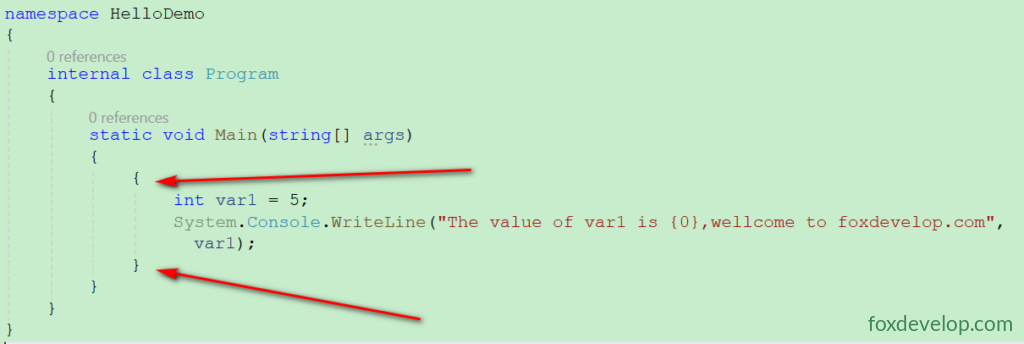
Core rules governing code blocks:
- When syntax only permits one statement but you need multiple operations, enclose all logic within a code block.
- Certain language constructs mandate code blocks; you cannot substitute a standalone single statement instead.
- Simple statements require a trailing semicolon, but code blocks do not end with a semicolon. While the compiler accepts a semicolon after the closing
}, it only parses it as an empty statement and counts as poor coding practice.
Visual breakdown below:
{
    int var2 = 5; // Individual statement ends with semicolon
    System.Console.WriteLine("The value of var1 is {0}", var1); // Individual statement ends with semicolon
} // No semicolon after closing braceCode language: C# (cs)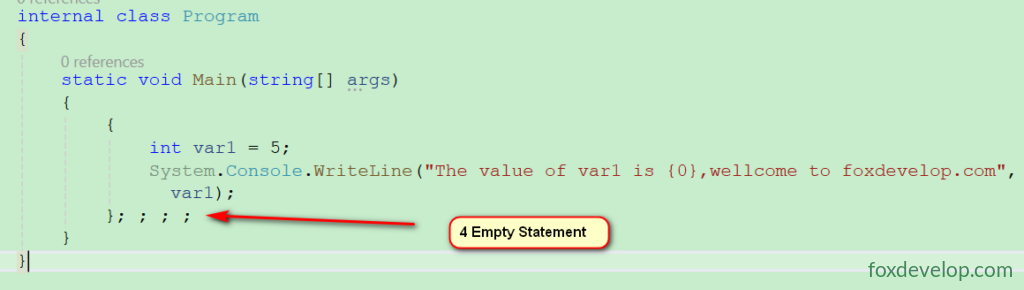
All regular individual statements require a trailing ;
Full working example you can copy and run locally:
using System;
using System.Collections.Generic;
using System.Linq;
using System.Text;
using System.Threading.Tasks;

namespace HelloDemo
{
    internal class Program
    {
        static void Main(string[] args)
        {
            {
                int var1 = 5;
                System.Console.WriteLine("The value of var1 is {0},welcome to foxdevelop.com", var1);
            }; ; ; ;
        }
    }
}
Code language: C# (cs)
The entry point of a program