Classification of Value Types and Reference Types
Predefined Built-in Types
| Category | Included Types |
|---|---|
| Value Types (Primitive Numeric / Boolean / Char) | Signed integers: sbyte, short, int, longUnsigned integers: byte, ushort, uint, ulongFloating-point / High-precision: float, double, decimalBoolean: boolCharacter: char |
| Reference Types (Built-in References) | object (base class of all types), string, dynamic |
User-defined Types
| Category | Types |
|---|---|
| Value Types | struct (structure), enum (enumeration) |
| Reference Types | class, interface, delegate, array |
As covered in the previous lesson, data belonging to reference types is always stored on the heap. Data of value types, however, can reside either on the heap or stack.
The reference portion of reference types may be stored on the heap or the stack.
Whether a value-type variable or the reference of a reference type goes onto the heap or stack depends on whether it is a member of a type, or a local variable inside a function.
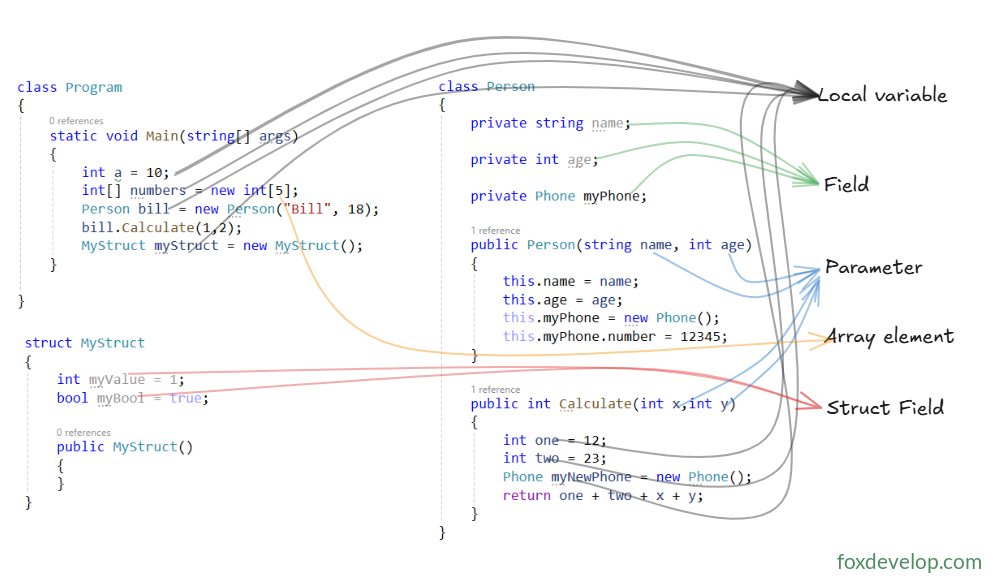
Four Kinds of Variables
| Variable Type | Definition & Purpose |
|---|---|
| Local variable | Temporary data inside a method, not a type member; Stored on stack No automatic initialization |
| Field | Data bound to a class / struct, belongs to type members; Class fields live on heap Struct fields follow their parent struct’s storage; Automatically initialized |
| Parameter | Temporary variable for method arguments, not a type member; Stored on stack No automatic initialization |
| Array element | Single data entry inside an array; Allocated entirely on heap Automatically initialized |
Automatic initialization means the compiler assigns a default value to a variable even if developers do not provide an initial value manually.
Simpler summary
| Variable Type | Storage Location | Auto Initialized |
|---|---|---|
| Local variable | Stack / Stack + Heap | No |
| Class field | Heap | Yes |
| Struct field | Stack / Heap | Yes |
| Method parameter | Stack | No |
| Array element | Heap | Yes |
Variable Declaration
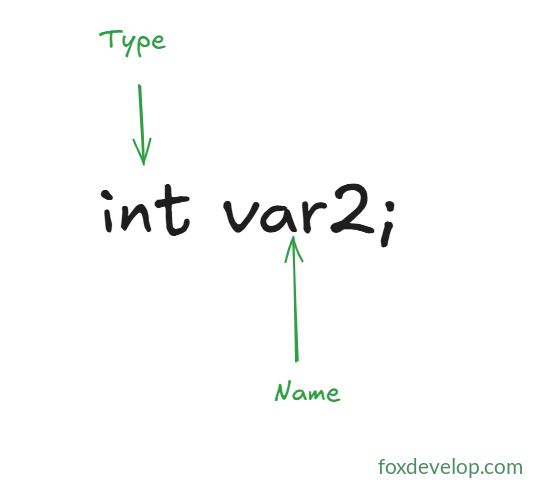
Syntax: Type VariableName;
int var2;Code language: C# (cs)This line declares a variable and completes two key tasks:
- Informs the compiler that var2 is an int variable named var2.
- The compiler allocates memory space. Allocation target (heap or stack) depends on context: whether it is a local variable, parameter, field, etc.
Variable Initializer
Syntax: Type VariableName = InitialValue;
Example: int var2 = 17;
Initializers are compiler utilities to set up variables. Some variables must be initialized explicitly by developers in code, while others can rely on automatic initialization.
Uninitialized local variables hold undefined values; this triggers compile errors and cannot be used directly.
Automatically initialized variables such as fields and array elements receive default values: numeric types default to 0, reference types default to null.
Take this sample:
class Program
{
    static void Main(string[] args)
    {
        int times = 100;
        Person person = new Person();
    }
}


class Person
{
    public int age;
}
Code language: C# (cs)
This simple example defines a value-type variable times and a reference-type variable person inside Main. The reference type contains a field age.
No initial value is assigned to age, while we manually initialize times.
The code compiles normally.
If we remove the initial value 100 from times and rewrite it as follows:
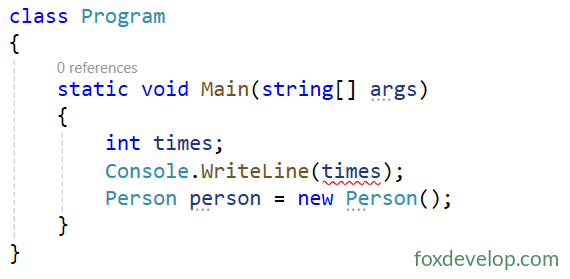
A red wavy underline appears immediately and compilation fails.
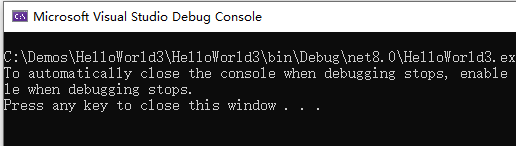
Forced compilation outputs error messages
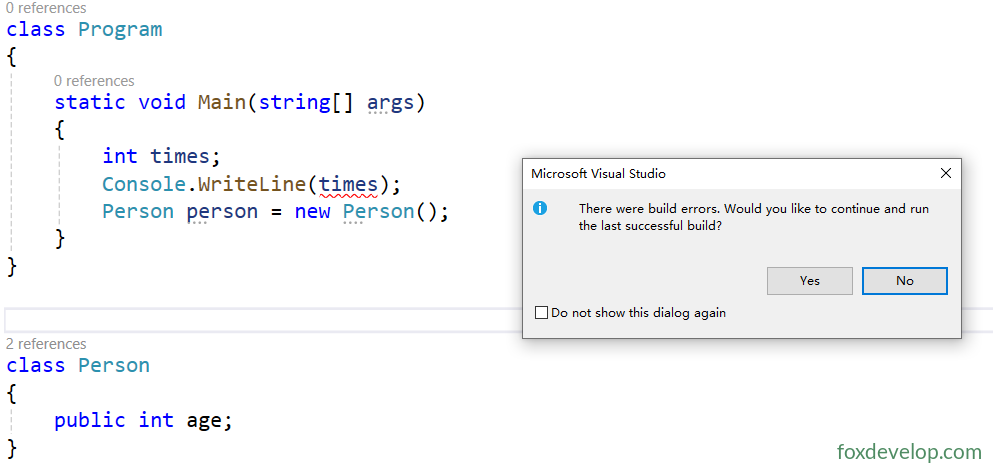
The Error List panel displays error details

Note: The error only occurs when the times variable is accessed in code. Unused uninitialized local variables will not trigger errors and can compile successfully.
class Program
{
    static void Main(string[] args)
    {
        int times;

        Person person = new Person();
    }
}
Code language: C# (cs)
For type members such as the age field inside Person shown below, compilation and execution succeed even without explicit initialization.
class Program
{
    static void Main(string[] args)
    {
        int times = 100;
        Console.WriteLine(times);

        Person person = new Person();
        Console.WriteLine(person.age);
    }
}


class Person
{
    public int age;
}
Code language: C# (cs)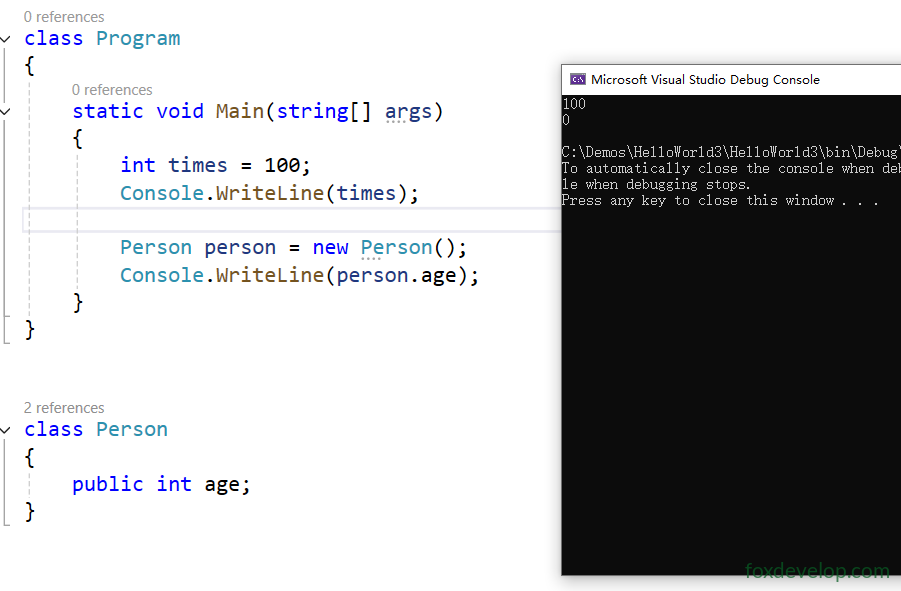
You will see output 0. As a class member field without manual initialization, age receives a default value from the initializer. The default value for int is 0; different types carry different default values.
Declaring Multiple Variables in One Statement
- Only variables of identical type can be declared on one line;
- Variable names separated by commas; initialized and uninitialized variables can coexist;
- Mixing multiple data types on a single line is forbidden.
// Valid
int var3 = 7, var4, var5 = 3;
double var6, var7 = 6.52;

// Invalid! Mixes int and float
int var8, float var9;
Code language: JavaScript (javascript)
Reading Variable Values
Simply write the variable name to read stored value from memory:
Console.WriteLine("{0}", var2);Code language: JavaScript (javascript)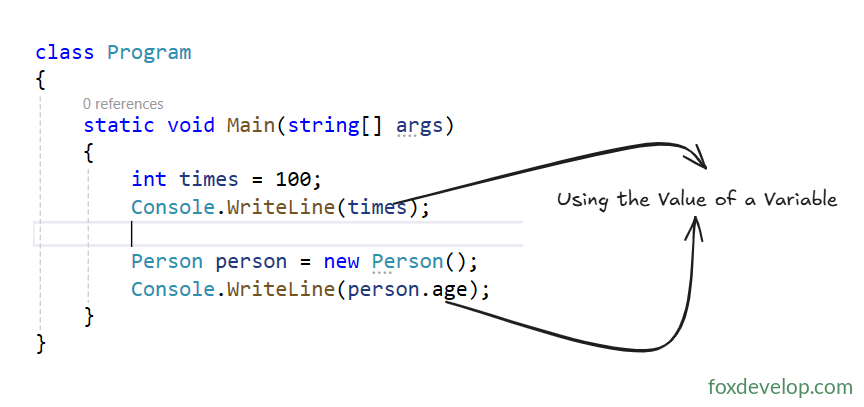
Variable