We briefly touched on this in the last lesson: you can actually write return even inside methods with a void return type.
Methods with a return value require a return statement;
void methods with no return value do not require return:
When execution reaches the closing brace } of the method, it automatically returns to the caller without passing any data.
However, we often need to terminate a method early in business logic. void methods support parameterless return; to exit directly:
Syntax: return; (no expression following it)
Restriction: Can only be used inside methods marked void
Example:
    void SayHi()
    {
        Console.WriteLine("hello welcome to foxDevelop.com");
    }Code language: C# (cs)
This is one of our earlier examples, a minimal void method with no need for return inside.
When we call it, it runs WriteLine and outputs “hello welcome to foxDevelop.com”
    static void Main()
    {
        Program program = new Program();
        program.SayHi();
    }

    void SayHi()
    {

        Console.WriteLine("hello welcome to foxdevelop.com");
    }Code language: C# (cs)
Now let’s add return;
    void SayHi()
    {
        return; // The return statement used alone ends execution of the current method
        Console.WriteLine("hello welcome to foxdevelop.com");
    }Code language: C# (cs)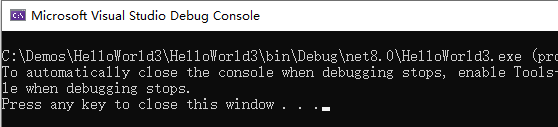
Running this produces no output at all. Since return; sits above Console.WriteLine, once return executes, control jumps back to the caller and all subsequent code is skipped. This amounts to an early exit.
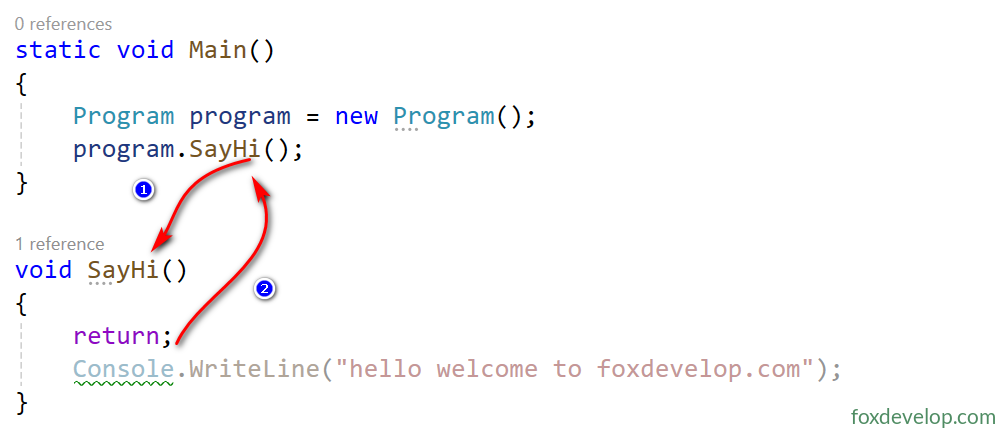
Any code after it will never run.
So even for void methods you can use return;, just without supplying a value after return.
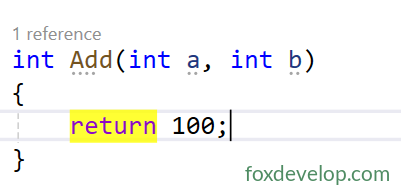
    int Add(int a, int b)
    {
        return 100;
    }Code language: C# (cs)
Non-void methods must use return value;
return must be followed by a result, whether it’s a variable, literal value (literals like 100, 3.14), or an expression such as a+b. Ultimately some result has to be provided.
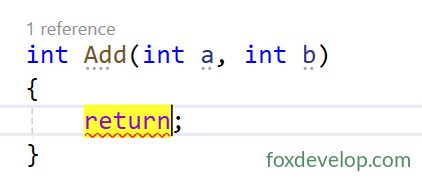
If you omit the result and write bare return; just like in void methods, you will get a compile error.
Multiple exit points with return in void methods
    static void Main()
    {
        Program program = new Program();
        program.ShowMax(100,200);
    }

    void ShowMax(int a, int b)
    {
        if (a>b)
            Console.WriteLine($"{a}>{b}"); // Exit method directly once condition satisfied

        if (b > a)
            Console.WriteLine($"{b}>{a}");
    }Code language: C# (cs)
One example:
class Program
{
    static void Main()
    {
        Program program = new Program();
        program.Greet();
    }

    private void Greet()
    {
        DateTime dt = DateTime.Now;
        if (dt.Hour < 12)
            return; // Exit before 12 o'clock, skip printing
        Console.WriteLine("Good afternoon!");
    }
}Code language: C# (cs)
If the current time is past 12:00, it prints the afternoon greeting; otherwise it skips output and returns immediately.
return inside void methods