These are known as Local Functions in English, introduced starting with C# 7.0.
We previously covered method invocation. Inside a method body, you may call other methods following these rules:
- Methods within the same class: call directly by writing the method name and passing arguments.
- Methods from another class: first create an instance of the target class, and the target method must be marked
public.
Beginning with C# 7.0, you can define standalone functions directly inside another method. These are called local functions:
- Isolation: They can only be invoked from within the enclosing outer method; external code cannot access them.
- Benefits: Related logic stays grouped together, improving readability and maintainability.
- Declaration rules: Unlike local variables, local functions may be declared anywhere inside the outer method and do not need forward declaration.
Local functions can capture local variables from the outer method, yet their scope remains limited to the enclosing method.
Let’s cover a preliminary concept first:
Local variables inside functions execute top to bottom. You must declare a local variable before using it — you cannot access it before its declaration.
Take the code below as an example: hour is declared further down, so you cannot reference it beforehand.
    int GetHours()
    {
        Console.WriteLine(hour);
        int hour = DateTime.Now.Hour;
        return hour;
    }Code language: C# (cs)
Even though hour’s scope spans the entire method body, you cannot use the variable before declaring it.
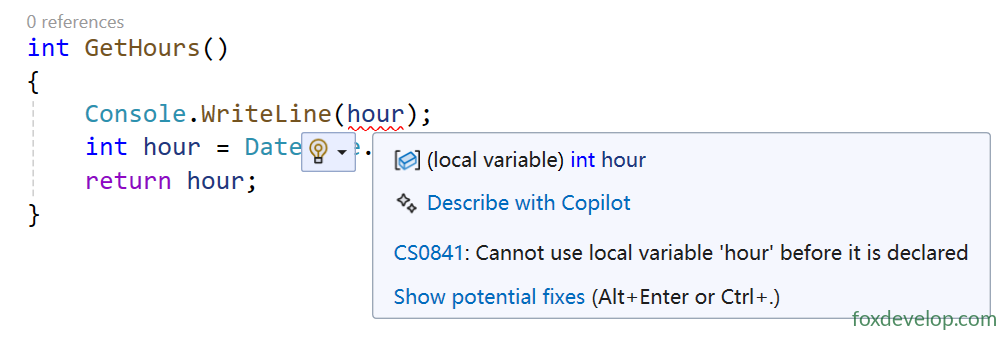
A red wavy underline error will appear, as shown in the screenshot above.
This differs from methods. A lower method can call an upper method because class methods are class members stored in the Method Table. Calls resolve by looking up this table rather than executing strictly top-down.
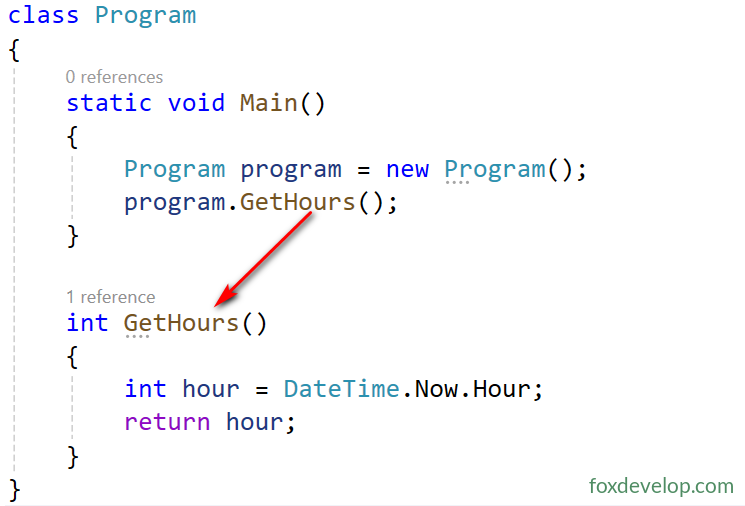
In the following snippet, Main calls GetHours which is defined later. This behaves differently from how local variables are declared and used.
class Program
{
    static void Main()
    {
        Program program = new Program();
        program.GetHours();
    }

    int GetHours()
    {
        int hour = DateTime.Now.Hour;
        return hour;
    }
}Code language: C# (cs)
Now let’s return to local functions.
Look at this sample:
class Program
{
    static void Main()
    {
        Program program = new Program();
        program.ZoomIn();
    }

    public void ZoomIn()
    {
        // You may call the local function before it is defined
        int results0 = ZoomIn5(10);
        Console.WriteLine($"A: {results0}");

        // Local function: multiplies the input value val by 5 and returns the result
        int ZoomIn5(int val)
        {
            return val * 5;
        }

        // Invoke local function
        int results = ZoomIn5(10);
        Console.WriteLine($"B: {results}");

        int results2 = ZoomIn5(5);
        Console.WriteLine($"C: {results2}");
    }
}
Code language: C# (cs)
Local functions live inside their containing method. You can invoke them either before or after where they are declared within that method.
You can even name a local function identically to its containing outer method.
class Program
{
    static void Main()
    {
        Program program = new Program();
        program.ZoomIn5();
    }

    public void ZoomIn5()
    {
        // You may call the local function before it is defined
        int results0 = ZoomIn5(10);
        Console.WriteLine($"A: {results0}");

        // Local function: multiplies the input value val by 5 and returns the result
        int ZoomIn5(int val)
        {
            return val * 5;
        }

        // Invoke local function
        int results = ZoomIn5(10);
        Console.WriteLine($"B: {results}");

        int results2 = ZoomIn5(5);
        Console.WriteLine($"C: {results2}");
    }
}
Code language: C# (cs)
In this example, both the outer method and local function share the name ZoomIn5. There is no naming conflict due to differing scopes, though this coding style is not recommended.
Local Functions