We touched on this topic in earlier lessons, but we’ll reinforce your understanding by examining memory storage in this section.
This tutorial is from foxdevelop.com. Please cite the source when republishing.
You can nest other code blocks inside a method body.
class Program
{
    static void Main()
    {
        int age = 19;
        {
            int one = 23;
        }
    }
}
Code language: C# (cs)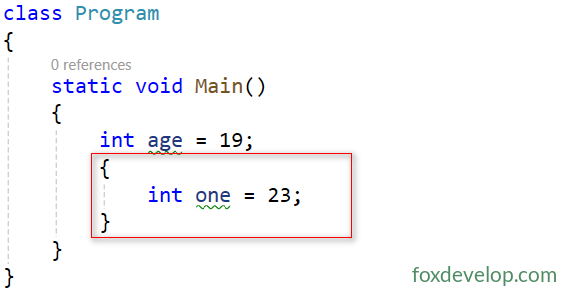
There is no limit to the number of code blocks. They can be arranged sequentially or nested on multiple levels with no depth restrictions.
class Program
{
    static void Main()
    {
        int age = 19;
        {
            int one = 23;
            {
                int two = 45;
                {
                    int three = 56;
                }
            }
        }
    }
}Code language: C# (cs)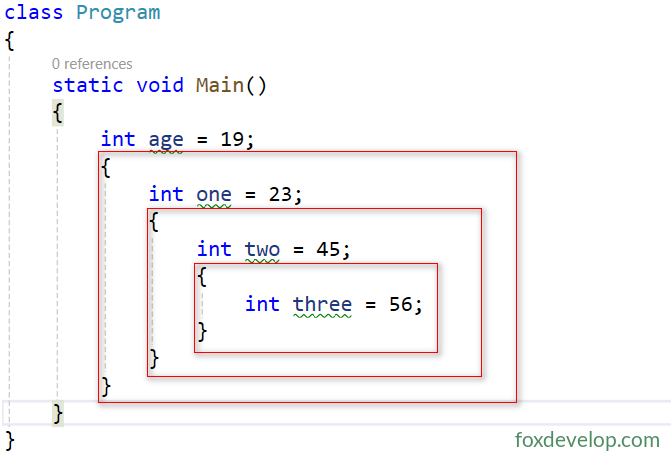
Note that statements like int xxxx = xxx; placed above child nested blocks run parallel to those blocks.
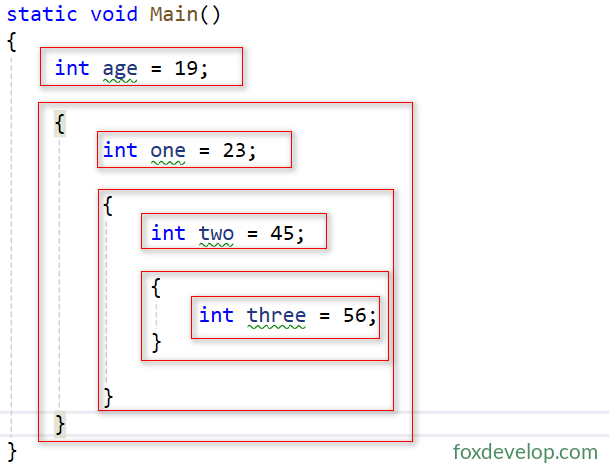
For example, int age = 19; and the nested code block below are two parallel statements. Do not mistake this structure for a method body.
Lifecycle
Let’s look at an example
    static void Main()
    {
        int a = 10;
        {
            int b = 20;
        }
    }Code language: C# (cs)
This sample contains two local variables. The outer variable a belongs to the outer scope of the Main function, while b resides inside the child nested code block.
We will walk through execution step by step to observe how data is stored on the stack memory.
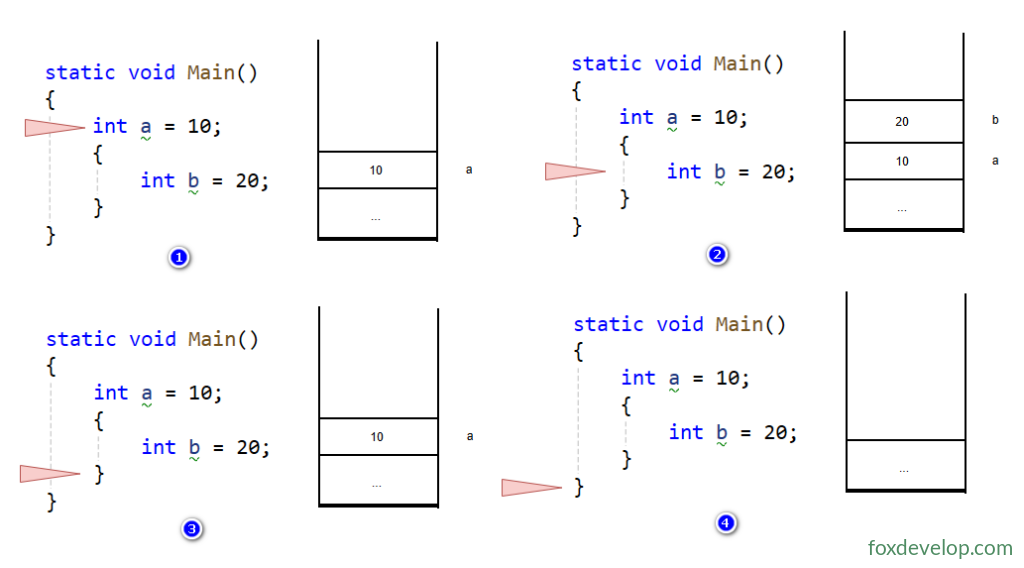
Step 1: Only int a = 10; executes. Space is allocated on the stack for a, assigned value 10.
Step 2: Enter the inner block and run int b = 20;. The stack adds b. Stack order from top to bottom: b, a.
Step 3: Execution of the inner code block finishes. b is popped from the stack, leaving only a.
Step 4: The Main method completes execution. a gets popped from the stack. All program variables are destroyed, and the program terminates.
Summary
Variables declared inside nested blocks exist from their declaration point until their containing code block finishes running.
Once a nested block finishes executing, all local variables inside that block are popped from the stack and destroyed.
A method body itself is essentially one large code block.
Scope
As long as the scope of an existing variable remains active, you cannot declare another local variable with the same name, no matter how many nesting layers you go deeper.
Take this example
    static void Main()
    {
        int a = 10;
        {
            int a = 20;
        }
    }Code language: C# (cs)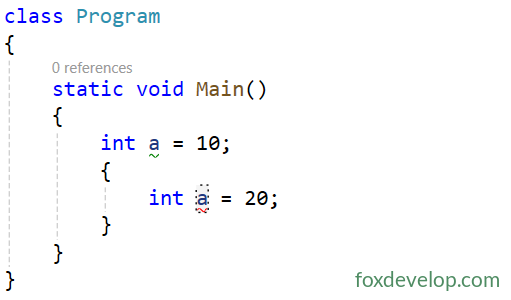
In this example, the variable a inside the child nested block shares the same name with the outer a. This triggers an error and prevents successful compilation.
The reasoning: The scope of int a = 10; covers all content within its parent curly braces. No duplicate variable names are permitted inside this scope. Even though int a = 20; sits inside a nested block, it still falls within the method body containing the original a, resulting in a naming conflict. The compiler detects duplicate declarations and marks the line with a red squiggle error.
This rule still applies even if you change the data type of the second variable named a.
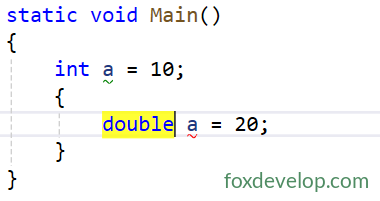
Variable names must be unique within a single scope, independent of data type.
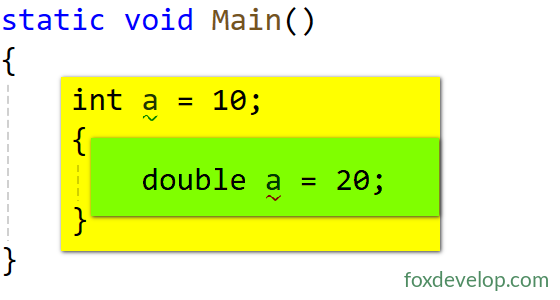
As shown in the screenshot, the outer variable a has the yellow-highlighted scope, and the inner variable a has the green scope. Clearly, the outer scope fully encloses the inner one, creating a conflict.
The solution is simply renaming the inner variable a.
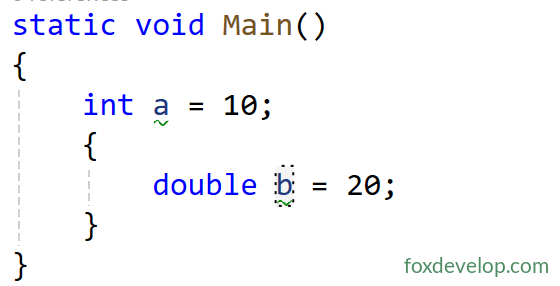
Let’s examine another case
Will a naming conflict occur with the following code?
class Program
{
    static void Main()
    {
        int a = 10;

        {
            double b = 20;
        }

        {
            double b = 30;
        }

    }
}Code language: C# (cs)
Answer: No. The reason is that we have two variables named b, but their scopes do not overlap, so no compilation error occurs. The upper b belongs only to its own block, and the lower b belongs to its separate block. There is no overlap, hence compilation succeeds. Refer to the diagram below.
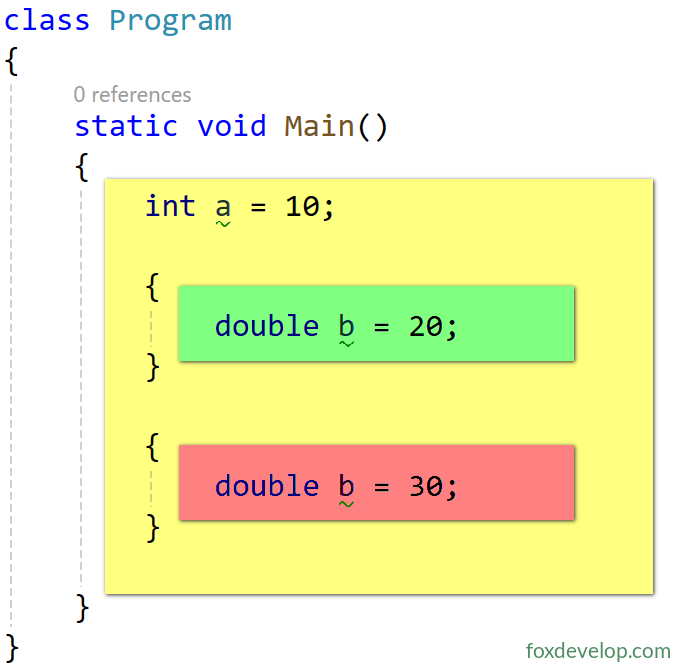
The diagram uses colors to display the separate scopes for each variable b. Hopefully this makes the concept clear to readers now.
Nested Code Blocks and Scope